Bulk Image Downloader - PictureHarvest icon

Bulk Image Downloader Chrome Extension Analysis

Video & Image Downloaders

Store listing title: Bulk Image Downloader - PictureHarvest

Chrome extension ID: pfdjamoljeifmihelemipobkmcgfnahj

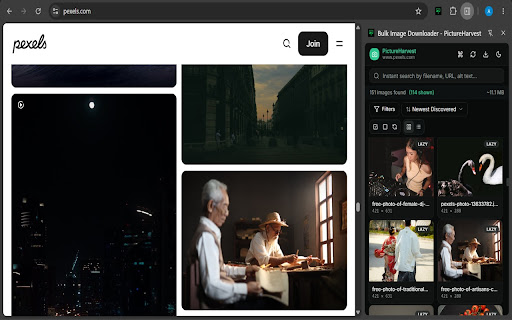
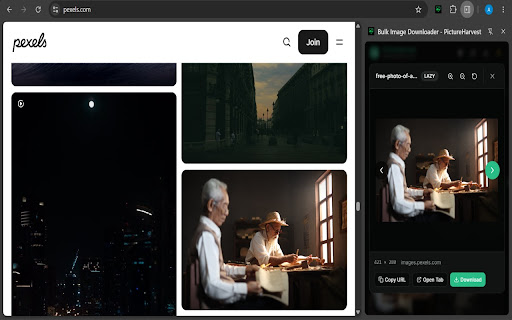
PictureHarvest is a Chrome extension that identifies and downloads images from webpages. Users can preview, filter, and bulk-download selected assets as individual files or combined into a single ZIP archive.

Developer:Abdul
Version:3.0.0
Size:152KiB
Last updated:

Overview

Installs

125

Rating

5.0

11 reviews

Languages

1 locales

Includes English (United States)

Market analysis

Review-backed positioning, friction, and market signals for this Chrome extension.

Backed by review samples

Macro category

Video & Image Downloaders

Pricing friction

Low review signal

Complaint intensity

Low review signal

Listing & review signals
Observed signals from store listing text and review samples.

Listing positioning

The extension positions itself as a comprehensive tool for bulk image extraction, highlighting its ability to detect hidden, CSS, and background assets. It emphasizes ease of use, organization through filtering and sorting, and privacy-conscious local processing.

Inferred product pattern

Free, locally-running browser utility for media extraction with no required account or payment.

Review-backed pain points

The only identified limitation is a request for keyboard shortcut support to enhance workflow speed.

Observed feature gaps

Keyboard shortcuts are currently absent.

Tags
Bulk Image DownloaderImage ExtractorAsset Collector
Target users

- Students

- Researchers

- Content Creators

- Designers

- Online Shoppers

Primary use cases

- Bulk image downloading

- Collecting reference images

- Saving website assets

- Filtering images by type and size

Positive themes

- Ease of use

- Reliable detection of hidden or background images

- Efficient ZIP file export

- Helpful filtering and preview functionality

Negative themes

- Lack of keyboard shortcuts

Observed friction

- No pricing friction reported; the tool appears to be fully functional as a free utility.

Evidence boundary: Data is derived from the Chrome Web Store listing and four consistent 5-star user reviews confirming functionality and ease of use. The review sample size is very small, which may not capture long-term performance issues or edge-case bugs.
Complaint summaries
Review-backed complaint signals grouped by operational area.

Support

No support complaints identified.

Reliability

No reliability or performance complaints identified.

Privacy

No privacy complaints; the listing explicitly claims local-only processing.

Access & pricing

- Free usage observed

- No account requirement observed

- Free plan or free usage claimed

Store listing facts

Listing assets

- Screenshots: 4

- Videos: 0

- Languages: 1

Trust signals

- Privacy policy

- Developer contact

Store metadata

- Version: 3.0.0

- Size: 152KiB

- Last updated:

Listing SEO keywords

Search intent keywords
Keyword signals for evaluating how users may discover, compare, or search for this extension category.

Core discovery

bulk image downloaderextract images from websitedownload images as zipsave hidden images chrome

Comparison

best image downloader extensionPictureHarvest vs Image Downloader

Problem

how to download all images from a webpageextract background images

Alternative

image extractor toolbulk media downloader

Similar extensions

Jump to related discovery paths:

Screenshots

Bulk Image Downloader - PictureHarvest screenshot

Links

Recommended Chrome extensions

Related listings from the same category, trending peers, and the same publisher portfolio.

Browse art