Hide YouTube Thumbnails icon

Hide YouTube Thumbnails Chrome Extension Analysis

Tab & Bookmark Productivity

Chrome extension ID: phmcfcbljjdlomoipaffekhgfnpndbef

This extension allows users to hide or blur YouTube thumbnails to minimize distractions. It offers multiple modes, such as showing thumbnails only on hover or applying a blur effect across various YouTube pages.

Developer:Adam Jones
Version:2.6.3
Size:860KiB
Last updated:

Overview

Installs

50K+

Rating

★ 4.6

145 reviews

Languages

6 locales

Includes Deutsch, English, Nederlands, español...

Market analysis

Review-backed positioning, friction, and market signals for this Chrome extension.

Backed by review samples

Macro category

Tab & Bookmark Productivity

Pricing friction

Low review signal

Complaint intensity

Moderate review signal

Listing & review signals
Observed signals from store listing text and review samples.

Listing positioning

The extension is positioned as a tool to create a peaceful and less distracting YouTube browsing experience. It emphasizes reducing clickbait, avoiding spoilers, and filtering inappropriate imagery through customizable thumbnail controls.

Inferred product pattern

Niche UI modification utility for content filtering and focus enhancement.

Review-backed pain points

Users report the extension sometimes stops working after updates and that hiding thumbnails removes useful visual cues like the 'watched video' progress bar and video duration.

Observed feature gaps

Users requested a quick-access toggle in the extension toolbar and the ability to keep video duration or progress indicators visible while thumbnails are hidden.

Tags
YouTube UtilityDistraction BlockerFocus ToolContent Filter
Target users

- Students

- Teachers

- Users prone to procrastination

- Users seeking spoiler prevention

Primary use cases

- Reducing YouTube distractions while studying

- Avoiding spoilers in video feeds

- Filtering inappropriate imagery in educational settings

Positive themes

- Effective at reducing distraction

- Helps combat video addiction

- Customizable visibility options

Negative themes

- Sudden loss of functionality

- Loss of video progress and duration indicators

- Lack of quick-access toolbar toggle

Observed friction

- No pricing friction observed; product appears to be free.

Evidence boundary: Evidence derived from the Chrome Web Store listing and user reviews regarding functionality, reliability, and feature requests. Review sample size is relatively small and includes some conflicting reports on current functionality.
Complaint summaries
Review-backed complaint signals grouped by operational area.

Support

Users expressed frustration when the tool stopped working, but no specific support response issues were noted.

Reliability

Multiple reviews mention the extension suddenly stopping functionality or failing to hide thumbnails as intended.

Privacy

No privacy complaints found.

Access & pricing

- Free usage observed

- No account requirement observed

- Free plan or free usage claimed

Store listing facts

Listing assets

- Screenshots: 1

- Videos: 0

- Languages: 6

Trust signals

- Privacy policy

- Developer contact

- Official website

- Support link

Store metadata

- Version: 2.6.3

- Size: 860KiB

- Last updated:

Listing SEO keywords

Search intent keywords
Keyword signals for evaluating how users may discover, compare, or search for this extension category.

Core discovery

hide youtube thumbnailsblur youtube thumbnailsdisable youtube thumbnailsyoutube distraction blocker

Comparison

ad blockeryoutube focus mode

Problem

youtube clickbaityoutube spoilersyoutube procrastinationdistracting thumbnails

Alternative

clean youtube interfaceyoutube content filter

Similar extensions

Jump to related discovery paths:

Screenshots

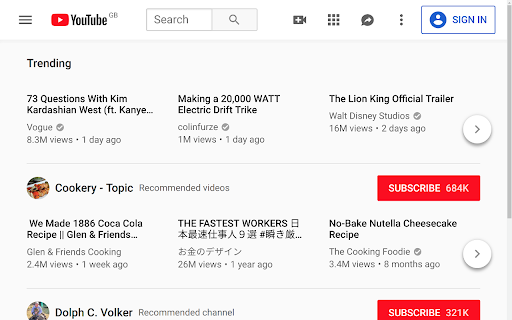
Hide YouTube Thumbnails screenshot

Links

Recommended Chrome extensions

Related listings from the same category, trending peers, and the same publisher portfolio.

Browse workflow