Microsoft Bing InPrivate icon

Microsoft Bing InPrivate Chrome Extension Analysis

Privacy, Security & Ad Blockers

Chrome extension ID: pjhcpooacdljimmmkpbknccbedoaagai

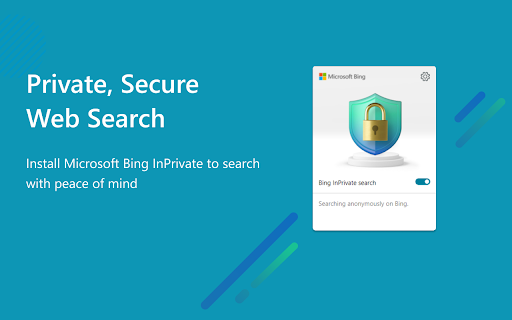
Microsoft Bing InPrivate is a browser extension designed to facilitate anonymous searches. It provides one-click access to Chrome privacy settings and ensures that user search history is not recorded on Bing.com.

Version:1.0.10
Size:629KiB
Last updated:

Overview

Installs

10K+

Rating

4.0

10 reviews

Languages

41 locales

Includes Deutsch, English, English (United Kingdom), English (United States)...

Market analysis

Review-backed positioning, friction, and market signals for this Chrome extension.

Backed by review samples

Macro category

Privacy, Security & Ad Blockers

Pricing friction

Low review signal

Complaint intensity

High review signal

Listing & review signals
Observed signals from store listing text and review samples.

Listing positioning

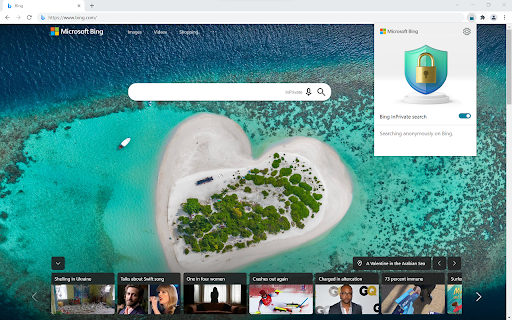
The extension positions itself as a tool for private and anonymous web searching within Chrome. It claims to set Bing as the default search engine with InPrivate mode active and automatically disables Microsoft sign-ins to prevent search history from being saved.

Inferred product pattern

A privacy-focused utility that wraps the Bing search engine to provide an anonymous browsing experience by disabling account sign-ins and history saving.

Review-backed pain points

Users expressed significant distrust regarding how Microsoft uses AI to collect user inputs for advertising purposes.

Observed feature gaps

No specific feature gaps identified; user dissatisfaction is centered on privacy policy and data handling trust.

Tags
Private SearchAnonymous BrowsingPrivacy Tools
Target users

- Privacy-conscious Chrome users

- Users seeking anonymous search engines

Primary use cases

- Anonymous web searching

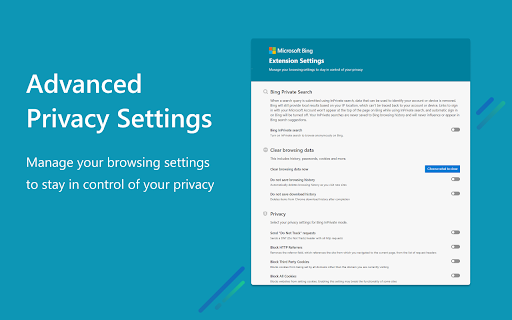
- Managing browser privacy settings

Positive themes

- Effective anonymous search functionality

- Ease of use for private browsing

Negative themes

- Distrust of data collection and AI usage

- Concerns regarding data privacy and advertising

Observed friction

- Privacy complaints detected

- No pricing friction observed in the provided data.

Evidence boundary: Data extracted from the Chrome Web Store listing and a sample of 5 user reviews. The small number of reviews (10 total) limits the statistical significance of the sentiment analysis.
Complaint summaries
Review-backed complaint signals grouped by operational area.

Support

No support or account-related complaints observed.

Reliability

No reliability or performance complaints observed.

Privacy

A user alleged that Microsoft's AI copies user inputs to sell for advertising and expressed deep distrust of the ecosystem's privacy practices.

Access & pricing

- No clear monetization signal

- No account requirement observed

- Free plan or free usage claimed

Store listing facts

Listing assets

- Screenshots: 3

- Videos: 0

- Languages: 41

Trust signals

- Privacy policy

- Developer contact

Store metadata

- Version: 1.0.10

- Size: 629KiB

- Last updated:

Listing SEO keywords

Search intent keywords
Keyword signals for evaluating how users may discover, compare, or search for this extension category.

Core discovery

private search extensionanonymous browsing ChromeBing InPrivateprivate search engine

Comparison

private search engineanonymous search tools

Problem

stop search history trackingprivate web browsinganonymous search

Alternative

Incognito modeDuckDuckGoprivate browser extensions

Similar extensions

Jump to related discovery paths:

Screenshots

Microsoft Bing InPrivate screenshot

Links

Recommended Chrome extensions

Related listings from the same category, trending peers, and the same publisher portfolio.

Browse tools
Microsoft Bing Homepage & Search for Chrome icon

Microsoft Bing Homepage & Search for Chrome

Microsoft Corporation

Set Microsoft Bing as your default homepage and default search engine

Installs

4.0M+

Rating

3.8

Microsoft Bing Search with Rewards icon

Microsoft Bing Search with Rewards

Microsoft Corporation

Use the Microsoft Rewards extension to find new ways to earn every day, easily track your points and set your default search to Bing

Installs

3.0M+

Rating

4.3

Ecosia - The search engine that plants trees icon

Ecosia - The search engine that plants trees

Ecosia GmbH

This extension sets your search engine to Ecosia and customizes your new tab page so you can plant trees with every search.

Installs

1.0M+

Rating

4.7

Video Downloader Plus icon

Video Downloader Plus

Video Downloader Plus

Download and save videos from any website instantly. A fast, simple video downloader that just works.

Installs

1.0M+

Rating

4.5

Wordtune: AI Paraphrasing and Grammar Tool icon

Wordtune: AI Paraphrasing and Grammar Tool

Wordtune

Unlock your potential with Wordtune's free AI writer – paraphrase, rewrite, translate, fix grammar, and more.

Installs

1.0M+

Rating

4.6

Keep Awake your System or Display icon

Keep Awake your System or Display

Dorian Hiller

Keep your system or display from going to sleep with just one click!

Installs

1.0M+

Rating

5.0

Поиск Яндексa icon

Поиск Яндексa

Yandex

Вводите запросы в адресную строку и получайте ответы от Яндекса

Installs

1.0M+

Rating

3.2

Bing Search and Homepage icon

Bing Search and Homepage

Microsoft Corporation

Set Microsoft Bing as your default homepage and default search engine

Installs

1.0M+

Rating

2.3

uberAgent icon

uberAgent

Cloud Software Group, Inc.

Enables uberAgent to collect web app usage and performance data (e.g., foreground tab, page load duration) from Chrome.

Installs

1.0M+

Rating

3.0

Ace Script icon

Ace Script

Ace Stream

Everything can be scripted, allowing your browser to do more!

Installs

1.0M+

Rating

3.4