Citation Manager for Google Chrome™ icon

Citation Manager for Google Chrome™ Chrome Extension Analysis

AI & Writing Assistants

Chrome extension ID: pkbcbgfocajmfmpmecphcfilelckmegj

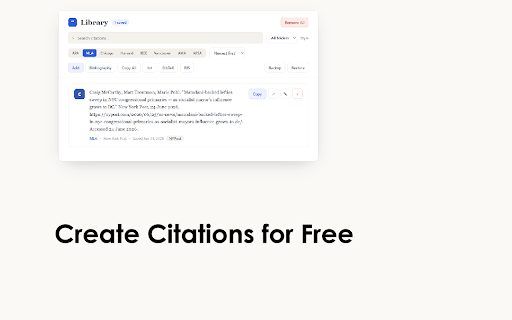
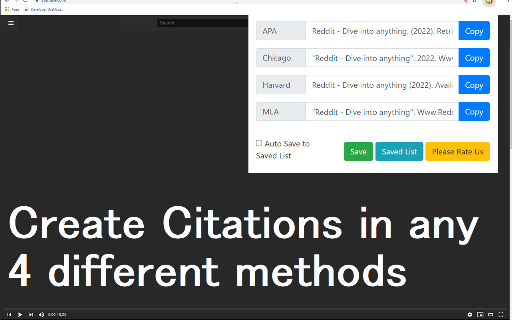
A Chrome extension that allows users to capture and format website citations directly from their browser. It supports major citation styles including APA, MLA, Chicago, and Harvard.

Version:3.2.0
Size:136KiB
Last updated:

Overview

Installs

10K+

Rating

3.8

18 reviews

Languages

39 locales

Includes Deutsch, English, Filipino, Indonesia...

Market analysis

Review-backed positioning, friction, and market signals for this Chrome extension.

Backed by review samples

Macro category

AI & Writing Assistants

Pricing friction

Low review signal

Complaint intensity

Moderate review signal

Listing & review signals
Observed signals from store listing text and review samples.

Listing positioning

The product is positioned as a quick and simple tool for students and researchers to prevent plagiarism by saving website sources. It emphasizes automatic citation generation for common academic formats.

Inferred product pattern

A lightweight, free utility for quick academic citation management aimed at students and researchers.

Review-backed pain points

Users reported instances of the extension failing to save citations, a lack of regional citation styles (ABNT), and difficulties in alphabetizing or exporting citations correctly.

Observed feature gaps

Lack of folder organization for URLs, absence of APSA/ABNT styles, and missing bibliography formatting/alphabetizing capabilities.

Tags
Citation ManagerResearch ToolEssay WritingBibliography Tool
Target users

- Students

- Academic Researchers

- Essay Writers

Primary use cases

- Generating academic citations

- Saving web sources during research

- Preventing plagiarism in essays

Positive themes

- Ease of use

- Free access

- Support for major styles like APA and Chicago

Negative themes

- Missing specific citation styles like ABNT or APSA

- Reliability issues with saving citations

- Lack of organizational features like folders

Observed friction

- Performance complaints detected

- No pricing friction observed; reviews specifically mention the product is free.

Evidence boundary: Extracted from the Chrome Web Store description and a sample of user reviews covering various ratings. The review sample size is relatively small, which may not represent the full user experience.
Complaint summaries
Review-backed complaint signals grouped by operational area.

Support

No specific support or account complaints identified in the review samples.

Reliability

Some users reported that the extension is not updated or fails to save citations as intended.

Privacy

No privacy or security complaints identified.

Access & pricing

- Free usage observed

- No account requirement observed

- Free plan or free usage claimed

Store listing facts

Listing assets

- Screenshots: 2

- Videos: 0

- Languages: 39

Trust signals

- Developer contact

- Official website

Store metadata

- Version: 3.2.0

- Size: 136KiB

- Last updated:

Listing SEO keywords

Search intent keywords
Keyword signals for evaluating how users may discover, compare, or search for this extension category.

Core discovery

citation managerAPA citation toolMLA citation generatorresearch paper assistantcite website sources

Comparison

Zotero alternativeMendeley alternative

Problem

plagiarism preventionhow to cite a websitecitation formatting issues

Alternative

bibliography makerreference manager extension

Similar extensions

Jump to related discovery paths:

Screenshots

Citation Manager for Google Chrome™ screenshot

Links

Recommended Chrome extensions

Related listings from the same category, trending peers, and the same publisher portfolio.

Browse workflow