Enable Right Click & Copy — Smart Unlock + OCR icon

Enable Right Click & Copy Chrome Extension Analysis

Automation & Workflow Efficiency

Store listing title: Enable Right Click & Copy — Smart Unlock + OCR

Chrome extension ID: pkoccklolohdacbfooifnpebakpbeipc

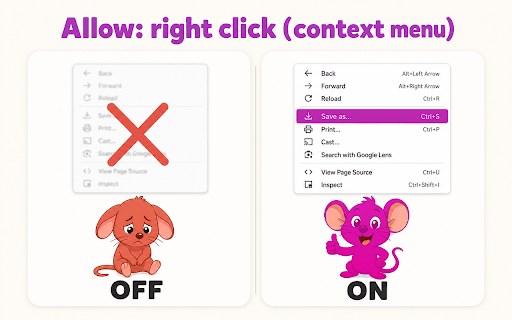
A browser extension that bypasses website restrictions on context menus and text selection. It features an 'Absolute Mode' for high-protection sites and an integrated Optical Character Recognition (OCR) tool to copy text from images.

Version:6.6.0
Size:2.66MiB
Last updated:

Overview

Installs

70K+

Rating

4.7

192 reviews

Languages

53 locales

Includes Deutsch, English, English (United Kingdom), English (United States)...

Market analysis

Review-backed positioning, friction, and market signals for this Chrome extension.

Backed by review samples

Macro category

Automation & Workflow Efficiency

Pricing friction

Low review signal

Complaint intensity

High review signal

Listing & review signals
Observed signals from store listing text and review samples.

Listing positioning

The product positions itself as a comprehensive solution to restore right-click and copy-paste functionalities on restricted websites. It highlights its compatibility with Manifest V3 and the inclusion of an OCR tool for extracting text from images.

Inferred product pattern

Browser utility for bypassing web restrictions bundled with OCR capabilities, likely monetized via promotional redirects.

Review-backed pain points

Users reported being forced to scam or promotional pages upon installation and removal, and some found the extension ineffective on specific sites like GeeksforGeeks.

Observed feature gaps

Lack of consistent 'set-and-forget' reliability, as some users must manually restart the extension to keep it working on stagnant pages.

Tags
Right Click EnableCopy Paste UnlockerOCR ToolWeb UtilityProductivity
Target users

- Researchers

- Students

- Content Curators

- Web Developers

Primary use cases

- Copying text from protected websites

- Extracting text from images via OCR

- Restoring right-click context menus

Positive themes

- High utility of the OCR image reader

- Success in bypassing restrictions where other extensions failed

- Ease of use

Negative themes

- Presence of spam redirects and promotional scam pages

- Inconsistent performance on specific websites

- Requirement to toggle the extension on/off to maintain functionality

Observed friction

- Performance complaints detected

- Privacy complaints detected

- No pricing friction observed as the product is claimed to be free.

Evidence boundary: Data extracted from the Chrome Web Store listing and a sample of 10 helpful reviews ranging from 1 to 5 stars. Review sample size is small relative to the total user base.
Complaint summaries
Review-backed complaint signals grouped by operational area.

Support

No direct support requests observed, but severe warnings regarding promotional redirects are present in reviews.

Reliability

Reports of functionality breaking on specific websites or requiring manual toggling to resume operation.

Privacy

Multiple reports of spam redirects and the forced opening of scam pages during installation and uninstallation.

Access & pricing

- Ad-supported model observed

- No account requirement observed

- Free plan or free usage claimed

Store listing facts

Listing assets

- Screenshots: 1

- Videos: 0

- Languages: 53

Trust signals

- Privacy policy

- Developer contact

- Official website

Store metadata

- Version: 6.6.0

- Size: 2.66MiB

- Last updated:

Listing SEO keywords

Search intent keywords
Keyword signals for evaluating how users may discover, compare, or search for this extension category.

Core discovery

enable right clickallow copy pasteunlock right click chromeocr image text extractor

Comparison

best right click enable extensionenable copy paste alternatives

Problem

cannot right click on websitewebsite disabled copy pastehow to copy text from image

Alternative

right click enable alternativeallow copy chrome extension

Similar extensions

Jump to related discovery paths:

Screenshots

Enable Right Click & Copy — Smart Unlock + OCR screenshot

Links

Recommended Chrome extensions

Related listings from the same category, trending peers, and the same publisher portfolio.

Browse workflow