Full Page Screen Capture icon

Full Page Screen Capture Chrome Extension Analysis

Developer & Designer Tools

Chrome extension ID: pmabjgjpcbofkbbeiphkiaanogobokgg

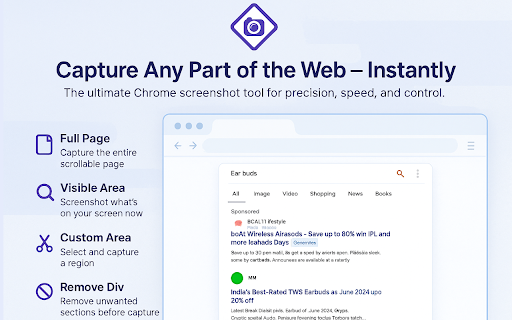
Full Page Screen Capture is a browser extension designed to take screenshots of entire websites, including the portions that require scrolling. It allows users to save these captures in PNG or JPG formats.

Version:1.0.6
Size:1.24MiB
Last updated:

Overview

Installs

80K+

Rating

3.8

143 reviews

Languages

54 locales

Includes Deutsch, English, English (United Kingdom), English (United States)...

Market analysis

Review-backed positioning, friction, and market signals for this Chrome extension.

Backed by review samples

Macro category

Developer & Designer Tools

Pricing friction

Low review signal

Complaint intensity

High review signal

Listing & review signals
Observed signals from store listing text and review samples.

Listing positioning

The store listing positions this extension as a free, user-friendly tool for capturing high-quality full-page screenshots. It explicitly targets professionals like designers and developers by highlighting its capability to capture non-visible web page areas.

Inferred product pattern

Legacy browser utility suffering from maintenance gaps and recent technical incompatibility.

Review-backed pain points

The primary pain point is total functional failure; many users report that clicking the extension icon results in no action, or the tool hangs indefinitely on the 'capturing' phase.

Observed feature gaps

Reviewers note a lack of reliable performance and suggest the extension may be abandoned or broken by recent browser updates.

Tags
ScreenshotProductivityWeb Capture
Target users

- Designers

- Developers

- Content Creators

Primary use cases

- Full-page web screenshotting

- Capturing off-screen web content

- Saving webpage captures as image files

Positive themes

- Historical preference as a favorite tool

- Efficient for portfolio building (past experience)

Negative themes

- Extension becomes unresponsive after clicking

- Stuck in perpetual loading/capturing state

- Breakage following recent updates

- Failure to trigger any action on supported browsers

Observed friction

- Performance complaints detected

- None reported; the extension is marketed as completely free.

Evidence boundary: Extracted from recent user reviews indicating widespread functional failure across multiple Chrome versions, contradicting listing claims of effectiveness. Review sample is heavily skewed toward recent negative experiences following reported software updates.
Complaint summaries
Review-backed complaint signals grouped by operational area.

Support

Users report frustration with feedback forms failing to submit due to server errors.

Reliability

Significant reliability complaints; multiple users report that the extension has stopped working entirely, often citing recent updates as the cause of performance degradation.

Privacy

No privacy-specific complaints identified in sample data.

Access & pricing

- Free usage observed

- No account requirement observed

- Free plan or free usage claimed

Store listing facts

Listing assets

- Screenshots: 4

- Videos: 0

- Languages: 54

Trust signals

- Privacy policy

- Developer contact

- Official website

Store metadata

- Version: 1.0.6

- Size: 1.24MiB

- Last updated:

Listing SEO keywords

Search intent keywords
Keyword signals for evaluating how users may discover, compare, or search for this extension category.

Core discovery

full page screenshot chrome extensioncapture entire webpagescrolling screenshot extension

Comparison

FireShot alternativeSnapify vs Full Page Screen Capture

Problem

extension not workingscreenshot tool brokenstuck on capturing

Alternative

best full page capture extensions

Similar extensions

Jump to related discovery paths:

Screenshots

Full Page Screen Capture screenshot

Links

Recommended Chrome extensions

Related listings from the same category, trending peers, and the same publisher portfolio.

Browse workflow