Delete Facebook Messages Pro icon

Delete Facebook Messages Pro Chrome Extension Analysis

Automation & Workflow Efficiency

Chrome extension ID: pohdajgdbjficjbiiedheajnkmekdnoe

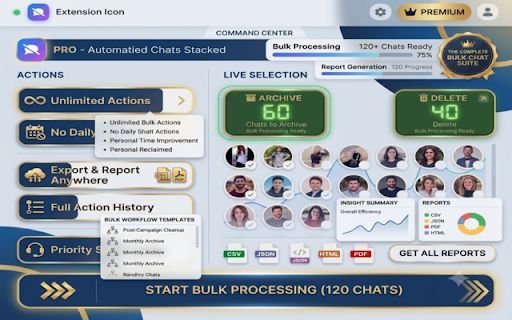
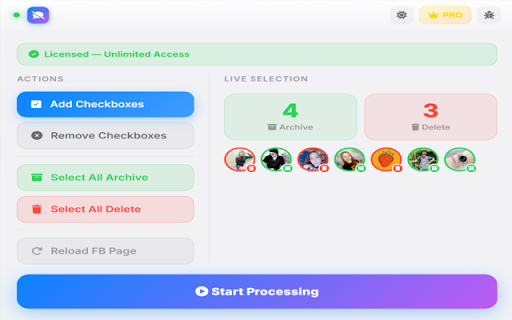
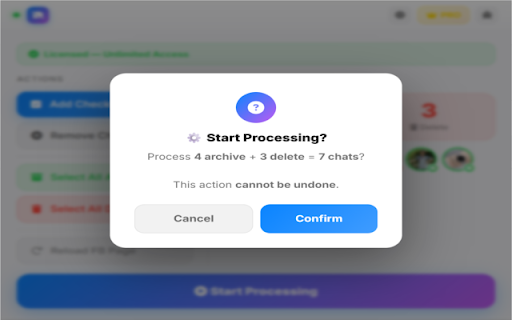
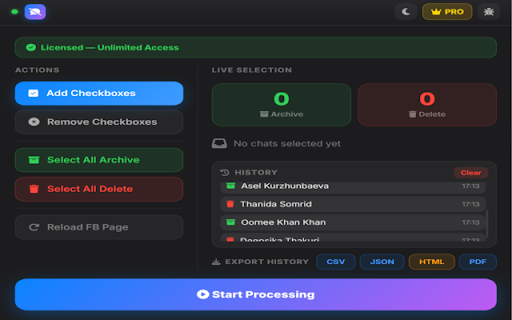
This extension provides a way to mass-manage Facebook chat threads by adding selection checkboxes to the messages page. Users can select individual or all chats to archive or delete them simultaneously.

Developer:engrzakkh
Version:3.4
Size:257KiB
Last updated:

Overview

Installs

497

Rating

4.3

35 reviews

Languages

1 locales

Includes English (United States)

Market analysis

Review-backed positioning, friction, and market signals for this Chrome extension.

Backed by review samples

Macro category

Automation & Workflow Efficiency

Pricing friction

Moderate review signal

Complaint intensity

High review signal

Listing & review signals
Observed signals from store listing text and review samples.

Listing positioning

The product positions itself as an advanced utility that adds a custom checkbox interface to Facebook messages. It emphasizes time-saving automation through bulk archiving and deletion, supported by a live progress UI.

Inferred product pattern

A utility-based freemium extension that injects UI elements into Facebook to automate repetitive chat management tasks.

Review-backed pain points

Users reported the extension failing to actually delete messages and expressed significant anger regarding the 5-use limit before being prompted to pay.

Observed feature gaps

There is a reported gap between the advertised deletion functionality and the actual successful execution of the task as experienced by some users.

Tags
Facebook ManagerBulk DeleteChat ManagementMessage Archive
Target users

- Facebook users

- Social media managers

- Privacy-conscious individuals

Primary use cases

- Bulk deleting Facebook messages

- Mass archiving old chat threads

- Cleaning up Facebook Messenger inbox

Positive themes

- Fast and time-saving

- Easy bulk management via checkboxes

- Convenient one-click functionality

Negative themes

- Failure to execute deletions

- Limited free usage threshold

- Frustration with payment prompts

Observed friction

- Free-tier complaints detected

- Refund complaints detected

- Performance complaints detected

- Significant friction caused by a very low free usage limit (5 messages) before the tool requires payment.

Evidence boundary: Analysis based on the product's long description and a sample of user reviews mentioning both successful bulk management and total functional failure. The review sample size is relatively small, which may not reflect the experience of the entire user base.
Complaint summaries
Review-backed complaint signals grouped by operational area.

Support

Users expressed direct dissatisfaction and requested refunds due to the tool not performing its core function.

Reliability

Critical reports indicate the extension often does nothing when attempting to delete messages.

Privacy

No privacy or security complaints were observed in the provided reviews.

Access & pricing

- Free entry with paid features

- No account requirement observed

- Limited free usage observed

Store listing facts

Listing assets

- Screenshots: 4

- Videos: 0

- Languages: 1

Trust signals

- Developer contact

Store metadata

- Version: 3.4

- Size: 257KiB

- Last updated:

Listing SEO keywords

Search intent keywords
Keyword signals for evaluating how users may discover, compare, or search for this extension category.

Core discovery

delete facebook messagesfacebook message managerbulk delete facebook chatsarchive facebook messages

Comparison

Facebook message cleaner

Problem

how to delete multiple facebook messagesclear facebook inboxfacebook messenger cleanup

Alternative

facebook message deleterbulk messenger archive

Similar extensions

Jump to related discovery paths:

Screenshots

Delete Facebook Messages Pro screenshot

Recommended Chrome extensions

Related listings from the same category, trending peers, and the same publisher portfolio.

Browse social