Remote for Slides icon

Remote for Slides Chrome Extension Analysis

Automation & Workflow Efficiency

Chrome extension ID: pojijacppbhikhkmegdoechbfiiibppi

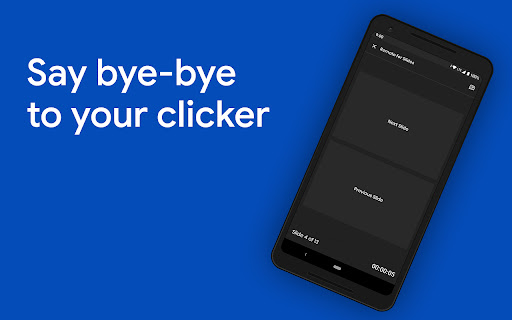
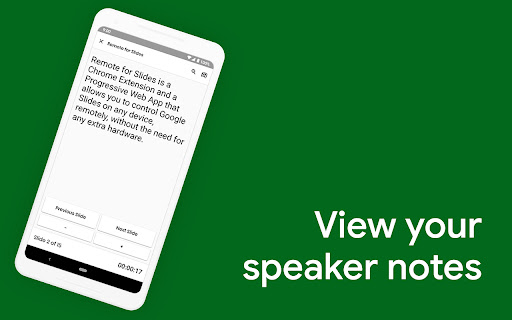
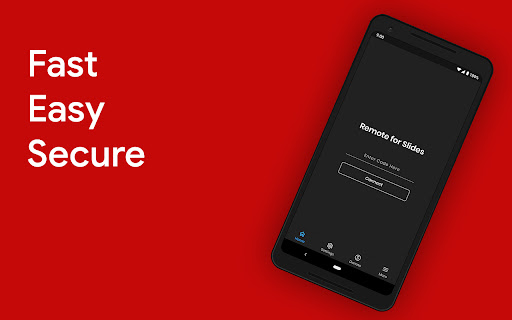
Remote for Slides is a Chrome extension that enables users to control Google Slides presentations via a 6-digit code on a PWA or Android app. It provides tools for viewing speaker notes, managing timers, and controlling YouTube playback.

Developer:Henry Lim
Version:3.0.2
Size:255KiB
Last updated:

Overview

Installs

100K+

Rating

4.2

137 reviews

Languages

3 locales

Includes English, 中文(中国), 中文(台灣)

Market analysis

Review-backed positioning, friction, and market signals for this Chrome extension.

Backed by review samples

Macro category

Automation & Workflow Efficiency

Pricing friction

Low review signal

Complaint intensity

Moderate review signal

Listing & review signals
Observed signals from store listing text and review samples.

Listing positioning

The product is positioned as a hardware-free solution for controlling Google Slides presentations remotely. It highlights features like speaker notes, timers, and game controller support to allow seamless presentation management from any device.

Inferred product pattern

A connectivity utility that uses a synchronization code to bridge a Chrome extension with a mobile or web-based remote interface.

Review-backed pain points

Users have expressed frustration over the inability to use full-screen mode, lack of play/pause controls for autoplay, and bugs affecting slide animations and navigation.

Observed feature gaps

Missing full-screen support, inability to control in-slide video playback, lack of pause/resume for the timer, and no control over autoplay.

Tags
Presentation RemoteGoogle SlidesWorkflow ProductivityRemote Control
Target users

- Teachers

- Public Speakers

- Presenters

- Students

Primary use cases

- Remote presentation control

- Viewing speaker notes away from the computer

- Controlling media playback during slides

Positive themes

- Ease of use

- Long-term utility for presenters

Negative themes

- Lack of full-screen presentation mode

- Incomplete media and animation controls

- Security warnings on the remote access site

Observed friction

- Performance complaints detected

- Privacy complaints detected

- No pricing friction observed; the product operates on a donation-based model.

Evidence boundary: Data was compiled from the official Chrome Web Store listing and user reviews covering feature functionality and technical bugs. The analysis is based on a limited sample of 10 reviews.
Complaint summaries
Review-backed complaint signals grouped by operational area.

Support

No support complaints were identified in the provided reviews.

Reliability

Users reported bugs regarding simultaneous animations and presentations starting on incorrect slides.

Privacy

One user reported that their browser flags the remote access website as unsafe.

Access & pricing

- Free usage observed

- Login needed for core features

- Free plan or free usage claimed

Store listing facts

Listing assets

- Screenshots: 4

- Videos: 1

- Languages: 3

Trust signals

- Privacy policy

- Developer contact

- Official website

Store metadata

- Version: 3.0.2

- Size: 255KiB

- Last updated:

Listing SEO keywords

Search intent keywords
Keyword signals for evaluating how users may discover, compare, or search for this extension category.

Core discovery

Google Slides remote controlpresentation remote extensioncontrol slides from phoneGoogle Slides speaker notes remote

Comparison

presentation clickerwireless slide remote

Problem

Google Slides no full screenGoogle Slides remote bugscontrol YouTube in Google Slides

Alternative

Logitech SpotlightGoogle Slides hardware remote

Similar extensions

Jump to related discovery paths:

Screenshots

Remote for Slides screenshot

Links

Recommended Chrome extensions

Related listings from the same category, trending peers, and the same publisher portfolio.

Browse workflow