Ultra Button icon

Ultra Button Chrome Extension Analysis

Tab & Bookmark Productivity

Chrome extension ID: ppmnkcnnoclkpbbckblofjbjepocnflo

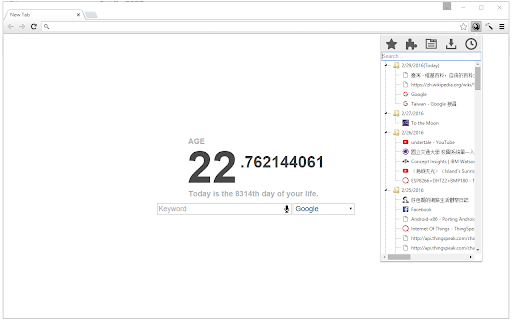
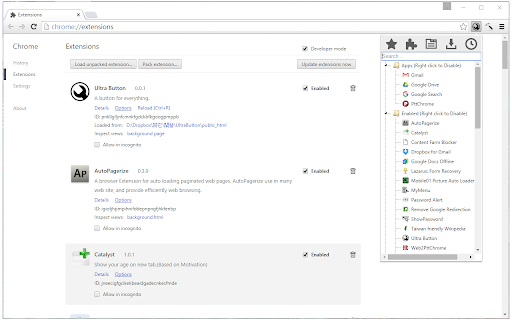
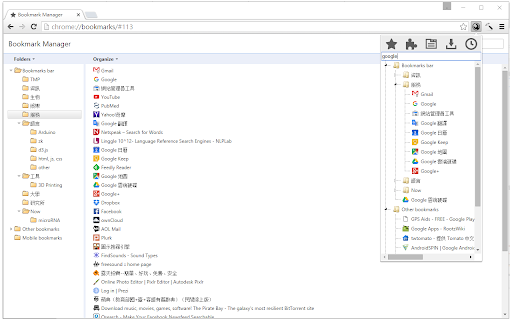
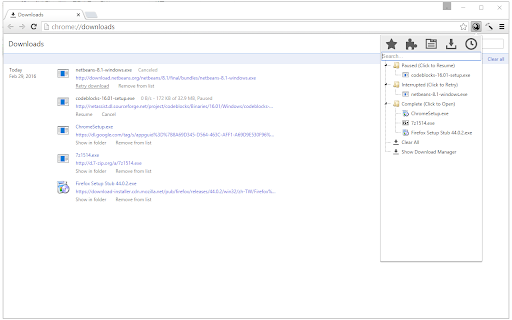
Ultra Button is a productivity extension that provides a unified interface to manage various browser functions. It features specialized mouse middle-button behaviors for faster interaction with bookmarks, tabs, and extensions.

Developer:a161803398
Version:2.1.0
Size:144KiB
Last updated:

Overview

Installs

6K+

Rating

4.6

75 reviews

Languages

3 locales

Includes English, 中文(中国), 中文(台灣)

Market analysis

Review-backed positioning, friction, and market signals for this Chrome extension.

Backed by review samples

Macro category

Tab & Bookmark Productivity

Pricing friction

Low review signal

Complaint intensity

Moderate review signal

Listing & review signals
Observed signals from store listing text and review samples.

Listing positioning

The product is positioned as a centralized access point for essential Chrome features. It emphasizes efficiency by consolidating bookmarks, extensions, downloads, history, and tabs into a single button.

Inferred product pattern

A utility-style 'Swiss Army Knife' extension that mirrors and streamlines native browser management functions into a custom popup.

Review-backed pain points

Users have reported a lack of dark theme options, UI bugs where the interface shrinks unexpectedly, and significant system memory consumption on some devices.

Observed feature gaps

Missing dark mode, multi-selection capabilities for bookmark folders, and optimization for high-DPI screens.

Tags
Browser ManagerProductivity ToolTab OrganizerBookmark AccessWorkflow Utility
Target users

- Power users

- Productivity enthusiasts

- Users with large bookmark libraries

Primary use cases

- Consolidated access to browser history and bookmarks

- Quick management of active extensions

- Fast closing of tabs and windows

Positive themes

- High utility and simplicity

- Effective centralization of browser tools

Negative themes

- Lack of dark mode support

- UI scaling issues on high-resolution screens

- Performance concerns regarding memory usage

Observed friction

- Performance complaints detected

- No pricing friction observed as the product appears to be free.

Evidence boundary: Analysis based on the public store listing and 10 representative user reviews. Memory usage and reliability complaints are based on a small sample of low-rating reviews.
Complaint summaries
Review-backed complaint signals grouped by operational area.

Support

No specific support or account complaints found in the provided samples.

Reliability

Some users report the interface becoming unusable or shrinking to a tiny size, and one report of excessive memory usage.

Privacy

No privacy or security complaints observed.

Access & pricing

- Free usage observed

- No account requirement observed

- Free plan or free usage claimed

Store listing facts

Listing assets

- Screenshots: 4

- Videos: 0

- Languages: 3

Trust signals

- Developer contact

Store metadata

- Version: 2.1.0

- Size: 144KiB

- Last updated:

Listing SEO keywords

Search intent keywords
Keyword signals for evaluating how users may discover, compare, or search for this extension category.

Core discovery

Chrome productivity buttonall-in-one browser managerChrome bookmark manager

Comparison

Ultra Button vs Vivaldibest Chrome utility extension

Problem

too many Chrome menusslow bookmark accesscluttered browser extensions

Alternative

bookmark manager alternativeChrome tab organizer alternative

Similar extensions

Jump to related discovery paths:

Screenshots

Ultra Button screenshot

Recommended Chrome extensions

Related listings from the same category, trending peers, and the same publisher portfolio.

Browse workflow