JSON Lite icon

JSON Lite Chrome Extension Analysis

Developer & Designer Tools

Chrome extension ID: acacmjcicejlmjcheoklfdchempahoag

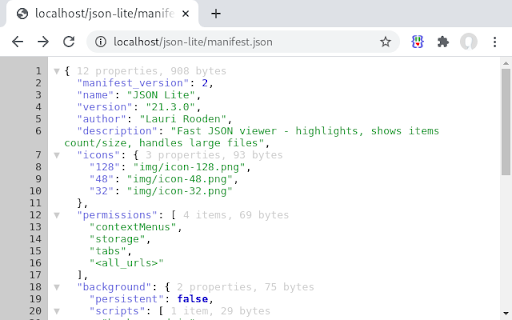
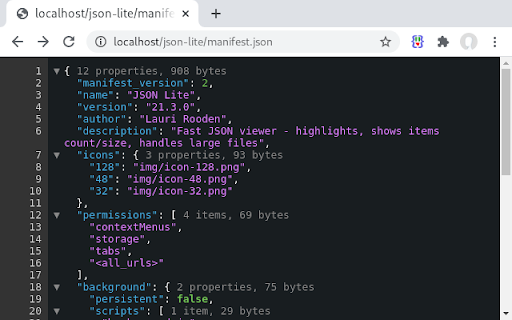
JSON Lite is a browser extension that formats and visualizes JSON/JSONP responses and clipboard content. It provides developer-centric features such as collapsible arrays, item counting, and memory-efficient rendering for massive datasets.

Developer:Lauri Rooden
Version:24.6.3
Size:23.65KiB
Last updated:

Overview

Installs

10K+

Rating

4.8

61 reviews

Languages

1 locales

Includes English

Market analysis

Review-backed positioning, friction, and market signals for this Chrome extension.

Backed by review samples

Macro category

Developer & Designer Tools

Pricing friction

Low review signal

Complaint intensity

Low review signal

Listing & review signals
Observed signals from store listing text and review samples.

Listing positioning

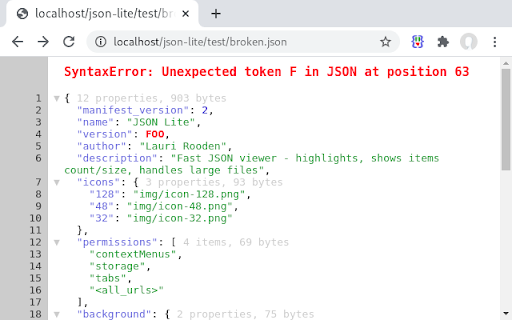
The product positions itself as a high-performance, lightweight JSON viewer. It emphasizes the ability to handle large files (10MB+) and invalid JSON without lagging, focusing on speed and technical utility.

Inferred product pattern

High-performance developer utility focused on memory efficiency and speed for data parsing.

Review-backed pain points

Users reported that the extension stopped working after Chrome v117 and that the line-wrapping feature did not function as expected in Chromium.

Observed feature gaps

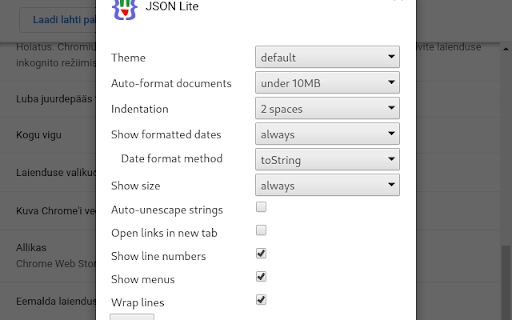
Lack of a simple toggle switch between RAW and Prettified JSON formats; inconsistent behavior of the 'Wrap Lines' feature.

Tags
JSON ViewerJSON FormatterAPI DebuggingLarge File ViewerDeveloper Tool
Target users

- Web Developers

- API Testers

- Data Engineers

- Backend Developers

Primary use cases

- Viewing and debugging API responses

- Formatting large JSON datasets

- Analyzing JSON structure via collapsible nodes

Positive themes

- Superior speed and performance with large files

- Efficient memory allocation

- Useful unescape string feature

- Customizable themes

Negative themes

- Compatibility issues following specific Chrome updates

- Non-functional 'Wrap Lines' option for some users

- Vague usability complaints

Observed friction

- No pricing friction observed; product appears to be free.

Evidence boundary: Analysis based on the official store listing and 10 high-signal review samples. Limited number of review samples provided; no external website available for verification of latest updates.
Complaint summaries
Review-backed complaint signals grouped by operational area.

Support

No support or account-related complaints found in sample reviews.

Reliability

Some reports of the extension breaking after browser version updates (specifically v117).

Privacy

No privacy or security complaints observed.

Access & pricing

- Free usage observed

- No account requirement observed

- Free plan or free usage claimed

Store listing facts

Listing assets

- Screenshots: 4

- Videos: 0

- Languages: 1

Trust signals

- Developer contact

- Support link

Store metadata

- Version: 24.6.3

- Size: 23.65KiB

- Last updated:

Listing SEO keywords

Search intent keywords
Keyword signals for evaluating how users may discover, compare, or search for this extension category.

Core discovery

fast json viewerlarge json formatterchrome json viewerjsonp formatter

Comparison

json lite vs json viewerbest json formatter for chrome

Problem

chrome lag large jsonhow to view large json files in browserjson viewer for 10mb files

Alternative

json viewer alternativebest json prettifier chrome

Similar extensions

Jump to related discovery paths:

Screenshots

JSON Lite screenshot

Links

Recommended Chrome extensions

Related listings from the same category, trending peers, and the same publisher portfolio.

Browse developer