Selenium Object Finder icon

Selenium Object Finder Chrome Extension Analysis

Developer & Designer Tools

Chrome extension ID: afckeoeojpomagchfimplhodjooafmcf

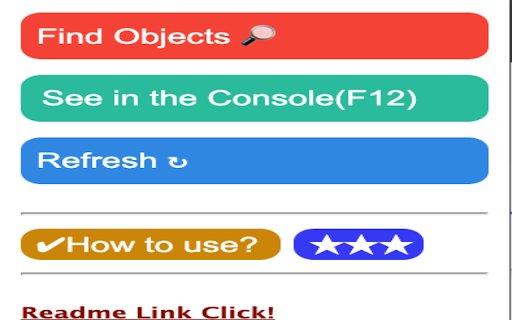
A developer utility that visually highlights IDs, names, and custom attributes of web elements for use with Selenium WebDriver. Users can hover over colored fields to see the attribute values required for automation scripts.

Developer:monirul.sk
Version:3.1
Size:181KiB
Last updated:

Overview

Installs

6K+

Rating

3.1

21 reviews

Languages

1 locales

Includes English (United States)

Market analysis

Review-backed positioning, friction, and market signals for this Chrome extension.

Backed by review samples

Macro category

Developer & Designer Tools

Pricing friction

Low review signal

Complaint intensity

Moderate review signal

Listing & review signals
Observed signals from store listing text and review samples.

Listing positioning

The extension positions itself as a productivity tool for automation engineers to quickly identify Selenium-compatible objects. It emphasizes the use of color-coded highlighting to avoid manual DOM searching, facilitating faster test code creation in Agile environments.

Inferred product pattern

Visual DOM helper for automation locators.

Review-backed pain points

Users report that the tool is unable to locate objects on non-basic websites and that the hover popups disappear too quickly. A significant pain point is the lack of copy-paste functionality for long IDs (e.g., ASP.NET), forcing users to type them manually.

Observed feature gaps

Lack of copy-to-clipboard functionality for attributes and poor compatibility with complex, modern web DOMs.

Tags
SeleniumTest AutomationDOM InspectorWebDriver Utility
Target users

- QA Automation Engineers

- Selenium WebDriver Users

- Test Automation Developers

Primary use cases

- Identifying element locators for test scripts

- Rapidly spotting automation-friendly attributes

- Communicating attribute needs to developers during Agile sprints

Positive themes

- Simplified object identification

- Helpful for basic website structures

Negative themes

- Failure to work on complex websites

- Inability to copy identified text

- Inaccurate object detection

Observed friction

- Performance complaints detected

- No pricing friction observed as the tool appears to be free.

Evidence boundary: Extracted from store listing and 10 provided review samples. The review sample represents only a portion of the total 21 comments.
Complaint summaries
Review-backed complaint signals grouped by operational area.

Support

No specific support or account complaints observed.

Reliability

Multiple users report the tool is completely non-functional on certain sites or provides inaccurate/duplicate IDs.

Privacy

No privacy or security complaints observed.

Access & pricing

- Free usage observed

- No account requirement observed

- Free plan or free usage claimed

Store listing facts

Listing assets

- Screenshots: 1

- Videos: 1

- Languages: 1

Trust signals

- Developer contact

- Official website

Store metadata

- Version: 3.1

- Size: 181KiB

- Last updated:

Listing SEO keywords

Search intent keywords
Keyword signals for evaluating how users may discover, compare, or search for this extension category.

Core discovery

Selenium object finderSelenium WebDriver locatorsfind web element ID chrome extensionautomation testing tool

Comparison

Selenium Object Finder vs Chrome DevToolsbest selenium locator extension

Problem

how to find selenium ids quicklydifficulty locating web elements for automationspeed up selenium script creation

Alternative

Selenium IDESelectorGadgetChrome DevTools

Similar extensions

Jump to related discovery paths:

Screenshots

Selenium Object Finder screenshot

Links

Website: monirul.sk

Videos: Watch

Recommended Chrome extensions

Related listings from the same category, trending peers, and the same publisher portfolio.

Browse developer