PDF Viewer icon

PDF Viewer Chrome Extension Analysis

Automation & Workflow Efficiency

Chrome extension ID: amocbejhlhhpdoiojimopjffkmobimml

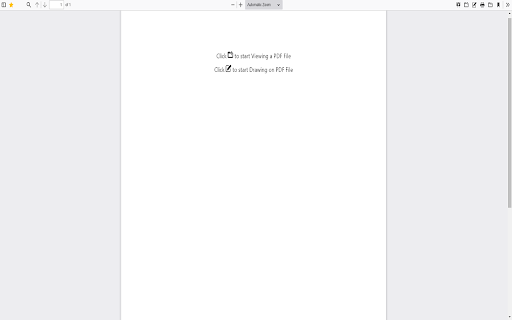
PDF Viewer is a Chrome extension that allows users to view and perform basic edits on PDF files directly in their browser. Key features include the ability to highlight important sections and add remarks to documents, providing a convenient way to interact with PDFs without saving them first.

Version:3.0.0
Size:2.51MiB
Last updated:

Overview

Installs

20K+

Rating

3.6

8 reviews

Languages

39 locales

Includes Deutsch, English, Filipino, Indonesia...

Market analysis

Review-backed positioning, friction, and market signals for this Chrome extension.

Backed by review samples

Macro category

Automation & Workflow Efficiency

Pricing friction

Low review signal

Complaint intensity

Moderate review signal

Listing & review signals
Observed signals from store listing text and review samples.

Listing positioning

This Chrome extension is positioned as a quick and easy tool to view and edit PDF files directly within the browser. It highlights its editing capabilities, such as highlighting important lines and adding remarks, to allow users to manage their PDF documents instantly.

Inferred product pattern

A basic PDF viewer and annotation tool for web browsers.

Review-backed pain points

Users report that the extension has stopped working as expected, forcing them to save PDF files to their hard drive before they can be viewed or interacted with. This defeats the purpose of an in-browser viewer for some.

Observed feature gaps

Users have expressed a desire for more comprehensive editing functionalities beyond highlighting and adding remarks, such as the ability to add images or modify existing text.

Tags
PDF ViewerPDF EditorDocument Reader
Target users

- Students

- Office workers

- Individuals managing documents

Primary use cases

- Viewing PDF documents

- Highlighting PDF content

- Adding notes to PDFs

Positive themes

- The extension performs its intended function effectively.

Negative themes

- The extension has stopped working for some users, requiring them to save PDFs before viewing.

- There are requests for more advanced editing features.

Observed friction

- Performance complaints detected

- The extension appears to be free to use without any observed pricing friction.

Evidence boundary: Data is based on user reviews available on the Chrome Web Store. A small number of reviews are available, limiting the breadth of insights, and one review is in Polish and another in Korean, which may not fully capture English-speaking user sentiment.
Complaint summaries
Review-backed complaint signals grouped by operational area.

Support

No specific complaints regarding support or account management were observed.

Reliability

One user reported that the extension stopped working, indicating a potential reliability issue.

Privacy

No privacy-related concerns were raised in the reviews.

Access & pricing

- Free usage observed

- No clear access signal

- Free plan or free usage claimed

Store listing facts

Listing assets

- Screenshots: 1

- Videos: 0

- Languages: 39

Trust signals

- Developer contact

- Official website

Store metadata

- Version: 3.0.0

- Size: 2.51MiB

- Last updated:

Listing SEO keywords

Search intent keywords
Keyword signals for evaluating how users may discover, compare, or search for this extension category.

Core discovery

PDF viewer Chrome extensionRead PDF onlineEdit PDF in browserHighlight PDFPDF annotation tool

Comparison

Adobe Reader alternativeonline PDF editorbrowser PDF viewer

Problem

cannot open PDF in ChromePDF viewer not workingsave PDF first

Alternative

online PDF readerPDF plugin for Chrome

Similar extensions

Jump to related discovery paths:

Screenshots

PDF Viewer screenshot

Links

Recommended Chrome extensions

Related listings from the same category, trending peers, and the same publisher portfolio.

Browse education
Enable Right Click for Google Chrome™ icon

Enable Right Click for Google Chrome™

Free Software Utilities

Re-enable Right Click for Google Chrome™

Installs

500K+

Rating

3.5

Settings icon

Settings

Free Software Utilities

This extension allows you to go to the settings of Google Chrome with just one click.

Installs

100K+

Rating

4.5

Paperpile Extension icon

Paperpile Extension

Paperpile

Collect, organize, annotate and cite your research papers in Chrome.

Installs

200K+

Rating

4.6

ExCITATION – Journal Ranking & Impact Factor for Google Scholar™ icon

ExCITATION – Journal Ranking & Impact Factor for Google Scholar™

Excitation Journal

Show SJR, ABS & ABDC journal rankings in Google Scholar. Sort by citations, detect predatory journals & preview abstracts — free.

Installs

200K+

Rating

4.5

OpenDyslexic for Chrome icon

OpenDyslexic for Chrome

OpenDyslexic

Format pages using the OpenDyslexic font and low contrast help

Installs

200K+

Rating

4.1

Reverso – Translation, dictionary icon

Reverso – Translation, dictionary

Reverso Technologies Inc.

Translate and learn languages while reading or watching movies online. It's free.

Installs

200K+

Rating

4.6

Rapid Journal Quality Check icon

Rapid Journal Quality Check

jrk.devgit

Displays rankings and h-index for academic journals next to Google Scholar search results.

Installs

200K+

Rating

4.2

Google Meet Breakout by Robert Hudek icon

Google Meet Breakout by Robert Hudek

Unknown developer

Only the teacher needs to install. Completely Free and your Data is Private. Google Classroom integration, Slider Control.

Installs

200K+

Rating

4.3

Toucan by Babbel - Language Learning icon

Toucan by Babbel - Language Learning

jointoucan.com

Learn a new language just by browsing the internet.

Installs

200K+

Rating

4.6

Certificate Enrollment for ChromeOS icon

Certificate Enrollment for ChromeOS

google.com

Request a certificate for your device.

Installs

200K+

Rating

4.4