UI Context Capture for AI Coders icon

UI Context Capture for AI Coders Chrome Extension Analysis

Developer & Designer Tools

Chrome extension ID: bceblhcklmhgkblcgboakfjkekhpeban

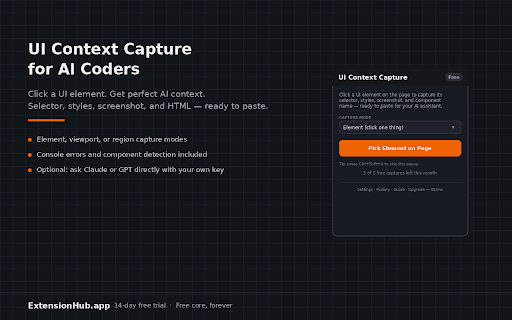
A Chrome extension that allows developers to click UI elements to capture CSS selectors, computed styles, screenshots, and component names. This data is formatted for AI prompts, with optional direct integration via Anthropic or OpenAI API keys.

Version:1.0.0
Size:28.77KiB
Last updated:

Overview

Installs

3

Rating

0 reviews

Languages

1 locales

Includes English (United States)

Market analysis

Review-backed positioning, friction, and market signals for this Chrome extension.

No review samples found

Macro category

Developer & Designer Tools

Pricing friction

Low review signal

Complaint intensity

Low review signal

Listing & review signals
Observed signals from store listing text and review samples.

Listing positioning

The product positions itself as a tool to eliminate ambiguity when describing UI bugs to AI coding assistants. It claims to provide 'perfect context' by automating the collection of technical UI metadata into ready-to-paste prompts.

Inferred product pattern

A developer-centric utility that converts live DOM state into structured text for LLM consumption.

Review-backed pain points

Review-backed data is not available.

Observed feature gaps

Review-backed data is not available.

Tags
AI CodingUI CaptureDeveloper UtilityCSS SelectorFrontend Debugging
Target users

- Frontend Developers

- AI-assisted Coders

- Web Engineers

- UI/UX Developers

Primary use cases

- Providing precise UI context to AI coding assistants

- Capturing CSS styles for bug reproduction

- Extracting React or Vue component names for prompt engineering

Positive themes

- Review-backed data is not available

Negative themes

- Review-backed data is not available

Observed friction

- Review-backed data is not available.

Evidence boundary: Data extracted exclusively from the public store listing. No user reviews were available to validate feature performance, reliability, or user sentiment.
Complaint summaries
Review-backed complaint signals grouped by operational area.

Support

Review-backed data is not available.

Reliability

Review-backed data is not available.

Privacy

Review-backed data is not available.

Access & pricing

- Free entry with paid features

- No clear access signal

- Limited free usage observed

Store listing facts

Listing assets

- Screenshots: 1

- Videos: 0

- Languages: 1

Trust signals

- Privacy policy

- Developer contact

- Official website

Store metadata

- Version: 1.0.0

- Size: 28.77KiB

- Last updated:

Listing SEO keywords

Search intent keywords
Keyword signals for evaluating how users may discover, compare, or search for this extension category.

Core discovery

UI context captureAI coding prompt toolCSS selector for AIcapture UI element for LLM

Comparison

UI Context Capture vs manual inspectionbest tool for AI coding context

Problem

ambiguous AI UI descriptionshow to describe UI bug to AIAI prompt context for CSS

Alternative

Chrome extension for AI developersUI to prompt converter

Similar extensions

Jump to related discovery paths:

Screenshots

UI Context Capture for AI Coders screenshot

Links

Recommended Chrome extensions

Related listings from the same category, trending peers, and the same publisher portfolio.

Browse developer