Join Windows icon

Join Windows Chrome Extension Analysis

Tab & Bookmark Productivity

Chrome extension ID: bckmemeadiidpmgdfcimoclbbhfpjggb

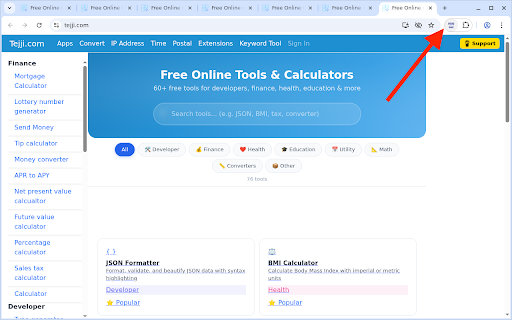
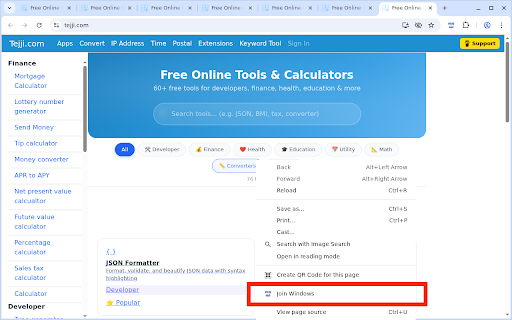
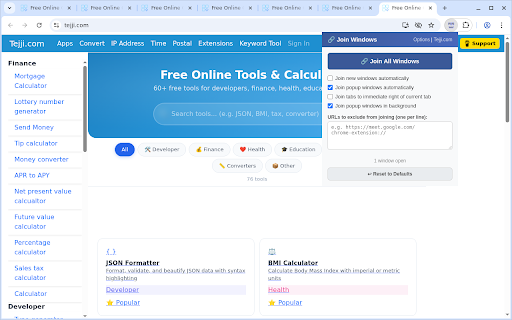
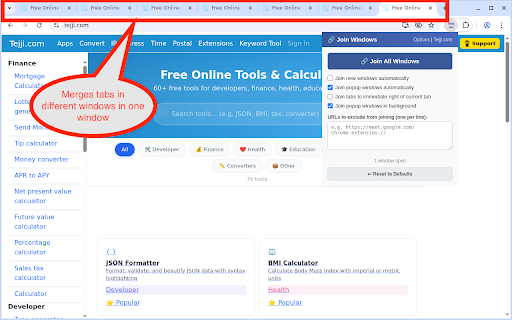
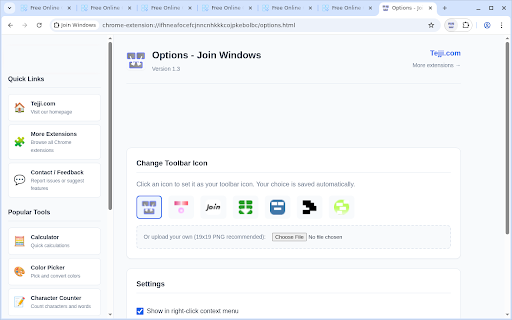
Join Windows is a productivity tool designed to merge all open browser windows and popup windows into a single window. It offers features for automatic merging, URL blacklisting, and customizable toolbar icons.

Developer:tejji
Version:1.3
Size:47.2KiB
Last updated:

Overview

Installs

334

Rating

4.2

44 reviews

Languages

1 locales

Includes English

Market analysis

Review-backed positioning, friction, and market signals for this Chrome extension.

Backed by review samples

Macro category

Tab & Bookmark Productivity

Pricing friction

Low review signal

Complaint intensity

Moderate review signal

Listing & review signals
Observed signals from store listing text and review samples.

Listing positioning

The extension positions itself as a single-click solution to consolidate multiple browser windows and popups into one. It emphasizes customization through URL exceptions and icon styles, and highlights a privacy-friendly approach with local data storage.

Inferred product pattern

A utility-driven productivity extension focused on window and tab consolidation.

Review-backed pain points

Users report that the extension unpins pinned tabs during the merge process and that the automatic merge feature sometimes fails to catch popups. There are also reports of browser instability and difficulty accessing settings.

Observed feature gaps

The extension lacks granular control to merge only a subset of selected windows; it currently lacks the ability to preserve the 'pinned' status of tabs during a merge.

Tags
Window MergerTab ManagementWorkflow Productivity
Target users

- Power users

- Multitaskers

- Browser productivity enthusiasts

Primary use cases

- Consolidating multiple browser windows

- Merging popup windows into tabs

- Managing cluttered browser workspaces

Positive themes

- Effective window merging

- Useful URL exception/blacklisting feature

Negative themes

- Unpinning pinned tabs during merge

- Inability to merge only specific windows

- Inaccessible options page in certain modes

- Forced conversion of popups into tabs

Observed friction

- Performance complaints detected

- No pricing information or friction observed in the provided data.

Evidence boundary: Evidence is derived from the product description and user reviews covering functionality, technical reliability, and specific feature behaviors like tab pinning. Review sample size is small, and some reviews are older, which may reflect behavior in legacy versions of Chrome.
Complaint summaries
Review-backed complaint signals grouped by operational area.

Support

No support-specific complaints identified.

Reliability

Users have reported Chrome crashes, the extension breaking after updates, and certain features like auto-joining not functioning as intended.

Privacy

No privacy complaints observed; the listing claims no personal data is collected.

Access & pricing

- No clear monetization signal

- No account requirement observed

- No clear pricing signal

Store listing facts

Listing assets

- Screenshots: 6

- Videos: 0

- Languages: 1

Trust signals

- Privacy policy

- Developer contact

- Official website

- Support link

Store metadata

- Version: 1.3

- Size: 47.2KiB

- Last updated:

Listing SEO keywords

Search intent keywords
Keyword signals for evaluating how users may discover, compare, or search for this extension category.

Core discovery

merge windowsjoin tabsbrowser window managerconsolidate windowspopup to tab

Comparison

window mergertab organizer

Problem

too many windowsmessy browserpopup window clutter

Alternative

tab managerwindow organizer

Similar extensions

Jump to related discovery paths:

Screenshots

Join Windows screenshot

Links

Recommended Chrome extensions

Related listings from the same category, trending peers, and the same publisher portfolio.

Browse workflow