Privacy Screen - Automatic Webpage Blur & Screen Shield icon

Privacy Screen Chrome Extension Analysis

Privacy, Security & Ad Blockers

Store listing title: Privacy Screen - Automatic Webpage Blur & Screen Shield

Chrome extension ID: bdcmimoaamiebegembfipeegejikilha

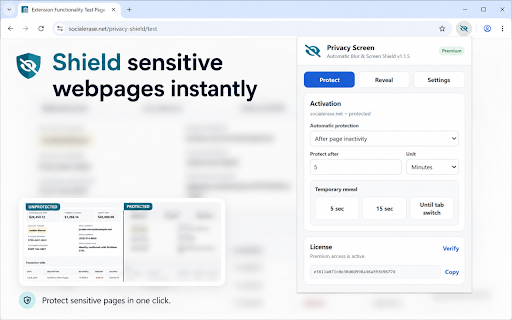
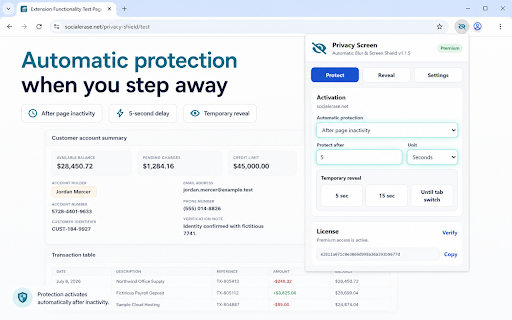
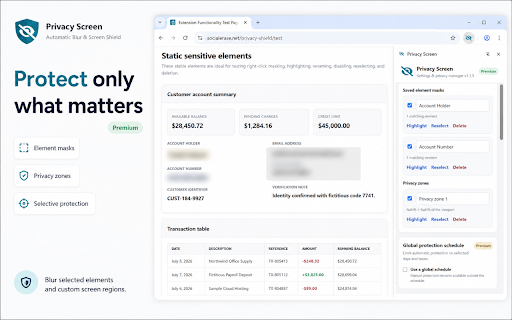
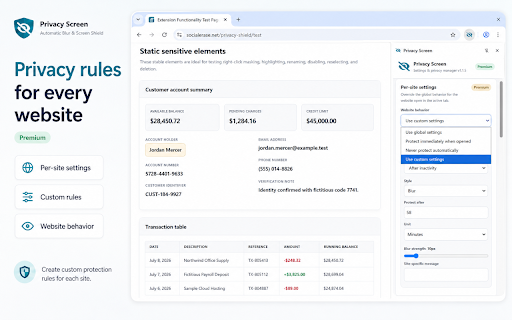
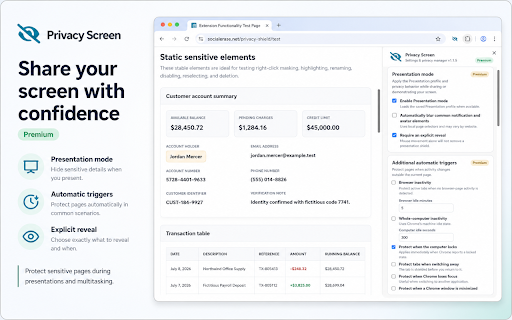
Privacy Screen and Security Blur is a browser utility that automatically blurs the active webpage content. It offers two primary operational modes to protect data displayed on-screen from unauthorized observation by others.

Developer:Social Erase
Version:1.1.9
Size:78.72KiB
Last updated:

Overview

Installs

3K+

Rating

3.8

10 reviews

Languages

1 locales

Includes English

Market analysis

Review-backed positioning, friction, and market signals for this Chrome extension.

Backed by review samples

Macro category

Privacy, Security & Ad Blockers

Pricing friction

Low review signal

Complaint intensity

High review signal

Listing & review signals
Observed signals from store listing text and review samples.

Listing positioning

The extension positions itself as a security utility for professionals handling sensitive information, such as legal or healthcare workers. It focuses on automatic visual privacy through screen blurring based on inactivity timers or mouse-hover triggers.

Inferred product pattern

Single-function browser utility for visual privacy.

Review-backed pain points

Users have reported significant issues with the extension failing to disable its effects after uninstallation, requiring manual browser page refreshes or deeper troubleshooting to stop the blurring.

Observed feature gaps

The extension lacks a clear 'clean uninstall' mechanism or reset feature, and lacks advanced customization for specific site exclusions.

Tags
PrivacyScreen BlurSecuritySensitive DataWorkplace Privacy
Target users

- Legal professionals

- Healthcare workers

- Remote workers in public spaces

- Privacy-conscious users

Primary use cases

- Preventing shoulder surfing

- Protecting sensitive documents on screen

- Securing browser windows during inactivity

Positive themes

- Effective for sensitive data protection

- Simple functionality

- Works as intended for core privacy needs

Negative themes

- Persistent blurring after uninstallation

- Difficulty in removing the extension effectively

- Reported instances of functionality failure

Observed friction

- Performance complaints detected

- None observed; the extension appears free to use without gated features.

Evidence boundary: Data derived from Chrome Web Store user reviews and the provided extension listing. Review sample size is small (8 total), which may not reflect the full user experience of the 3,000 listed users.
Complaint summaries
Review-backed complaint signals grouped by operational area.

Support

Some users expressed frustration regarding uninstallation residue, where the screen continues to blur even after the extension has been removed.

Reliability

Users noted that the extension occasionally stops working entirely or, conversely, fails to release its control over the browser display upon removal.

Privacy

None specifically regarding data collection, though the extension operates by modifying page visual properties.

Access & pricing

- Free usage observed

- No account requirement observed

- Free plan or free usage claimed

Store listing facts

Listing assets

- Screenshots: 5

- Videos: 1

- Languages: 1

Trust signals

- Privacy policy

- Developer contact

- Official website

- Support link

Store metadata

- Version: 1.1.9

- Size: 78.72KiB

- Last updated:

Listing SEO keywords

Search intent keywords
Keyword signals for evaluating how users may discover, compare, or search for this extension category.

Core discovery

chrome privacy screenscreen blur extensionprevent shoulder surfingbrowser privacy toolhide sensitive data

Comparison

privacy screen alternativesbest browser security extensions

Problem

blurring wont stopuninstall issueschrome extension not working

Alternative

privacy screen filtersscreen obscuring software

Similar extensions

Jump to related discovery paths:

Screenshots

Privacy Screen - Automatic Webpage Blur & Screen Shield screenshot

Links

Website: blurmo.de

Privacy policy: https://blurmo.de/privacy

Support links: https://blurmo.de/help

Videos: Watch

Recommended Chrome extensions

Related listings from the same category, trending peers, and the same publisher portfolio.

Browse workflow