Color Dropper icon

Color Dropper Chrome Extension Analysis

Developer & Designer Tools

Chrome extension ID: cbagleaaaocejmdeichhdkmjebpljckh

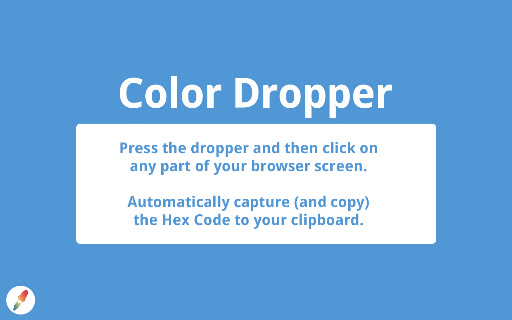
This browser extension allows users to select colors from any part of a webpage to instantly copy the corresponding hex code to their clipboard. It features a keyboard shortcut for activation and provides a visual tooltip for the selected color.

Developer:adam.gonen
Version:1.4.0
Size:54.46KiB
Last updated:

Overview

Installs

40K+

Rating

4.5

39 reviews

Languages

1 locales

Includes English (United States)

Market analysis

Review-backed positioning, friction, and market signals for this Chrome extension.

Backed by review samples

Macro category

Developer & Designer Tools

Pricing friction

Low review signal

Complaint intensity

Moderate review signal

Listing & review signals
Observed signals from store listing text and review samples.

Listing positioning

Color Dropper positions itself as a lightweight, one-click solution for web designers and developers needing to capture hex codes. It emphasizes simplicity and speed over complex feature sets found in other color-picking extensions.

Inferred product pattern

Simple single-function utility with long-standing maintenance issues.

Review-backed pain points

Users reported difficulties exiting the eyedropper mode, failure to copy valid hex codes on certain web platforms, and sporadic issues with extension responsiveness.

Observed feature gaps

Lack of real-time preview until a click is made and inability to easily toggle off the tool once activated are notable functional limitations.

Tags
EyedropperColor PickerDesign ToolWeb Development
Target users

- Web Developers

- UI/UX Designers

- Front-end Engineers

Primary use cases

- Color extraction from websites

- Copying hex color values for design workflows

Positive themes

- Ease of use

- Efficiency

- Minimalist interface

- Fast operation

Negative themes

- Malware false-positives

- Inability to deactivate mode without removing extension

- Failure to capture color on specific elements like Google Drive images

- Inconsistent reliability

Observed friction

- Performance complaints detected

- Privacy complaints detected

- None identified; the tool is reported as free.

Evidence boundary: Evidence gathered from a mix of user reviews highlighting both the product's intended simplicity and intermittent technical glitches. The sample size is relatively small, and some feedback dates back several years, potentially pre-dating recent browser updates.
Complaint summaries
Review-backed complaint signals grouped by operational area.

Support

No official support channel complaints noted, though users expressed frustration with lack of controls for exiting modes.

Reliability

Users noted intermittent failure to copy codes and difficulty exiting the tool's selection mode.

Privacy

One user flagged a potential malware detection warning from security software.

Access & pricing

- Free usage observed

- No account requirement observed

- Free plan or free usage claimed

Store listing facts

Listing assets

- Screenshots: 1

- Videos: 0

- Languages: 1

Trust signals

- Developer contact

- Official website

Store metadata

- Version: 1.4.0

- Size: 54.46KiB

- Last updated:

Listing SEO keywords

Search intent keywords
Keyword signals for evaluating how users may discover, compare, or search for this extension category.

Core discovery

Chrome color pickereyedropper extensionhex code copierbrowser color tool

Comparison

best color picker extensionsimple eyedropper chrome

Problem

color picker not workingeyedropper stuckchrome extension malware warning

Alternative

color picker alternativeslightweight color grabber

Similar extensions

Jump to related discovery paths:

Screenshots

Color Dropper screenshot

Links

Recommended Chrome extensions

Related listings from the same category, trending peers, and the same publisher portfolio.

Browse developer