Reader Mode + AI Summary, Notes & Annotations icon

Reader Mode + AI Summary, Notes & Annotations Chrome Extension Analysis

AI & Writing Assistants

Chrome extension ID: cbjbjjgipedbjgbamfodgihnfdlghcaf

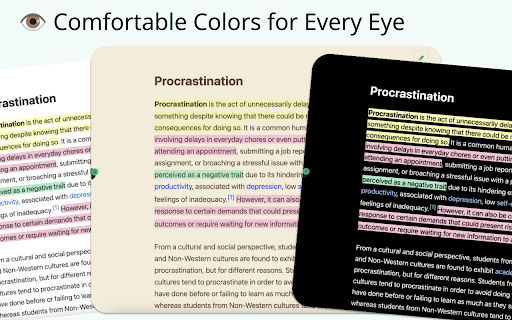
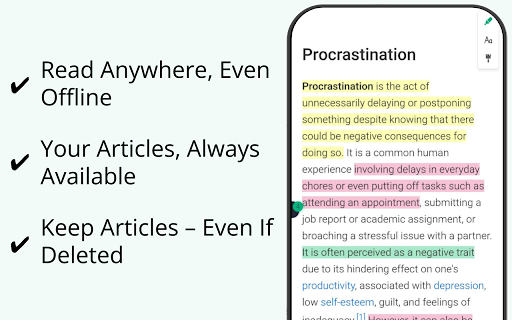
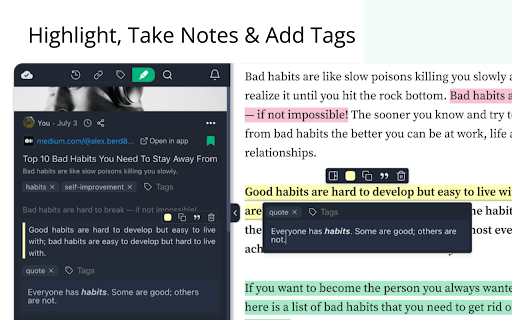
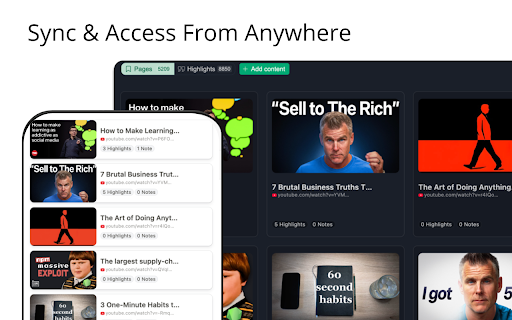
Reader Mode + AI Summary, Notes & Annotations transforms any webpage into a clean, ad-free reading view while saving an offline copy. It provides AI-powered summaries, allows users to highlight passages and add personal notes, and offers organization through tags and export options. The extension facilitates focused reading and personal knowledge management for web content.

Version:2.0.2
Size:5.23MiB
Last updated:

Overview

Installs

1K+

Rating

4.4

7 reviews

Languages

1 locales

Includes English

Market analysis

Review-backed positioning, friction, and market signals for this Chrome extension.

Backed by review samples

Macro category

AI & Writing Assistants

Pricing friction

Low review signal

Complaint intensity

Moderate review signal

Listing & review signals
Observed signals from store listing text and review samples.

Listing positioning

The store listing positions this extension as a comprehensive tool for distraction-free reading, offering AI summaries, note-taking, and offline saving capabilities. It emphasizes long-term knowledge retention and organization for content consumers. The product is highlighted as being free, easy to use, and not requiring a sign-up for basic functionalities.

Inferred product pattern

A freemium productivity extension designed for enhanced web content consumption, offering distraction-free reading, AI summaries, note-taking, and offline storage. It positions itself as a personal knowledge management tool with a free basic tier and premium features accessible via an optional account.

Review-backed pain points

A significant pain point observed is the inability for some users to disable the reader mode, leading to the necessity of finding alternative tools. There's also a noted desire for additional font customization options and instances of the extension not functioning as expected.

Observed feature gaps

One observed feature gap is the request for more web/screen-optimized serif font options. While the listing promotes saving notes/highlights, a review indicated a desire for this in the free tier, potentially highlighting a gap in the free user experience or a lack of clarity around premium features.

Tags
AI SummarizerReading ModeNote TakerWeb ClipperOffline Reader
Target users

- Researchers

- Students

- Writers

- Academics

- Newsletter Curators

- Curious Minds

Primary use cases

- Engaging in distraction-free reading of web articles

- Generating AI-powered summaries of web pages

- Saving web content for offline access and long-term retention

- Highlighting key information and adding notes to articles

- Organizing and archiving saved web content

Positive themes

- Aesthetically pleasant and useful for reading

- Effective for academic studies and test preparation (e.g., IELTS Reading)

- Overall great and excellent tool

Negative themes

- Difficulty disabling reader mode and returning to the normal web view

- Requests for more font options, specifically web/screen-optimized serif fonts

- General functionality issues (e.g., 'it no working')

- Desire for saved notes and highlights to be accessible in the free tier (implied by Vietnamese review, though a premium feature)

Observed friction

- No specific pricing friction complaints were observed. The listing clearly outlines what is available for free and what features require a premium account, often with a 7-day free trial without a credit card.

Evidence boundary: The analysis is based on the Chrome Web Store listing's title, short description, long description, developer information, and a review sample of 6 user reviews. The number of user reviews is limited, which may not capture the full spectrum of user experiences or common issues.
Complaint summaries
Review-backed complaint signals grouped by operational area.

Support

Review-backed data on support, account, or refund complaints is not available. The developer provides direct contact information in the listing.

Reliability

Complaints indicate reliability issues, specifically a critical bug preventing users from exiting reader mode and general reports of the extension 'not working,' which can severely impact usability.

Privacy

Review-backed data on privacy or security complaints is not available. The listing explicitly states that user data is private by default, with no profiling, ads, or data selling.

Access & pricing

- Free entry with paid features

- No account requirement observed

- Limited free usage observed

Store listing facts

Listing assets

- Screenshots: 4

- Videos: 0

- Languages: 1

Trust signals

- Privacy policy

- Developer contact

- Official website

Store metadata

- Version: 2.0.2

- Size: 5.23MiB

- Last updated:

Listing SEO keywords

Search intent keywords
Keyword signals for evaluating how users may discover, compare, or search for this extension category.

Core discovery

Reader mode extensionAI summary tool chromeDistraction-free reading appWeb page note takerOffline article saver

Comparison

Pocket vs Reader Mode AIInstapaper alternativeReadwise vs Web HighlightsNotion Web Clipper featuresEvernote Web Clipper comparison

Problem

Too many ads reading articlesHow to summarize long articlesSave web pages offline chromeDistracting websites solutionBest note taking extension

Alternative

Best reader mode extensionsAI summarizer alternativesWeb content annotation toolsOffline reading appsProductivity extensions for research

Similar extensions

Jump to related discovery paths:

Screenshots

Reader Mode + AI Summary, Notes & Annotations screenshot

Links

Recommended Chrome extensions

Related listings from the same category, trending peers, and the same publisher portfolio.

Browse workflow