Color Picker icon

Color Picker Chrome Extension Analysis

Developer & Designer Tools

Chrome extension ID: ccgngdpmfjecdgijjjnbbndeahobokhj

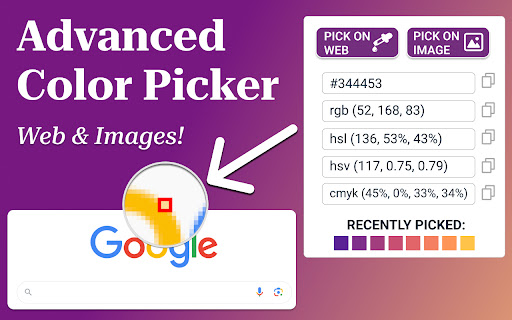
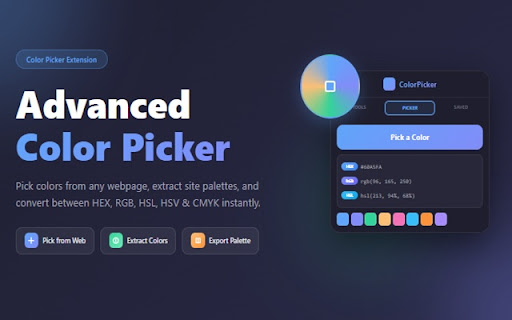
Color Dropper is a browser-based tool that allows users to pick colors from any webpage or image. It provides color format conversion, palette extraction, and accessibility validation without requiring user accounts.

Developer:ruya
Version:1.2.2
Size:423KiB
Last updated:

Overview

Installs

8K+

Rating

★ 5.0

20 reviews

Languages

15 locales

Includes Deutsch, English, Indonesia, Türkçe...

Market analysis

Review-backed positioning, friction, and market signals for this Chrome extension.

Backed by review samples

Macro category

Developer & Designer Tools

Pricing friction

Low review signal

Complaint intensity

Low review signal

Listing & review signals
Observed signals from store listing text and review samples.

Listing positioning

The extension positions itself as a comprehensive, one-click productivity utility for designers and developers. It emphasizes speed, format versatility, and accessibility features like WCAG contrast checking to streamline UI/UX workflows.

Inferred product pattern

Utility-focused browser extension providing single-purpose design tools with a focus on local operation and privacy.

Review-backed pain points

Some users desire expanded functionality, specifically the inclusion of transparency/alpha channel values in RGBA outputs.

Observed feature gaps

No major functional deficits observed, though users suggested adding RGBA opacity support to existing format options.

Tags
Color PickerWeb DesignFrontend DevelopmentAccessibility Tool
Target users

- Web Designers

- Frontend Developers

- UI/UX Professionals

Primary use cases

- Sampling colors from web elements

- Extracting color palettes from images

- Converting color codes (HEX, RGB, HSL)

- Checking WCAG accessibility compliance

Positive themes

- Intuitive and simple interface

- Reliability and stability

- Useful for web development and design

- Effective extraction functionality

Negative themes

- Lack of alpha/transparency support in color codes

Observed friction

- None observed; the product claims no tracking and no required account.

Evidence boundary: Evidence is derived from public store listing claims and a high-consistency set of positive user reviews. Review sample size is relatively small, though consistent in positive sentiment.
Complaint summaries
Review-backed complaint signals grouped by operational area.

Support

No support complaints found.

Reliability

No reliability complaints found; users describe it as stable and error-free.

Privacy

No privacy complaints found; the listing explicitly notes no tracking.

Access & pricing

- Free usage observed

- No account requirement observed

- Free plan or free usage claimed

Store listing facts

Listing assets

- Screenshots: 2

- Videos: 0

- Languages: 15

Trust signals

- Privacy policy

- Developer contact

Store metadata

- Version: 1.2.2

- Size: 423KiB

- Last updated:

Listing SEO keywords

Search intent keywords
Keyword signals for evaluating how users may discover, compare, or search for this extension category.

Core discovery

chrome color picker extensionbrowser eyedropper toolweb accessibility contrast checkerextract color palette from image

Comparison

Color Dropper vs ColorZillabest color picker for developers

Problem

get hex code from imagecheck contrast ratio website

Alternative

color palette generator extensionCSS color picker

Similar extensions

Jump to related discovery paths:

Screenshots

Color Picker screenshot

Links

Recommended Chrome extensions

Related listings from the same category, trending peers, and the same publisher portfolio.

Browse developer