JSONVue icon

JSONVue Chrome Extension Analysis

Developer & Designer Tools

Chrome extension ID: chklaanhfefbnpoihckbnefhakgolnmc

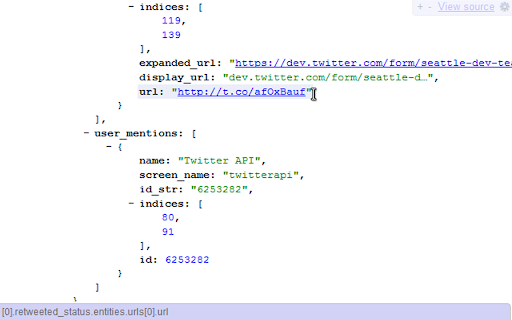
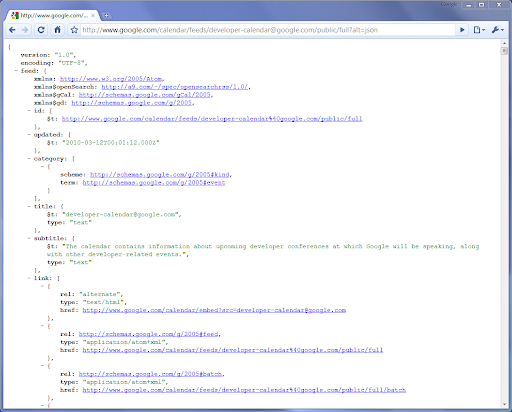
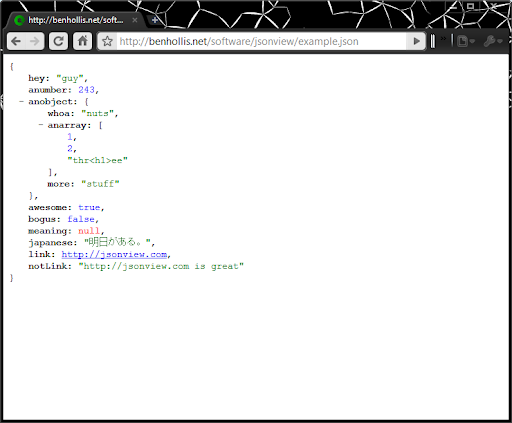
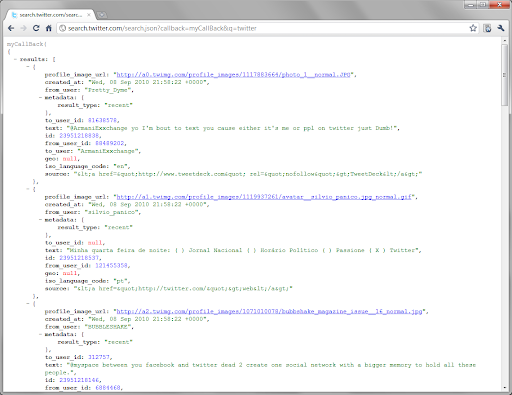
This extension automatically formats and highlights JSON content served via web requests. It allows users to view, validate, and customize the display of JSON data directly in their browser tab.

Developer:gildas
Version:0.2.3
Size:181KiB
Last updated:

Overview

Installs

800K+

Rating

4.5

2,633 reviews

Languages

1 locales

Includes English

Market analysis

Review-backed positioning, friction, and market signals for this Chrome extension.

Backed by review samples

Macro category

Developer & Designer Tools

Pricing friction

Low review signal

Complaint intensity

Moderate review signal

Listing & review signals
Observed signals from store listing text and review samples.

Listing positioning

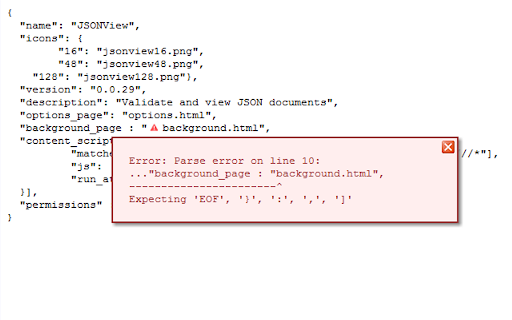
JSONVue is positioned as a simple Chrome port of the original Firefox JSONView extension. It focuses on validating and formatting JSON documents directly within the browser interface using a client-side implementation of JSONLint.

Inferred product pattern

Legacy browser extension that has become unmaintained, leading to functional regressions and poor user experience.

Review-backed pain points

Users frequently report that the extension fails to parse valid JSON, breaks during copy-paste operations, and lacks clear instructions on how to initiate or configure the tool.

Observed feature gaps

The tool lacks modern maintenance updates, clear documentation for users, and robustness when handling nested quotes or specific content-type headers.

Tags
JSON ViewerDeveloper ToolData FormatterBrowser Extension
Target users

- Web Developers

- Software Engineers

- API Integrators

Primary use cases

- Viewing raw JSON API responses

- Validating JSON syntax

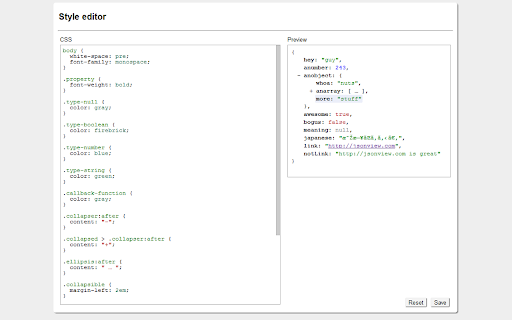
- Customizing JSON display styles

Positive themes

- Useful for quick previews of JSON data

- Integration with browser workflows for API testing

Negative themes

- Lack of maintenance for several years

- Parsing errors with valid JSON

- Strips special characters/formatting when copying

- Missing documentation or onboarding instructions

Observed friction

- Performance complaints detected

- The extension is free to use; no pricing friction is reported.

Evidence boundary: Evidence is based on high-volume user feedback citing technical regressions, lack of maintenance, and severe usability issues. The reviews provided are heavily skewed toward older complaints, as the extension has not received significant updates in several years.
Complaint summaries
Review-backed complaint signals grouped by operational area.

Support

Users express frustration regarding a complete lack of developer responsiveness and the absence of user guides or FAQs.

Reliability

Significant reliability concerns due to parsing failures, unhandled characters, and failure to trigger on certain local or file-based URLs.

Privacy

No privacy or security-related complaints were identified in the review sample.

Access & pricing

- Free usage observed

- No account requirement observed

- Free plan or free usage claimed

Store listing facts

Listing assets

- Screenshots: 6

- Videos: 0

- Languages: 1

Trust signals

- Privacy policy

- Developer contact

- Support link

Store metadata

- Version: 0.2.3

- Size: 181KiB

- Last updated:

Listing SEO keywords

Search intent keywords
Keyword signals for evaluating how users may discover, compare, or search for this extension category.

Core discovery

JSON viewer chrome extensionformat json in browservalidate json file chromejson formatter tool

Comparison

JSONView vs JSON Formatterbest chrome extension for json

Problem

JSONVue not workingJSONView parsing errorhow to use JSONVue

Alternative

JSON Formatter extensionJSON Editor online

Similar extensions

Jump to related discovery paths:

Screenshots

JSONVue screenshot
JSONVue screenshot
JSONVue screenshot
JSONVue screenshot
JSONVue screenshot
JSONVue screenshot

Links

Recommended Chrome extensions

Related listings from the same category, trending peers, and the same publisher portfolio.

Browse developer
SingleFile icon

SingleFile

gildas

Save a complete page into a single HTML file

Installs

600K+

Rating

4.4

TikTok Pixel Helper icon

TikTok Pixel Helper

TikTok For Business

The TikTok Pixel Helper is a plug-in that monitors whether your TikTok Pixel is functioning properly.

Installs

600K+

Rating

2.6

Google Analytics Debugger icon

Google Analytics Debugger

Google Analytics

Prints useful information to the JavaScript console by enabling the debug version of the Google Analytics Javascript.

Installs

600K+

Rating

4.2

Tag Assistant Companion icon

Tag Assistant Companion

Google

The Tag Assistant Companion extension works with Tag Assistant to help troubleshoot installation of gtag.js and Google Tag Manager.

Installs

500K+

Rating

3.1

Salesforce Inspector Reloaded icon

Salesforce Inspector Reloaded

Thomas Prouvot

Productivity tools for Salesforce administrators and developers to inspect data and metadata directly from the Salesforce UI.

Installs

500K+

Rating

4.8

Axure RP Extension for Chrome icon

Axure RP Extension for Chrome

Axure Software Solutions, Inc.

An extension that allows viewing of locally published Axure RP prototypes (HTML files) from Google Chrome.

Installs

500K+

Rating

3.3

Angular DevTools icon

Angular DevTools

Angular

Angular DevTools extends Chrome DevTools adding Angular specific debugging and profiling capabilities.

Installs

400K+

Rating

3.7

daily.dev | Where developers discover what's next icon

daily.dev | Where developers discover what's next

Daily Dev Ltd.

Developer news, personalized to your stack, in every new tab. Join 400,000+ developers. Free and open source.

Installs

400K+

Rating

4.8

SelectorsHub icon

SelectorsHub

Sanjay Kumar | SelectorsHub Founder

Locators Plugin to Auto Generate and Verify Playwright Locators, XPath & CSS Selectors.

Installs

400K+

Rating

4.8

SAML-tracer icon

SAML-tracer

SimpleSAMLphp

A debugger for viewing SAML messages

Installs

400K+

Rating

4.5