Tag Assistant Companion icon

Tag Assistant Companion Chrome Extension Analysis

Developer & Designer Tools

Chrome extension ID: jmekfmbnaedfebfnmakmokmlfpblbfdm

A technical utility developed by Google to assist developers and marketers in debugging website tracking tags. It integrates with the Tag Assistant web interface to provide a preview mode for Google Tag Manager containers.

Developer:Google
Version:26.216.2.45
Size:227KiB
Last updated:

Overview

Installs

500K+

Rating

3.1

206 reviews

Languages

39 locales

Includes Deutsch, English, English (Australia), English (United Kingdom)...

Market analysis

Review-backed positioning, friction, and market signals for this Chrome extension.

Backed by review samples

Macro category

Developer & Designer Tools

Pricing friction

Low review signal

Complaint intensity

High review signal

Listing & review signals
Observed signals from store listing text and review samples.

Listing positioning

The extension is positioned as a companion tool for troubleshooting the installation of gtag.js and Google Tag Manager. The current listing primarily serves as a deprecation notice, informing users that its functionality is being merged into the original Tag Assistant extension.

Inferred product pattern

Deprecated technical utility for analytics debugging and verification.

Review-backed pain points

Users report frequent 'timeout' errors when connecting to sites, a lack of intuitive on-page information compared to the legacy version, and frustration over the tool failing to detect tags that are correctly installed in the source code.

Observed feature gaps

Users express a need for the immediate on-site tag visibility found in the legacy version, rather than being redirected to a separate debugging website.

Tags
GTM DebuggingGoogle Tag ManagerTag TroubleshootingDeveloper ToolsGA4
Target users

- Web Developers

- Digital Marketers

- Analytics Implementers

- SEO Specialists

Primary use cases

- Troubleshooting GTM installations

- Debugging gtag.js

- Verifying tag firing via preview mode

Positive themes

No positive theme data.

Negative themes

- Connection timeouts

- Loss of legacy on-page visibility

- Extension conflicts

- Account synchronization issues

- Poor support experience

Observed friction

- Performance complaints detected

- No pricing friction observed as the tool is free.

Evidence boundary: Analyzed store listing data and 10 helpful low-rating review samples. No high-rating review samples were provided, limiting the ability to identify positive themes.
Complaint summaries
Review-backed complaint signals grouped by operational area.

Support

Users describe support as unhelpful, claiming they are directed to generic YouTube tutorials or endless links rather than receiving direct technical assistance.

Reliability

Significant reliability issues reported, including connection timeouts, failure to detect tags on certain OS/browsers, and conflicts with other extensions like TikTok Pixel Helper.

Privacy

No privacy-specific complaints observed in the provided samples.

Access & pricing

- Free usage observed

- Account required for core usage

- Free plan or free usage claimed

Store listing facts

Listing assets

- Screenshots: 3

- Videos: 1

- Languages: 39

Trust signals

- Privacy policy

- Developer contact

- Official website

- Support link

Store metadata

- Version: 26.216.2.45

- Size: 227KiB

- Last updated:

Listing SEO keywords

Search intent keywords
Keyword signals for evaluating how users may discover, compare, or search for this extension category.

Core discovery

GTM debugGoogle Tag Assistantgtag.js troubleshootTag Manager preview

Comparison

Tag Assistant legacy vs companionGTM debugging tools

Problem

Tag Assistant cannot connectGTM timeout errorGoogle Tag not found

Alternative

Google Tag AssistantGTM debugger

Similar extensions

Jump to related discovery paths:

Screenshots

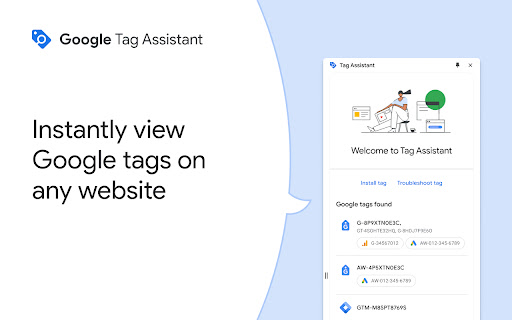
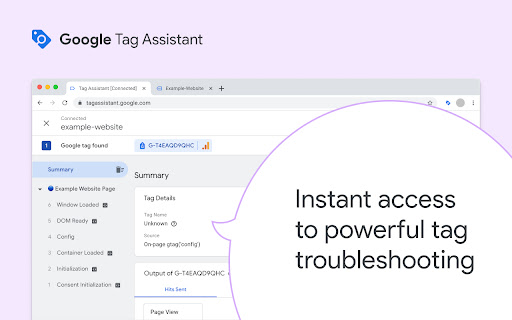
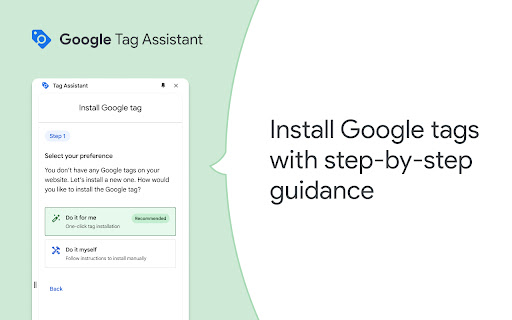
Tag Assistant Companion screenshot

Links

Recommended Chrome extensions

Related listings from the same category, trending peers, and the same publisher portfolio.

Browse developer