CSS Used icon

CSS Used Chrome Extension Analysis

Developer & Designer Tools

Chrome extension ID: cdopjfddjlonogibjahpnmjpoangjfff

This extension allows web developers to inspect and extract the CSS styles applied to specific page elements. It simplifies the process of identifying used styles, which is particularly useful for rapid debugging or component isolation during frontend development.

Developer:BobScript
Version:3.0.1
Size:164KiB
Last updated:

Overview

Installs

50K+

Rating

★ 3.9

202 reviews

Languages

1 locales

Includes English

Market analysis

Review-backed positioning, friction, and market signals for this Chrome extension.

Backed by review samples

Macro category

Developer & Designer Tools

Pricing friction

Low review signal

Complaint intensity

Moderate review signal

Listing & review signals
Observed signals from store listing text and review samples.

Listing positioning

CSS Used positions itself as a single-click developer tool for extracting applied CSS rules from DOM elements and their descendants. It emphasizes its updated Manifest V3 compliance, Svelte-powered UI, and performance optimizations using local caches.

Inferred product pattern

Utility-focused developer tool with open access and no monetization gates.

Review-backed pain points

Users report inconsistent performance, UI responsiveness issues (disappearing action bars), and difficulty parsing styles in specific environments like localhost or incognito mode.

Observed feature gaps

Lack of a progress indicator for long-running extractions, limited support for complex nested CSS rules, and inability to copy individual elements with their specific styles.

Tags
CSS ExtractorWeb DevelopmentFrontend DebuggingCSS RulesDeveloper Utility
Target users

- Frontend Developers

- UI/UX Designers

- Web Debuggers

Primary use cases

- Extracting CSS rules for specific DOM elements

- Identifying styles used by element descendants

- Debugging frontend layout issues

Positive themes

- High utility for debugging

- Powerful time-saver

- Effective for one-click style extraction

- Works well for specific web development workflows

Negative themes

- Intermittent failure to parse

- Issues in anonymous/incognito tabs

- UI bugs where action bars disappear

- Lack of granular copy features

Observed friction

- Performance complaints detected

- No pricing friction observed; the extension appears free.

Evidence boundary: Evidence gathered from Chrome Web Store listing, developer updates, and user review comments regarding functionality and performance. Review data is limited to user experience snapshots; some complaints may be related to deprecated browser configurations or local development environments.
Complaint summaries
Review-backed complaint signals grouped by operational area.

Support

Users occasionally report broken features like Codepen export errors without clear resolution paths.

Reliability

Some users report intermittent functionality, performance freezes during heavy processing, and UI interaction bugs.

Privacy

No specific privacy complaints found.

Access & pricing

- Free usage observed

- No account requirement observed

- Free plan or free usage claimed

Store listing facts

Listing assets

- Screenshots: 1

- Videos: 0

- Languages: 1

Trust signals

- Developer contact

- Official website

Store metadata

- Version: 3.0.1

- Size: 164KiB

- Last updated:

Listing SEO keywords

Search intent keywords
Keyword signals for evaluating how users may discover, compare, or search for this extension category.

Core discovery

extract css from websiteview used css chrome extensioncss inspection toolget css for dom element

Comparison

CSS Used vs DevToolsCSS extraction tools

Problem

CSS not parsingextension not working chromeCSS Used bug

Alternative

PurgeCSSChrome DevTools style panel

Similar extensions

Jump to related discovery paths:

Screenshots

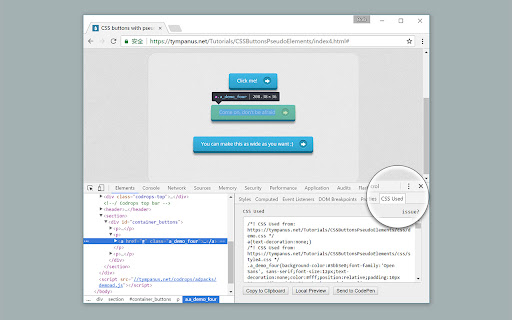
CSS Used screenshot

Links

Website: bobscript.com

Recommended Chrome extensions

Related listings from the same category, trending peers, and the same publisher portfolio.

Browse developer