OCR Translator Chrome Extension Analysis
AI & Writing AssistantsChrome extension ID: cdpbhdkhlngcgpojobhaellkoidndddk
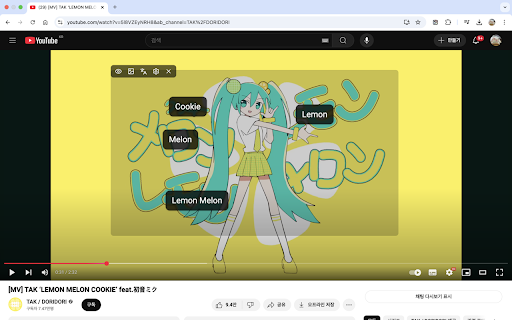
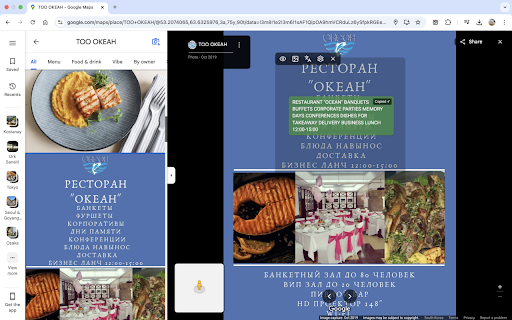
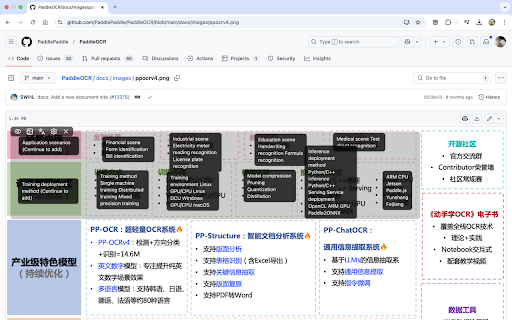
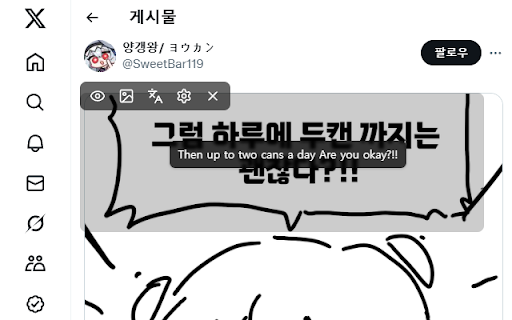
OCR Translator is a Chrome extension that allows users to capture a specific area of their screen, extract text from it using OCR technology (even from images), and instantly translate it. The translated text appears as an overlay on the original content, supporting a wide range of languages including English, Chinese, Japanese, Korean, and more.
Overview
Installs
6K+
Rating
★ 4.2
56 reviews
Languages
1 locales
Includes English
Market analysis
Review-backed positioning, friction, and market signals for this Chrome extension.
Macro category
AI & Writing Assistants
Pricing friction
High review signal
Complaint intensity
High review signal
Listing positioning
The extension positions itself as an innovative OCR Translator that captures, crops, and instantly translates any on-screen text, including images, with advanced OCR technology. It highlights its ability to work with unselectable text found in YouTube videos, Google Maps photo reviews, or foreign language Instagram posts, providing a user-friendly translation overlay.
Inferred product pattern
An OCR-based screen capture and translation tool designed to handle unselectable text in images and videos. Initially offered as a free product, it has pivoted to a freemium model with strict usage limits, leading to strong user dissatisfaction and complaints about reliability and value.
Review-backed pain points
Users express significant pain regarding the product's monetization model change from free to paid/limited, leading to frustration over daily usage caps and rapid consumption of free credits. There are also recurring complaints about reliability, specifically 'failed to connect to OCR service' errors, as well as issues with translation quality and incomplete text extraction. Missing language support and inconvenient text selection/copying are further points of friction.
Observed feature gaps
Based on reviews, observed feature gaps include the lack of support for Arabic, the inability to select and copy all extracted text simultaneously, and the absence of a feature to select and translate multiple images at once without re-activating the extension.
- Users needing to translate text embedded in images or videos
- Individuals consuming foreign language content (e.g., manga, social media posts)
- Professionals or students working with non-selectable text online
- Translating text from images, such as screenshots or embedded graphics
- Extracting and translating text from videos where text is not selectable
- Understanding foreign language content in contexts like Google Maps reviews or social media posts
- Reading and translating online comics or manga
- Effective and accurate translation, especially for image-based text
- User-friendly interface and fast performance
- Highly useful for specific content like manga/manhwa/manhua
- Best available image translation extension (prior to pricing changes)
- Shift from a free and unlimited model to a paid or severely limited free tier
- Frequent 'failed to connect to OCR service' errors
- Poor translation quality and inability to extract all text
- Strict free tier limits (e.g., 10 daily points, 2 points per image)
- Lack of support for certain languages (e.g., Arabic)
- Difficulty selecting and copying all translated text at once
- Payment required for meaningful usage
- Free-tier complaints detected
- Performance complaints detected
- Significant pricing friction exists as the extension transitioned from a free, unlimited service to a freemium model with very restrictive daily limits, causing users to feel cheated and frustrated about having to pay for a previously free service or facing rapid depletion of free credits.
Support
No review-backed data available for specific support, account, or refund complaints.
Reliability
Users frequently report 'failed to connect to OCR service' errors, indicating notable reliability and performance issues that hinder the core functionality of the extension.
Privacy
No review-backed data available for privacy or security complaints.
- Free entry with paid features
- No account requirement observed
- Limited free usage observed
Store listing facts
- Screenshots: 4
- Videos: 1
- Languages: 1
- Privacy policy
- Developer contact
- Official website
- Version: 1.8.1
- Size: 409KiB
- Last updated:
Listing SEO keywords
Core discovery
Comparison
Problem
Alternative
Similar extensions
Jump to related discovery paths:
Screenshots