Magical: Text Expander & Autofill icon

Magical Chrome Extension Analysis

Automation & Workflow Efficiency

Store listing title: Magical: Text Expander & Autofill

Chrome extension ID: iibninhmiggehlcdolcilmhacighjamp

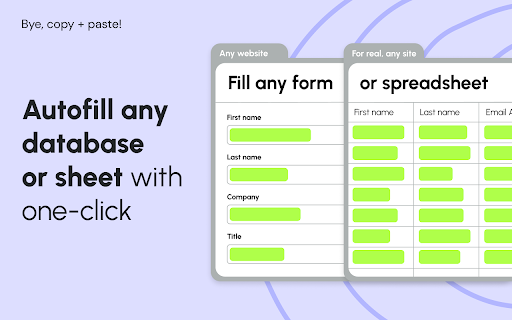
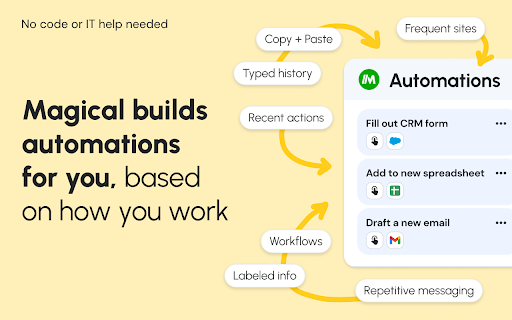
Magical is a browser-based automation tool that enables users to create text shortcuts and automate data entry across various web platforms. It functions as a text expander and a data transfer utility, allowing users to move information between applications like CRMs, spreadsheets, and messaging tools.

Developer:Magical
Version:3.119.1
Size:8.2MiB
Last updated:

Overview

Installs

300K+

Rating

4.4

3,516 reviews

Languages

25 locales

Includes Deutsch, English, English (United Kingdom), English (United States)...

Market analysis

Review-backed positioning, friction, and market signals for this Chrome extension.

Backed by review samples

Macro category

Automation & Workflow Efficiency

Pricing friction

High review signal

Complaint intensity

High review signal

Listing & review signals
Observed signals from store listing text and review samples.

Listing positioning

Magical positions itself as a universal automation layer that works across any website or application without requiring complex integrations or APIs. It emphasizes time-saving for professionals in high-volume roles like sales, recruiting, and customer support by automating text expansion and data transfer tasks.

Inferred product pattern

Browser-based workflow automation and text expansion platform.

Review-backed pain points

Users report significant technical instability, including browser crashes and the unexpected loss of saved snippets, alongside frustration regarding the transition from a free to a paid model and difficult customer support experiences.

Observed feature gaps

Reliable data backup/sync mechanisms, consistent offline or local-first functionality, and a functional free-tier stability that avoids aggressive paywalls.

Tags
Text ExpanderAutofillProductivityData Entry
Target users

- Sales Representatives

- Recruiters

- Customer Support Agents

- Healthcare Professionals

- Educators

- Operations Administrators

Primary use cases

- Text snippet expansion for messaging

- Automating lead/contact data entry into CRMs

- Moving data into spreadsheets and ATS systems

- Personalizing template responses for email and chat

Positive themes

- Initial utility for reducing repetitive typing

- Efficiency improvements for high-volume workflows

Negative themes

- Frequent software crashes and browser lag

- Sudden removal or limitation of free features

- Billing issues and charges post-cancellation

- Loss of saved data/snippets

Observed friction

- Payment required for meaningful usage

- Free-tier complaints detected

- Account blocking complaints detected

- Refund complaints detected

- Performance complaints detected

- High friction; users frequently complain about aggressive paywalls, being charged after cancellation, and the sudden deprecation of free-tier functionality.

Evidence boundary: Data is based on user feedback highlighting a significant shift in satisfaction following changes to the business model and reports of technical regressions. Review samples represent a subset of users, primarily those experiencing technical issues or dissatisfaction with billing, and may not reflect the experience of the entire user base.
Complaint summaries
Review-backed complaint signals grouped by operational area.

Support

Complaints mention slow, unresponsive, or dismissive human support and frustration with AI-driven support agents.

Reliability

High concern; reports of Chrome browser crashes, application lag, and critical data loss (deleted snippets) are prevalent.

Privacy

No specific privacy or data collection complaints observed.

Access & pricing

- Free entry with paid features

- Account required for core usage

- Trial or limited free usage before paid plan

Store listing facts

Listing assets

- Screenshots: 4

- Videos: 1

- Languages: 25

Trust signals

- Privacy policy

- Developer contact

- Official website

- Support link

Store metadata

- Version: 3.119.1

- Size: 8.2MiB

- Last updated:

Listing SEO keywords

Search intent keywords
Keyword signals for evaluating how users may discover, compare, or search for this extension category.

Core discovery

text expander for chromeautofill browser extensionautomate data entryshortcut tool for windowsproductivity automation

Comparison

Magical vs Text Blazebest alternatives to Magical

Problem

Magical extension crashingMagical subscription cancellation issuelost snippets in Magical

Alternative

Text BlazeFree Auto Text Expander

Similar extensions

Jump to related discovery paths:

Screenshots

Magical: Text Expander & Autofill screenshot

Links

Recommended Chrome extensions

Related listings from the same category, trending peers, and the same publisher portfolio.

Browse communication