Manus AI Browser Operator icon

Manus AI Browser Operator Chrome Extension Analysis

Automation & Workflow Efficiency

Chrome extension ID: cecngibhkljoiafhjfmcgbmikfogdiko

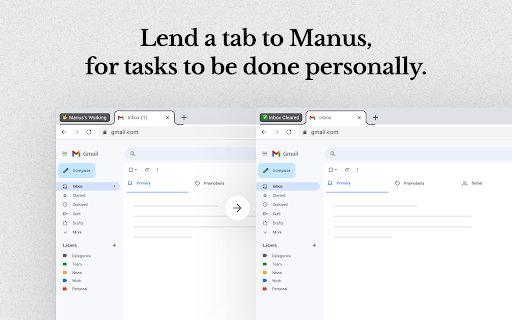
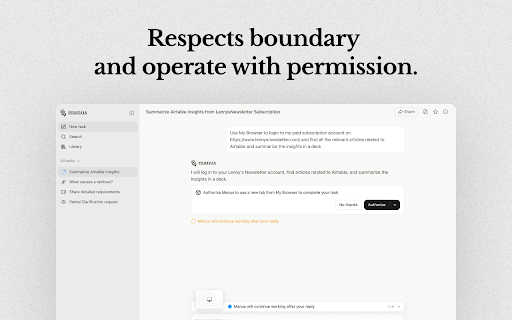
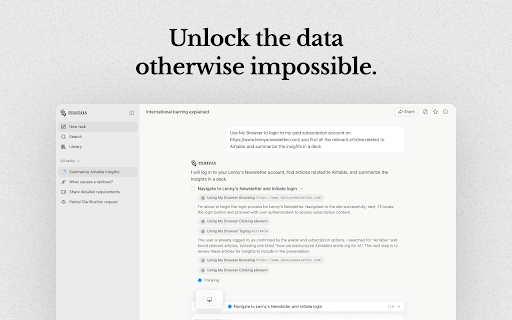
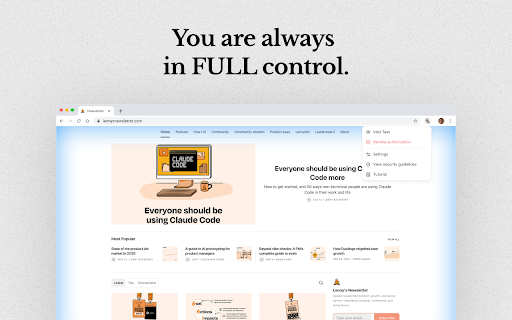
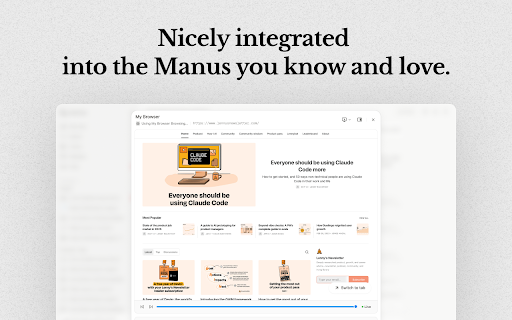
This extension allows a Meta AI agent, Manus Agent, to operate within your browser. It can interact with your logged-in web applications like Gmail and Notion without requiring password sharing. Users maintain control by authorizing sessions and can stop the agent by closing the tab. It aims to assist with tasks requiring personal browsing context.

Developer:Manus Team
Version:0.0.61
Size:355KiB
Last updated:

Overview

Installs

400K+

Rating

4.3

59 reviews

Languages

1 locales

Includes English

Market analysis

Review-backed positioning, friction, and market signals for this Chrome extension.

Backed by review samples

Macro category

Automation & Workflow Efficiency

Pricing friction

Moderate review signal

Complaint intensity

High review signal

Listing & review signals
Observed signals from store listing text and review samples.

Listing positioning

Manus AI Browser Operator positions itself as an extension that connects your browser to a Meta AI agent, enabling it to complete everyday tasks within your personal context. It emphasizes working with your accounts and accessing your content while maintaining user control through explicit session authorization.

Inferred product pattern

AI-powered browser extension that acts as an agent to automate tasks within logged-in web applications, requiring user authorization and offering a credit-based pricing model.

Review-backed pain points

Users find the extension to be too expensive, particularly with its credit-based system, making it unaffordable for basic tasks. Some reviews indicate the AI fails to perform as instructed, causing work disruptions and frustration. There are also complaints about the setup process requiring multiple steps before users discover they must pay.

Observed feature gaps

One user expressed a desire for a chat mode to be added to the extension. Another user indicated the product stops working correctly when the operator is closed in the browser.

Tags
AI AgentBrowser AutomationTask AssistantWeb InteractionPersonal Context
Target users

- Users who frequently interact with web applications

- Individuals seeking to automate repetitive online tasks

- Professionals managing multiple online accounts and workflows

Primary use cases

- Automating tasks in web applications (e.g., Gmail, Notion)

- Interacting with personal browsing context for AI tasks

- Leveraging AI agents for content retrieval and interaction on websites

Positive themes

- Demonstrates the power of agentic AI for tasks with required connectors

- Works great for specific, high-value workloads

Negative themes

- High cost and expensive credit-based system

- Product does not function as expected or breaks work

- Requires excessive setup (account creation, phone verification) before revealing paid nature

Observed friction

- Payment required for meaningful usage

- Performance complaints detected

- Multiple reviews highlight the extension's high cost and a credit-based system that is perceived as expensive and unaffordable for basic tasks. Users are frustrated by the need to complete extensive setup only to find out payment is required.

Evidence boundary: Analysis based on user reviews from the Chrome Web Store, including both positive and negative feedback, as well as listing descriptions. The review sample size is relatively small (53 comments). Some reviews are in languages other than English, and sentiment extraction for non-English reviews may be less precise. The absence of certain review types (e.g., specific refund complaints) means those aspects are not review-backed.
Complaint summaries
Review-backed complaint signals grouped by operational area.

Support

No direct support complaints were observed, but the negative feedback regarding functionality and pricing implies a lack of satisfactory resolution or user experience.

Reliability

Some users report that the extension does not work as expected, stops functioning when the operator is closed, or requires reinstallation repeatedly. There are also mentions of instability.

Privacy

No specific privacy complaints were found in the provided reviews. The listing emphasizes that passwords are not shared and users authorize sessions.

Access & pricing

- Free entry with paid features

- Account required for core usage

- Trial or limited free usage before paid plan

Store listing facts

Listing assets

- Screenshots: 5

- Videos: 1

- Languages: 1

Trust signals

- Privacy policy

- Developer contact

- Official website

Store metadata

- Version: 0.0.61

- Size: 355KiB

- Last updated:

Listing SEO keywords

Search intent keywords
Keyword signals for evaluating how users may discover, compare, or search for this extension category.

Core discovery

AI browser automationweb task automationAI agent extensionpersonal context AIbrowser AI assistant

Comparison

AI for web appsbrowser automation toolsAI workflow automation

Problem

automate online tasksweb app managementAI for productivity

Alternative

browser automation solutionsAI task assistants

Similar extensions

Jump to related discovery paths:

Screenshots

Manus AI Browser Operator screenshot

Links

Website: manus.im

Privacy policy: https://manus.im/privacy

Videos: Watch

Recommended Chrome extensions

Related listings from the same category, trending peers, and the same publisher portfolio.

Browse tools
Video Downloader Plus icon

Video Downloader Plus

Video Downloader Plus

Download and save videos from any website instantly. A fast, simple video downloader that just works.

Installs

1.0M+

Rating

4.5

Wordtune: AI Paraphrasing and Grammar Tool icon

Wordtune: AI Paraphrasing and Grammar Tool

Wordtune

Unlock your potential with Wordtune's free AI writer – paraphrase, rewrite, translate, fix grammar, and more.

Installs

1.0M+

Rating

4.6

Keep Awake your System or Display icon

Keep Awake your System or Display

Dorian Hiller

Keep your system or display from going to sleep with just one click!

Installs

1.0M+

Rating

5.0

Поиск Яндексa icon

Поиск Яндексa

Yandex

Вводите запросы в адресную строку и получайте ответы от Яндекса

Installs

1.0M+

Rating

3.2

Bing Search and Homepage icon

Bing Search and Homepage

Microsoft Corporation

Set Microsoft Bing as your default homepage and default search engine

Installs

1.0M+

Rating

2.3

uberAgent icon

uberAgent

Cloud Software Group, Inc.

Enables uberAgent to collect web app usage and performance data (e.g., foreground tab, page load duration) from Chrome.

Installs

1.0M+

Rating

3.0

Ace Script icon

Ace Script

Ace Stream

Everything can be scripted, allowing your browser to do more!

Installs

1.0M+

Rating

3.4

MSN + Bing for Chrome icon

MSN + Bing for Chrome

Microsoft Corporation

Set MSN as your homepage and Bing as your search engine

Installs

1.0M+

Rating

4.1

Google Analytics Opt-out Add-on (by Google) icon

Google Analytics Opt-out Add-on (by Google)

ga-extension-publishers

Tells the Google Analytics JavaScript not to send information to Google Analytics.

Installs

1.0M+

Rating

4.0

ActivID CMS extension icon

ActivID CMS extension

hid-global-chrome-web-store

ActivID Credential Management System Extension

Installs

1.0M+

Rating

1.0