Immersive Web Emulator icon

Immersive Web Emulator Chrome Extension Analysis

Developer & Designer Tools

Chrome extension ID: cgffilbpcibhmcfbgggfhfolhkfbhmik

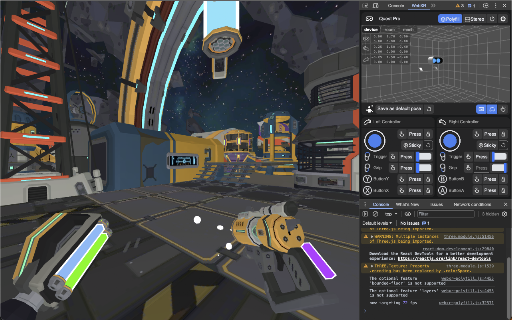
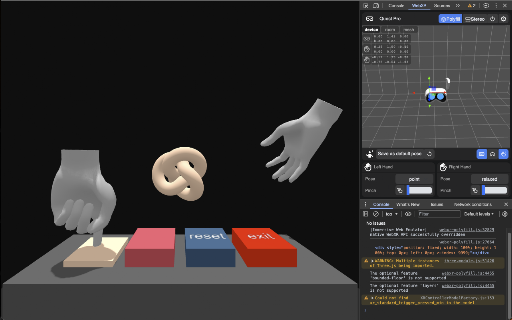
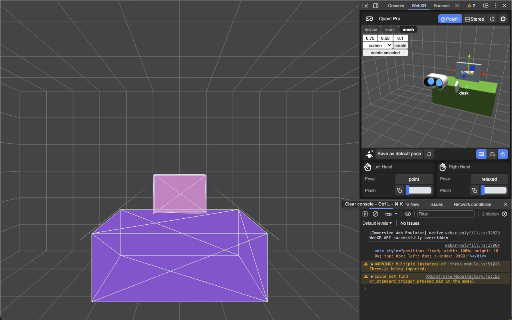
An extension that provides an interactive 3D viewport to emulate Meta Quest headsets and controllers. It allows developers to simulate hand tracking, button inputs, and analog controls directly within a Chromium-based browser.

Developer:Meta
Version:2.0.0
Size:10.12MiB
Last updated:

Overview

Installs

20K+

Rating

4.7

25 reviews

Languages

1 locales

Includes English

Market analysis

Review-backed positioning, friction, and market signals for this Chrome extension.

Backed by review samples

Macro category

Developer & Designer Tools

Pricing friction

Low review signal

Complaint intensity

Moderate review signal

Listing & review signals
Observed signals from store listing text and review samples.

Listing positioning

The product is positioned as a developer utility for simulating Meta Quest devices to streamline WebXR development. It emphasizes the ability to test and iterate experiences without the need for physical XR hardware.

Inferred product pattern

A developer-centric hardware simulation utility designed to bypass the need for physical VR hardware during the web development lifecycle.

Review-backed pain points

Users reported non-functional input buttons, a bloated/unintuitive UI, and specific rendering errors when using BabylonJS.

Observed feature gaps

The UI lacks responsiveness and intuitive design, and input reliability is inconsistent across different browsers.

Tags
WebXR EmulatorMeta QuestVR Development3D SimulationDevTools
Target users

- WebXR Developers

- VR/AR Engineers

- 3D Web Developers

Primary use cases

- Testing WebXR experiences without hardware

- Simulating controller and hand inputs

- Prototyping VR projects

Positive themes

- Significant time savings for prototyping

- Essential for building Proof of Concepts (POCs)

- Highly useful for debugging WebXR scenes

Negative themes

- Unreliable input simulation

- Bloated and non-responsive UI

- Rendering issues in specific frameworks

Observed friction

- Performance complaints detected

- No pricing friction observed; the tool appears to be free.

Evidence boundary: Analysis based on the official Meta store listing and a collection of user reviews highlighting both utility and technical bugs. The review sample size is small (23 comments), which may not capture the full spectrum of user experiences.
Complaint summaries
Review-backed complaint signals grouped by operational area.

Support

Users suggest reporting bugs via GitHub rather than through formal extension support channels.

Reliability

Reports of bugs in Chrome/Edge, unreliable input mapping, and rendering failures with certain libraries.

Privacy

No privacy or security complaints observed.

Access & pricing

- Free usage observed

- No account requirement observed

- Free plan or free usage claimed

Store listing facts

Listing assets

- Screenshots: 3

- Videos: 1

- Languages: 1

Trust signals

- Developer contact

- Support link

Store metadata

- Version: 2.0.0

- Size: 10.12MiB

- Last updated:

Listing SEO keywords

Search intent keywords
Keyword signals for evaluating how users may discover, compare, or search for this extension category.

Core discovery

WebXR emulatorMeta Quest simulatorVR development toolWebXR testing3D viewport emulator

Comparison

physical Meta Quest headsetWebXR testing hardware

Problem

WebXR development bugsVR controller simulation issuestesting WebXR without headset

Alternative

physical VR headsetBabylonJS debugging tools

Similar extensions

Jump to related discovery paths:

Screenshots

Immersive Web Emulator screenshot

Links

Recommended Chrome extensions

Related listings from the same category, trending peers, and the same publisher portfolio.

Browse developer