var_masterpiece icon

var_masterpiece Chrome Extension Analysis

Developer & Designer Tools

Chrome extension ID: chfhddogiigmfpkcmgfpolalagdcamkl

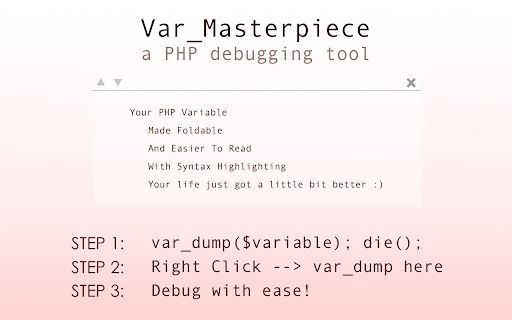
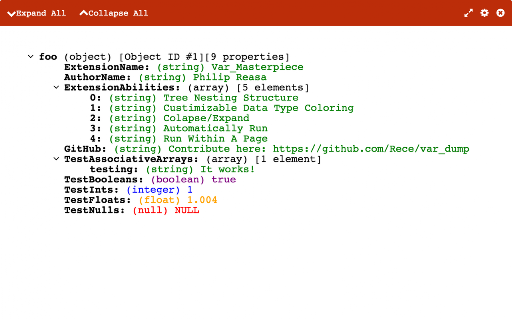
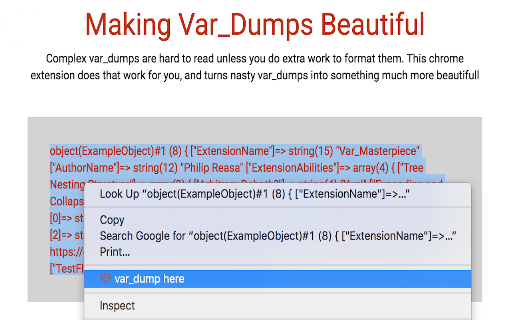
Var_masterpiece is a developer-focused Chrome extension that formats raw PHP var_dump output into a collapsible, syntax-aware visual interface. It is designed to assist developers working with PHP frameworks like Laravel, WordPress, and Yii by making debugging output more legible.

Version:1.6.10
Size:66.86KiB
Last updated:

Overview

Installs

10K+

Rating

4.1

74 reviews

Languages

1 locales

Includes English

Market analysis

Review-backed positioning, friction, and market signals for this Chrome extension.

Backed by review samples

Macro category

Developer & Designer Tools

Pricing friction

Low review signal

Complaint intensity

Moderate review signal

Listing & review signals
Observed signals from store listing text and review samples.

Listing positioning

The extension positions itself as a specialized utility for PHP developers to improve the readability of var_dump outputs. It promotes itself as an open-source, free alternative to raw text dumps, comparing its functionality to JSONView.

Inferred product pattern

Single-purpose productivity utility for developers with a static feature set and intermittent maintenance.

Review-backed pain points

The primary pain point is the reliability of the extension, as multiple users have reported that it stops working after Chrome updates or specific PHP environment changes.

Observed feature gaps

Users frequently request more seamless, automatic detection of var_dump output rather than requiring manual interaction, and developers have noted minor technical issues like intrusive console logging.

Tags
PHP DebuggingDeveloper ToolCode FormattingVar_dump
Target users

- PHP Developers

- Full-stack Developers

- WordPress Developers

- Backend Engineers

Primary use cases

- Debugging PHP applications

- Formatting var_dump output

- Improving readability of code diagnostics

Positive themes

- Enhanced readability of complex data

- Useful alternative to standard debugging tools

- Open-source accessibility

Negative themes

- Inconsistent functionality across Chrome versions

- Requirement for manual activation

- Unnecessary console logs in production code

Observed friction

- Performance complaints detected

- None; the product is explicitly marketed as free and open source.

Evidence boundary: Evidence derived from Chrome Web Store user reviews detailing functional issues related to browser updates and technical requests for cleanup. Review sample size is small and reflects historical usage spanning several years, which may not capture current version stability.
Complaint summaries
Review-backed complaint signals grouped by operational area.

Support

Support is limited to community-driven GitHub contributions, with some users frustrated by the lack of updates following browser-breaking changes.

Reliability

Frequent reports of the extension failing to render data on newer versions of Chrome and specific PHP environments, leading to mixed sentiment.

Privacy

No privacy complaints observed.

Access & pricing

- Free usage observed

- No account requirement observed

- Free plan or free usage claimed

Store listing facts

Listing assets

- Screenshots: 3

- Videos: 0

- Languages: 1

Trust signals

- Developer contact

Store metadata

- Version: 1.6.10

- Size: 66.86KiB

- Last updated:

Listing SEO keywords

Search intent keywords
Keyword signals for evaluating how users may discover, compare, or search for this extension category.

Core discovery

PHP var_dump formatterChrome extension for PHP debuggingpretty print PHP output

Comparison

JSONView for PHPPHP debugging tool

Problem

var_dump not readablefix ugly PHP debug output

Alternative

phpView alternativedeveloper tools for Chrome

Similar extensions

Jump to related discovery paths:

Screenshots

var_masterpiece screenshot

Recommended Chrome extensions

Related listings from the same category, trending peers, and the same publisher portfolio.

Browse developer