SemiOffice Notes icon

SemiOffice Notes Chrome Extension Analysis

Automation & Workflow Efficiency

Chrome extension ID: chnclflidnfeoggfnjhefhmhfnhbjggn

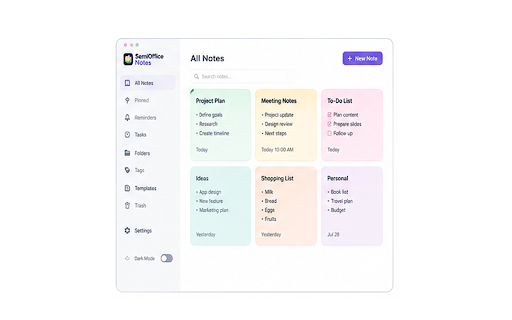
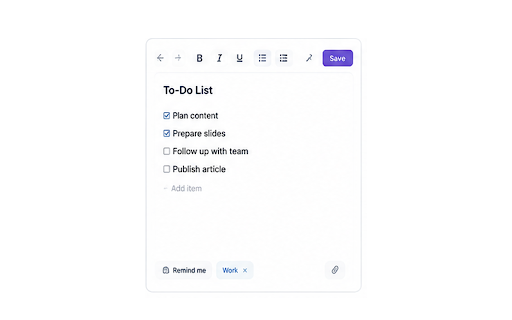
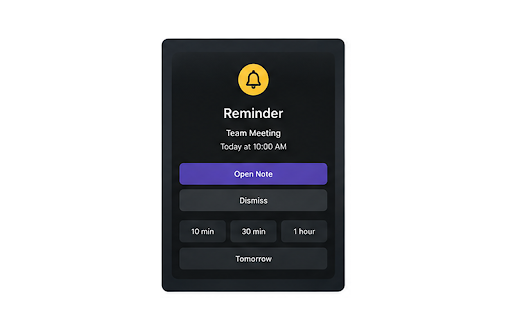
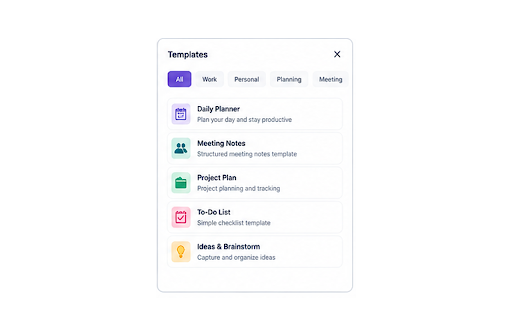
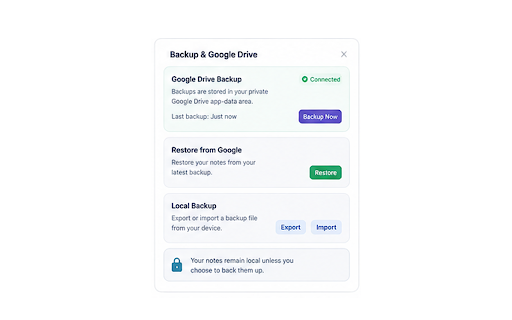
SemiOffice Notes is a Chrome extension that allows users to create private, colorful notes with features like reminders, checklists, folders, and templates. It offers a simple workspace for quick idea capture and organized note management, with notes stored locally by default. Optional Google Drive backup is available, and the extension is designed for everyday personal and office use.

Developer:SemiOffice
Version:1.0.0
Size:41.41KiB
Last updated:

Overview

Installs

0

Rating

★ —

0 reviews

Languages

1 locales

Includes English (United States)

Market analysis

Review-backed positioning, friction, and market signals for this Chrome extension.

No review samples found

Macro category

Automation & Workflow Efficiency

Pricing friction

Low review signal

Complaint intensity

Low review signal

Listing & review signals
Observed signals from store listing text and review samples.

Listing positioning

SemiOffice Notes is positioned as a private, colorful note-taking tool designed for everyday productivity. It emphasizes a clean Chrome extension experience for quick capture and an organized workspace for larger note collections. The product highlights its local-first privacy approach and offers features like reminders, checklists, folders, and templates.

Inferred product pattern

Standalone Chrome extension for note-taking with local storage and optional cloud backup.

Review-backed pain points

No review-backed data is available for pain points.

Observed feature gaps

No review-backed data is available for feature gaps.

Tags
Note TakingProductivityWorkspaceRemindersOrganization
Target users

- Individual productivity users

- Students

- Professionals for meeting notes

- Users seeking simple note organization

Primary use cases

- Quick idea capture

- To-do list management

- Meeting notes

- Project planning

- Weekly organization

Positive themes

No positive theme data.

Negative themes

No negative theme data.

Observed friction

- The listing implies the core functionality is free, with no mention of payment for basic use. Optional Google Drive backup is presented as an added feature, not a necessity for core function.

Evidence boundary: Information extracted from the Chrome Web Store listing, including title, descriptions, and feature lists. No user reviews were available for analysis, limiting the ability to provide review-backed themes, sentiment analysis, or detailed user pain points.
Complaint summaries
Review-backed complaint signals grouped by operational area.

Support

No review-backed data is available for support complaints.

Reliability

No review-backed data is available for reliability complaints.

Privacy

The listing emphasizes a 'local-first privacy' design and states that notes stay on the device by default, not requiring a server for core use.

Access & pricing

- No clear monetization signal

- No account requirement observed

- Free plan or free usage claimed

Store listing facts

Listing assets

- Screenshots: 5

- Videos: 0

- Languages: 1

Trust signals

- Privacy policy

- Developer contact

- Support link

Store metadata

- Version: 1.0.0

- Size: 41.41KiB

- Last updated:

Listing SEO keywords

Search intent keywords
Keyword signals for evaluating how users may discover, compare, or search for this extension category.

Core discovery

note taking extensionproductivity noteschrome notesorganize notesreminders extension

Comparison

evernote alternativegoogle keep alternative

Problem

forget ideasdisorganized notesmissed reminders

Alternative

notepad chromedigital notebook

Similar extensions

Jump to related discovery paths:

Screenshots

SemiOffice Notes screenshot

Links

Recommended Chrome extensions

Related listings from the same category, trending peers, and the same publisher portfolio.

Browse workflow