OKIOCAM Stop Motion icon

OKIOCAM Stop Motion Chrome Extension Analysis

Niche Lifestyle & Gaming Hacks

Chrome extension ID: cnlaenhekjagkfjaglgfffkdblmddnnn

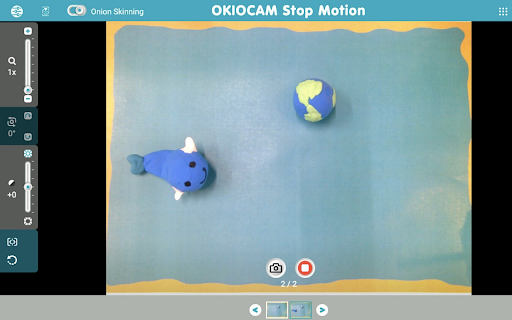
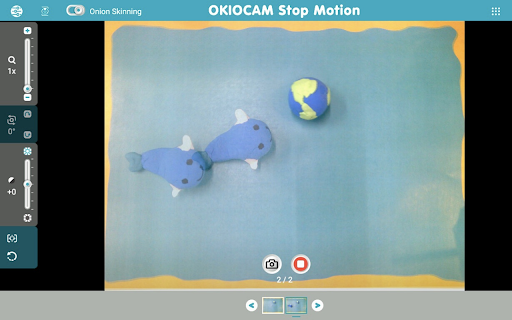
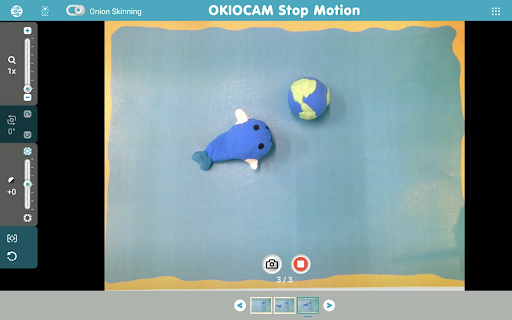
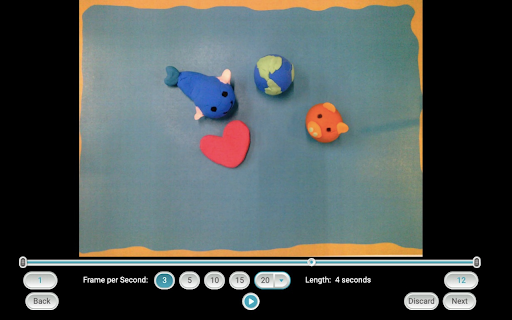
A Chrome extension that allows users to capture snapshots via their webcam to assemble stop-motion animation videos. The extension automatically saves finished products directly to Google Drive and provides essential creator tools like onion skinning and basic camera controls.

Version:1.1.24
Size:29.25MiB
Last updated:

Overview

Installs

10K+

Rating

3.0

6 reviews

Languages

4 locales

Includes English, français, 中文(台灣), 日本語

Market analysis

Review-backed positioning, friction, and market signals for this Chrome extension.

Backed by review samples

Macro category

Niche Lifestyle & Gaming Hacks

Pricing friction

Low review signal

Complaint intensity

Moderate review signal

Listing & review signals
Observed signals from store listing text and review samples.

Listing positioning

OKIOCAM Stop Motion positions itself as an intuitive and seamless animation tool for capturing stop-motion videos using a webcam. The listing emphasizes automatic uploads to Google Drive and integration with Google Workspace tools like Google Classroom, Docs, and Slides. It also highlights core creative features like onion skinning, speed adjustment, and optional integrations with OKIOCAM hardware.

Inferred product pattern

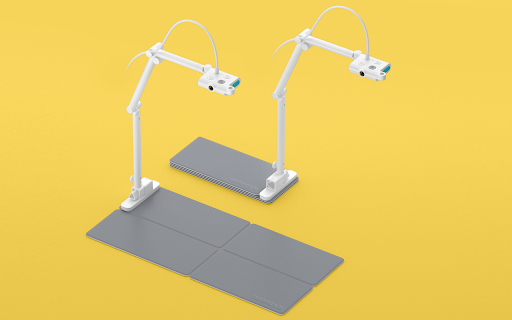
Hardware-enabling companion utility designed to support OKIOCAM document camera users while remaining open to general webcam users.

Review-backed pain points

Users struggle with physical limitations when they do not have props at home, expressing frustration that they cannot import static local images from their computer. Additionally, users find it difficult to execute narrative animations due to the lack of direct audio recording/voiceover capabilities.

Observed feature gaps

Reviewers identified several feature gaps, including the inability to import images from a computer, a lack of voiceover/audio recording within the video builder, a need for multi-frame onion skinning, missing options to flip the camera display upside-down, and the absence of basic video-editing tools like text overlays and filters.

Tags
Stop MotionAnimation ToolWebcam RecorderGoogle ClassroomEducation
Target users

- K-12 Students

- Educators and Teachers

- Stop-motion animation hobbyists

- OKIOCAM hardware owners

Primary use cases

- Creating stop-motion school projects

- Demonstrating basic animation concepts in physical or virtual classrooms

- Creating quick claymation or LEGO brick animation sequences

Positive themes

- Decent simple utility for basic animation creation

Negative themes

- Inability to upload local images instead of using a live camera feed

- Lack of built-in voiceover or audio recording features

- Limited frame-by-frame onion skinning customization

- Absence of text overlays and visual post-production effects

Observed friction

- No pricing friction was observed; the extension is free to use with no hidden upgrade prompts mentioned in the reviews.

Evidence boundary: Analysis is based on the official Chrome Web Store listing details (including features like onion skinning, Google Classroom integration, and camera controls) combined with 6 user reviews focusing on creative feature requests and usability limits. The review sample is extremely small, preventing a comprehensive evaluation of long-term technical reliability, camera driver compatibility issues, or high-volume user experiences.
Complaint summaries
Review-backed complaint signals grouped by operational area.

Support

No support or account blocking complaints were detected in the available user feedback.

Reliability

One user submitted a vague low rating indicating general dissatisfaction, but no specific performance lag, crashes, or save failures were documented.

Privacy

No privacy, security, or data tracking concerns were reported by users.

Access & pricing

- Free usage observed

- No account requirement observed

- Free plan or free usage claimed

Store listing facts

Listing assets

- Screenshots: 5

- Videos: 0

- Languages: 4

Trust signals

- Privacy policy

- Developer contact

- Official website

Store metadata

- Version: 1.1.24

- Size: 29.25MiB

- Last updated:

Listing SEO keywords

Search intent keywords
Keyword signals for evaluating how users may discover, compare, or search for this extension category.

Core discovery

stop motion extension chromewebcam stop motion freechromebook stop motion software

Comparison

okiocam stop motion vs cloudstopmotion

Problem

how to make stop motion on google classroomsave stop motion to google drive

Alternative

stop motion app for chromebookwebcam animation software

Similar extensions

Jump to related discovery paths:

Screenshots

OKIOCAM Stop Motion screenshot

Links

Recommended Chrome extensions

Related listings from the same category, trending peers, and the same publisher portfolio.

Browse education
OKIOCAM Live icon

OKIOCAM Live

Unknown developer

The perfect app for live presentations. Display your camera's image on a larger screen or share it through conferencing software.

Installs

20K+

Rating

5.0

Trancy - AI Translator & Dual Subtitles icon

Trancy - AI Translator & Dual Subtitles

Trancy

Trancy provides bilingual subtitle for platforms like YouTube, Disney+, as well as AI translator for websites.

Installs

300K+

Rating

4.7

Google Meet Attendance List icon

Google Meet Attendance List

MeetList

Easiest way to save the attendance list for your meetings or lectures

Installs

300K+

Rating

4.7

edpuzzle icon

edpuzzle

Edpuzzle

Import your favorite educational YouTube video into Edpuzzle with a click!

Installs

300K+

Rating

4.2

rikaikun icon

rikaikun

Erek Speed

rikaikun shows the reading and English definition of Japanese words when you hover over Japanese text in the browser.

Installs

200K+

Rating

4.7

Revision History: Writing Process Visibility for Google Docs & Slides icon

Revision History: Writing Process Visibility for Google Docs & Slides

Revision History

Built for teachers: See how students write, not just what they wrote. View the writing process in Google Docs & Slides.

Installs

200K+

Rating

3.7

Mouse Tooltip Translator - PDF & Netflix YouTube dual subs icon

Mouse Tooltip Translator - PDF & Netflix YouTube dual subs

ttop324

Mouse Tooltip Translator translate mouseover text using google translate. Support OCR, TTS, manga translator & pdf translator.

Installs

200K+

Rating

4.6

Paperpile Extension icon

Paperpile Extension

Paperpile

Collect, organize, annotate and cite your research papers in Chrome.

Installs

200K+

Rating

4.6

ExCITATION – Journal Ranking & Impact Factor for Google Scholar™ icon

ExCITATION – Journal Ranking & Impact Factor for Google Scholar™

Excitation Journal

Show SJR, ABS & ABDC journal rankings in Google Scholar. Sort by citations, detect predatory journals & preview abstracts — free.

Installs

200K+

Rating

4.5

OpenDyslexic for Chrome icon

OpenDyslexic for Chrome

OpenDyslexic

Format pages using the OpenDyslexic font and low contrast help

Installs

200K+

Rating

4.1