Salesforce.com Enhanced Formula Editor icon

Salesforce.com Enhanced Formula Editor Chrome Extension Analysis

Developer & Designer Tools

Chrome extension ID: cnlnnpnjccjcmecojdhgpknalcahkhio

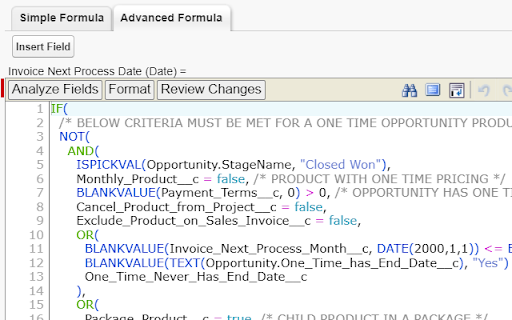
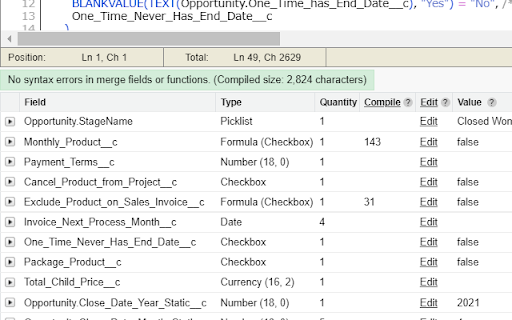
This Chrome extension enhances the Salesforce formula editing interface. It provides tools for formatting, parentheses matching, field analysis, and debugging across Flow formulas, validation rules, and workflow rules.

Developer:Kyle Peterson
Version:2.6.2
Size:435KiB
Last updated:

Overview

Installs

5K+

Rating

4.3

57 reviews

Languages

1 locales

Includes English

Market analysis

Review-backed positioning, friction, and market signals for this Chrome extension.

Backed by review samples

Macro category

Developer & Designer Tools

Pricing friction

High review signal

Complaint intensity

Moderate review signal

Listing & review signals
Observed signals from store listing text and review samples.

Listing positioning

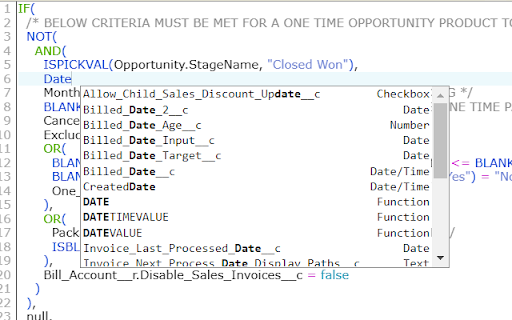
The extension is positioned as a professional utility to save time and reduce errors when working with Salesforce formulas. It promises to upgrade the native experience with IDE-like features such as syntax highlighting, autocompletion, and automated syntax checking.

Inferred product pattern

A specialized developer productivity utility that injects enhanced code-editing capabilities into a specific enterprise SaaS platform.

Review-backed pain points

Users report performance degradation when using the extension in Salesforce Flows and issues where the standard Salesforce editor overwrites work performed in the enhanced editor.

Observed feature gaps

Users noted a lack of color-coded parentheses matching (similar to Notepad++) and reported that the 'Analyze Fields' feature may fail on certain managed or custom objects.

Tags
Salesforce ToolFormula EditorSyntax HighlighterDeveloper Productivity
Target users

- Salesforce Administrators

- Salesforce Developers

- Salesforce Consultants

Primary use cases

- Editing complex Salesforce formulas

- Debugging syntax in Flows and Process Builders

- Analyzing field metadata and compile sizes

Positive themes

- Improved robustness compared to native Salesforce editor

- Helpful field searching and adding functionality

Negative themes

- Performance slowdowns in Salesforce Setup and Flows

- Conflicts between enhanced and standard editors causing data overwrites

- Inconsistent field insertion/autofill reliability

Observed friction

- Payment required for meaningful usage

- Free-tier complaints detected

- Performance complaints detected

- One user reported billing friction where they were asked to pay again despite a previous purchase via Google.

Evidence boundary: Analysis based on the product listing description and a sample of user reviews covering functionality, performance, and billing. The review sample size is small, and some reviews are several years old, which may not reflect the current version of the extension.
Complaint summaries
Review-backed complaint signals grouped by operational area.

Support

No specific support response complaints were identified in the provided reviews.

Reliability

Users reported the editor failing to appear in some contexts and performance issues that slow down the Salesforce Setup area.

Privacy

No privacy or security complaints were observed.

Access & pricing

- Subscription model observed

- Login needed for core features

- Trial or limited free usage before paid plan

Store listing facts

Listing assets

- Screenshots: 3

- Videos: 1

- Languages: 1

Trust signals

- Privacy policy

- Developer contact

- Official website

- Support link

Store metadata

- Version: 2.6.2

- Size: 435KiB

- Last updated:

Listing SEO keywords

Search intent keywords
Keyword signals for evaluating how users may discover, compare, or search for this extension category.

Core discovery

Salesforce formula editorSalesforce syntax highlightingSalesforce formula autocompleteSalesforce field analysis

Comparison

Salesforce native formula editorSalesforce developer tools

Problem

Salesforce formula errorsSalesforce syntax checkingSalesforce formula debugging

Alternative

Salesforce productivity extensionsSalesforce admin tools

Similar extensions

Jump to related discovery paths:

Screenshots

Salesforce.com Enhanced Formula Editor screenshot

Links

Recommended Chrome extensions

Related listings from the same category, trending peers, and the same publisher portfolio.

Browse developer