Canvas Strikethrough icon

Canvas Strikethrough Chrome Extension Analysis

Automation & Workflow Efficiency

Chrome extension ID: cnohgbfhedbjkglpkfbjhiikjemcjhng

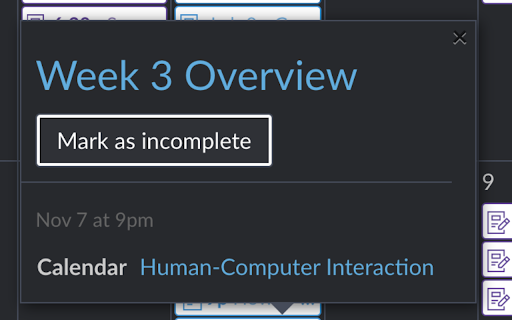
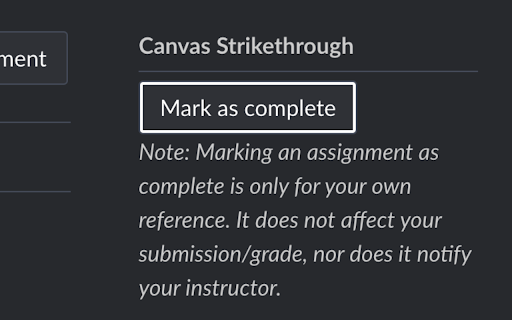
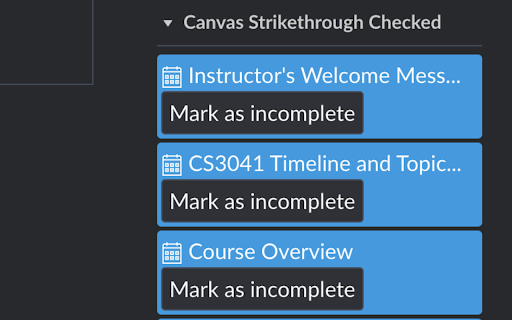
Canvas Strikethrough is a Chrome extension designed to add a strikethrough visual to Canvas calendar events. This allows students to use their Canvas calendar as a personal checklist for assignments, readings, and other non-deliverable tasks.

Developer:Daniel Stoiber
Version:1.10
Size:27.46KiB
Last updated:

Overview

Installs

1K+

Rating

3.2

12 reviews

Languages

1 locales

Includes English

Market analysis

Review-backed positioning, friction, and market signals for this Chrome extension.

Backed by review samples

Macro category

Automation & Workflow Efficiency

Pricing friction

Low review signal

Complaint intensity

Moderate review signal

Listing & review signals
Observed signals from store listing text and review samples.

Listing positioning

The product is positioned as a niche utility for students to visually track completed tasks on the Canvas LMS calendar. It specifically targets assignments that do not have a formal submission requirement, allowing for manual visual completion.

Inferred product pattern

A niche productivity utility for Canvas LMS users to provide visual task completion cues on calendars.

Review-backed pain points

Users report that the strikethrough effect often disappears after reloading the page, the extension occasionally stops working entirely, and it does not support the Canvas 'Agenda' view.

Observed feature gaps

Missing support for the Canvas Agenda view and a limited list of supported university domains.

Tags
Canvas ExtensionStudent ProductivityTask ManagementCalendar Utility
Target users

- Students using Canvas LMS

Primary use cases

- Marking non-deliverable assignments as complete

- Using the Canvas calendar as a manual task checklist

Positive themes

- Useful for tracking readings and assignments without formal submissions

- Simplifies assignment checklist management

Negative themes

- Functionality loss where strikethroughs disappear upon page reload

- Lack of support for specific university URLs

- Incompatibility with the Canvas 'Agenda' view

Observed friction

- Performance complaints detected

- No pricing friction observed.

Evidence boundary: Data extracted from the Chrome Web Store listing and user reviews covering functionality, domain support, and reliability. The review sample size is small, and reliability issues may be tied to specific Canvas updates or browser versions.
Complaint summaries
Review-backed complaint signals grouped by operational area.

Support

Users request more university domain support via GitHub, but no specific support response failures were noted.

Reliability

Significant complaints regarding reliability, specifically marks disappearing on reload and functionality breaking unexpectedly.

Privacy

No privacy complaints observed.

Access & pricing

- Free usage observed

- No account requirement observed

- Free plan or free usage claimed

Store listing facts

Listing assets

- Screenshots: 4

- Videos: 0

- Languages: 1

Trust signals

- Developer contact

- Official website

Store metadata

- Version: 1.10

- Size: 27.46KiB

- Last updated:

Listing SEO keywords

Search intent keywords
Keyword signals for evaluating how users may discover, compare, or search for this extension category.

Core discovery

Canvas assignment trackerCanvas calendar strikethroughCanvas productivity extension

Comparison

Canvas checklist

Problem

Canvas calendar not marking completeCanvas assignments without submission

Alternative

Canvas task manager

Similar extensions

Jump to related discovery paths:

Screenshots

Canvas Strikethrough screenshot

Links

Recommended Chrome extensions

Related listings from the same category, trending peers, and the same publisher portfolio.

Browse education