Paint Tool for Chrome icon

Paint Tool for Chrome Chrome Extension Analysis

Automation & Workflow Efficiency

Chrome extension ID: coabfkgengacobjpmdlmmihhhfnhbjdm

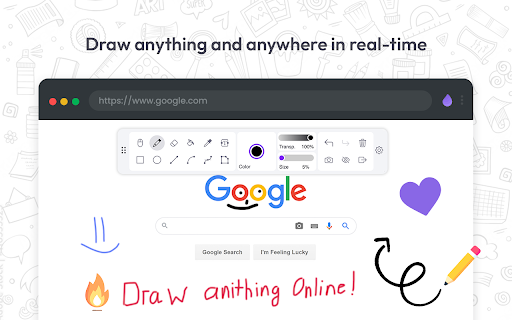
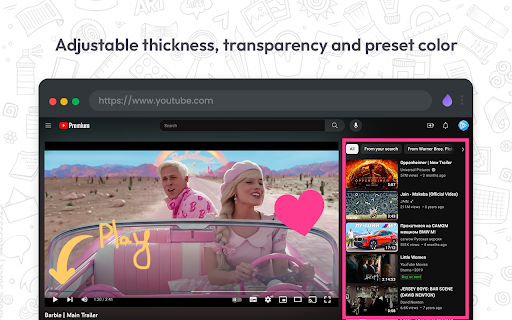
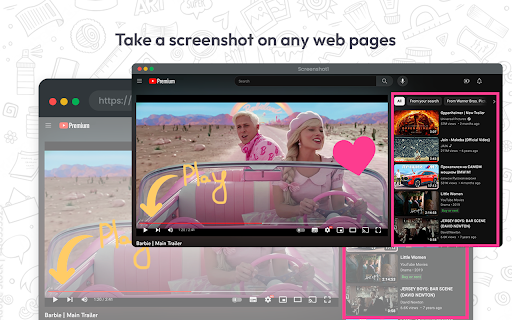
A lightweight Chrome extension that provides a suite of drawing tools (pencil, highlighter, shapes, emojis) to mark up webpages in real-time. It includes a screenshot feature to save and share annotated captures.

Version:1.1.9
Size:124KiB
Last updated:

Overview

Installs

60K+

Rating

4.5

3,246 reviews

Languages

29 locales

Includes Deutsch, English, English (United States), Melayu...

Market analysis

Review-backed positioning, friction, and market signals for this Chrome extension.

Backed by review samples

Macro category

Automation & Workflow Efficiency

Pricing friction

Low review signal

Complaint intensity

Moderate review signal

Listing & review signals
Observed signals from store listing text and review samples.

Listing positioning

The product is positioned as a versatile web painting and annotation tool similar to MS Paint, allowing users to draw, highlight, and add text to any website or PDF. It emphasizes utility for students, professionals, and creators for reporting issues or making tutorials.

Inferred product pattern

Browser-based visual annotation overlay with integrated capture functionality.

Review-backed pain points

Users report significant frustration with frequent pop-up requests for reviews, which some claim cause the webpage to refresh or reset unexpectedly.

Observed feature gaps

Limited variety of brush/pen types and precision issues with external graphic tablet hardware.

Tags
Web AnnotationScreen MarkupOnline DrawingScreenshot Tool
Target users

- Students

- Technical Support Specialists

- Educators

- Product Demo Creators

Primary use cases

- Reporting technical issues

- Creating how-to tutorials

- Annotating online PDFs

- Highlighting research materials

Positive themes

- Functional toolset including RGB color picker

- Privacy-friendly offline data storage

- Intuitive interface

- Smooth performance without lag

Negative themes

- Intrusive and aggressive rating prompts

- Cursor misalignment when using drawing tablets

- UI clunkiness

Observed friction

- No pricing friction observed; the tool is claimed to be free.

Evidence boundary: Based on store listing details and 12 representative user reviews in multiple languages. Review sample size is small and heavily focused on the rating prompt experience.
Complaint summaries
Review-backed complaint signals grouped by operational area.

Support

No direct support complaints, though the automated review request system is viewed as a negative user experience.

Reliability

Reports of the tool 'bugging' and the rating pop-up causing browser tabs to reload.

Privacy

No privacy complaints; one user highlighted the benefit of offline data storage.

Access & pricing

- Free usage observed

- No account requirement observed

- Free plan or free usage claimed

Store listing facts

Listing assets

- Screenshots: 4

- Videos: 0

- Languages: 29

Trust signals

- Privacy policy

- Developer contact

Store metadata

- Version: 1.1.9

- Size: 124KiB

- Last updated:

Listing SEO keywords

Search intent keywords
Keyword signals for evaluating how users may discover, compare, or search for this extension category.

Core discovery

draw on websiteweb highlighterchrome paint extensionannotate webpage

Comparison

MS Paint for ChromeWeb Paint vs Screen Markup

Problem

how to draw on webpageannotate PDF in browserhighlight website content

Alternative

web paint alternativebrowser annotation tool

Similar extensions

Jump to related discovery paths:

Screenshots

Paint Tool for Chrome screenshot

Links

Recommended Chrome extensions

Related listings from the same category, trending peers, and the same publisher portfolio.

Browse workflow