SnapShot icon

SnapShot Chrome Extension Analysis

Automation & Workflow Efficiency

Chrome extension ID: cogfipmojjaephpnihpeemgdmofhnaaj

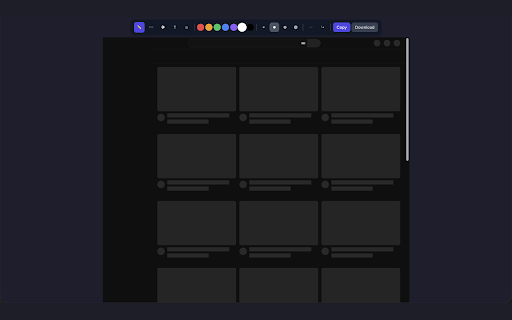
SnapShot is a Chrome extension that allows users to capture their current browser tab and apply annotations using tools like pens, arrows, and blurring. It focuses on speed and data security, offering one-click exports to clipboard or PNG files.

Developer:lokijoji2
Version:3.0.2
Size:145KiB
Last updated:

Overview

Installs

71

Rating

5.0

1 reviews

Languages

2 locales

Includes English, 한국어

Market analysis

Review-backed positioning, friction, and market signals for this Chrome extension.

No review samples found

Macro category

Automation & Workflow Efficiency

Pricing friction

Low review signal

Complaint intensity

Low review signal

Listing & review signals
Observed signals from store listing text and review samples.

Listing positioning

The product is positioned as a fast, streamlined utility for capturing and annotating screenshots without the friction of accounts or cloud uploads. It emphasizes a 'privacy-first' approach where all processing happens locally in the browser.

Inferred product pattern

Privacy-centric local utility designed to eliminate onboarding friction for a high-frequency productivity task.

Review-backed pain points

Review-backed data is not available.

Observed feature gaps

No review data available to identify specific feature gaps or user requests.

Tags
Screenshot ToolImage AnnotationPrivacy FocusedBug Reporting
Target users

- QA Engineers

- Web Designers

- Technical Writers

- Privacy-conscious users

Primary use cases

- Creating bug reports with visual callouts

- Providing design feedback to teams

- Generating step-by-step tutorials

- Redacting sensitive information from images

Positive themes

- Review-backed data is not available

Negative themes

- Review-backed data is not available

Observed friction

- No pricing friction observed; the listing implies a free tool with no sign-up requirements.

Evidence boundary: Analysis based solely on the provided Chrome Web Store listing data. No user review text was available to validate listing claims or identify real-world pain points.
Complaint summaries
Review-backed complaint signals grouped by operational area.

Support

Review-backed data is not available.

Reliability

Review-backed data is not available.

Privacy

Review-backed data is not available.

Access & pricing

- Free usage observed

- No account requirement observed

- Free plan or free usage claimed

Store listing facts

Listing assets

- Screenshots: 2

- Videos: 0

- Languages: 2

Trust signals

- Developer contact

Store metadata

- Version: 3.0.2

- Size: 145KiB

- Last updated:

Listing SEO keywords

Search intent keywords
Keyword signals for evaluating how users may discover, compare, or search for this extension category.

Core discovery

screenshot extensionannotate screenshots onlineblur sensitive info browserlocal screenshot tool

Comparison

SnapShot vs Awesome ScreenshotSnapShot vs LightshotSnapShot vs Nimbus

Problem

how to blur screenshotscreenshot tool without accountfast browser annotation

Alternative

private image annotation extensionno-login screenshot tool

Similar extensions

Jump to related discovery paths:

Screenshots

SnapShot screenshot
SnapShot screenshot

Recommended Chrome extensions

Related listings from the same category, trending peers, and the same publisher portfolio.

Browse tools