StorageAce icon

StorageAce Chrome Extension Analysis

Developer & Designer Tools

Chrome extension ID: cpbgcbmddckpmhfbdckeolkkhkjjmplo

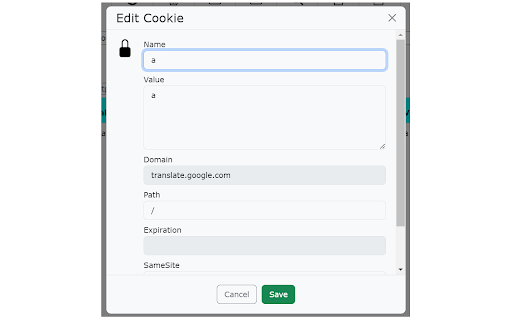
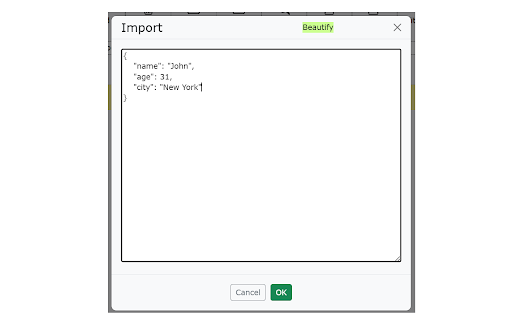
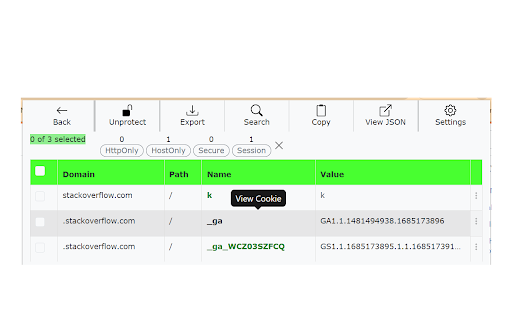
This extension provides a specialized interface to view, edit, search, and manage browser storage data for specific tabs. It supports various formats for data portability and includes features like cookie protection and incognito support.

Developer:ajsun
Version:2.9.10
Size:251KiB
Last updated:

Overview

Installs

20K+

Rating

4.8

18 reviews

Languages

50 locales

Includes Deutsch, English, Filipino, Indonesia...

Market analysis

Review-backed positioning, friction, and market signals for this Chrome extension.

Backed by review samples

Macro category

Developer & Designer Tools

Pricing friction

Low review signal

Complaint intensity

Low review signal

Listing & review signals
Observed signals from store listing text and review samples.

Listing positioning

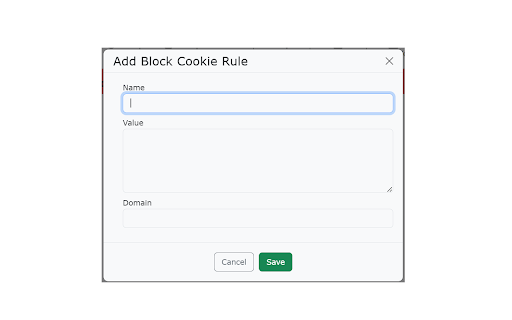
StorageAce is positioned as an all-in-one comprehensive utility for developers to manage Cookies, Local Storage, and Session Storage. It emphasizes granular control, including import/export capabilities, bulk actions, and formatting options to assist with web development tasks like debugging and migration.

Inferred product pattern

Free, standalone developer utility focusing on browser storage manipulation and data portability.

Review-backed pain points

Minor usability improvements requested, such as clarifying import/export iconography and adding a search feature inside JSON editing modes.

Observed feature gaps

Lack of native dark mode support and integrated search within the JSON viewing/editing interface.

Tags
Cookie ManagerLocal StorageWeb DevelopmentData ExportBrowser Tools
Target users

- Web Developers

- QA Engineers

- Automation Engineers

Primary use cases

- Migrating storage data between browsers

- Debugging web application state

- Backing up local storage

- Exporting cookie data for testing frameworks like Puppeteer or Playwright

Positive themes

- High efficiency compared to competitors

- Effective for data migration

- Useful for exporting data to automation frameworks

- Comprehensive feature set

Negative themes

- UI/UX suggestions regarding button iconography

- Missing specific search functionality within JSON editors

- Interest in aesthetic updates like dark mode

Observed friction

- No pricing friction observed; the extension is presented as a free utility.

Evidence boundary: The assessment is based on public store listing features and user reviews expressing satisfaction with the extension's functionality and utility for migration tasks. Review volume is relatively low, and sentiment is overwhelmingly positive, which may not capture edge cases for power users.
Complaint summaries
Review-backed complaint signals grouped by operational area.

Support

No support or account-related complaints found.

Reliability

No performance or reliability complaints found.

Privacy

No privacy complaints; the listing explicitly mentions that data stays local.

Access & pricing

- Free usage observed

- No account requirement observed

- Free plan or free usage claimed

Store listing facts

Listing assets

- Screenshots: 5

- Videos: 0

- Languages: 50

Trust signals

- Developer contact

Store metadata

- Version: 2.9.10

- Size: 251KiB

- Last updated:

Listing SEO keywords

Search intent keywords
Keyword signals for evaluating how users may discover, compare, or search for this extension category.

Core discovery

manage cookies chrome extensionedit local storageview session storageexport cookies jsonbrowser storage manager

Comparison

alternative to Cookie-Editorbetter than EditThisCookie

Problem

how to edit local storageexport browser cookies

Alternative

web storage inspectorchrome storage developer tool

Similar extensions

Jump to related discovery paths:

Screenshots

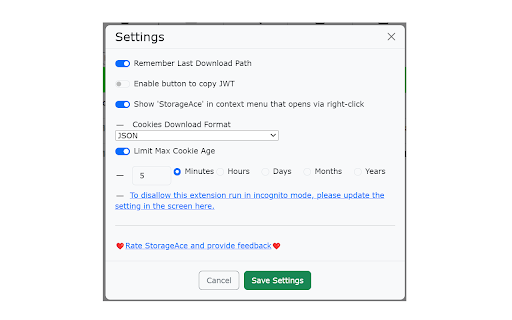
StorageAce screenshot

Recommended Chrome extensions

Related listings from the same category, trending peers, and the same publisher portfolio.

Browse developer