HttpWatch: HTTP Debugger icon

HttpWatch Chrome Extension Analysis

Developer & Designer Tools

Store listing title: HttpWatch: HTTP Debugger

Chrome extension ID: dajhhgiioackgdldomhppobgjbinhimh

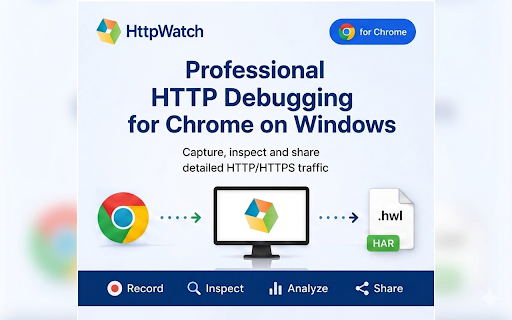
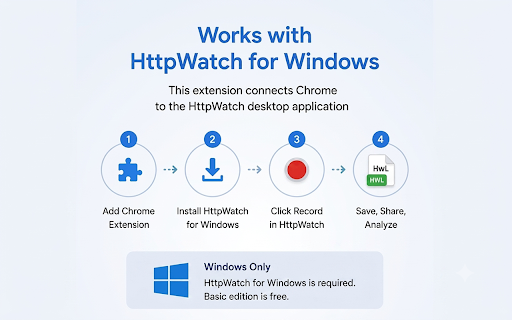
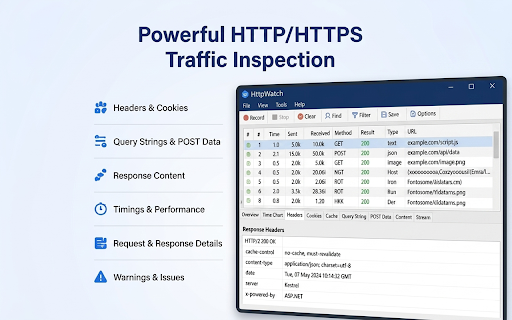
An HTTP/HTTPS debugging extension designed to work in conjunction with the HttpWatch desktop app for Windows. It enables users to capture, inspect, and save network traffic and console logs from the Chrome browser.

Version:16.1.7
Size:79.14KiB
Last updated:

Overview

Installs

100K+

Rating

2.4

14 reviews

Languages

1 locales

Includes English

Market analysis

Review-backed positioning, friction, and market signals for this Chrome extension.

Backed by review samples

Macro category

Developer & Designer Tools

Pricing friction

Low review signal

Complaint intensity

Moderate review signal

Listing & review signals
Observed signals from store listing text and review samples.

Listing positioning

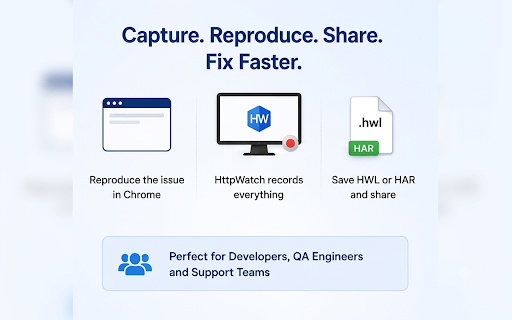
HttpWatch is positioned as a professional-grade debugging tool for Chrome that requires a companion Windows desktop application. It emphasizes deep network diagnostics, session recording, and the ability to export detailed traffic logs for collaborative troubleshooting.

Inferred product pattern

Hybrid extension-desktop application for deep network traffic analysis and debugging.

Review-backed pain points

Users frequently report frustration that the extension is not a standalone tool and requires the installation of a Windows desktop application to function.

Observed feature gaps

The extension is not a standalone browser-based tool; it requires a Windows desktop application to operate.

Tags
HTTP DebuggerNetwork TrafficQA ToolsWeb Development
Target users

- Web Developers

- QA Engineers

- Support Engineers

- Technical Analysts

Primary use cases

- Debugging failed API calls

- Investigating slow-loading pages

- Analyzing authentication issues

- Sharing network traces with development teams

Positive themes

- Intuitive record/stop/view workflow

- Effective integration when desktop app is installed

- Detailed context for page timings and data

Negative themes

- Extreme frustration with the requirement of a separate desktop application

- Perception of the extension as 'fake' or misleading due to the dependency

Observed friction

- Basic functionality is free, while advanced professional features require a paid edition.

Evidence boundary: Data extracted from the Chrome Web Store listing and a sample of user reviews. The review sample is small, and negative sentiment is primarily driven by users' misunderstanding of the extension-desktop dependency.
Complaint summaries
Review-backed complaint signals grouped by operational area.

Support

No specific support complaints found in the provided reviews.

Reliability

Users report the extension fails to work unless the HttpWatch desktop application is installed.

Privacy

No privacy complaints observed; the listing claims traffic is recorded locally.

Access & pricing

- Free entry with paid features

- No clear access signal

- Limited free usage observed

Store listing facts

Listing assets

- Screenshots: 5

- Videos: 0

- Languages: 1

Trust signals

- Privacy policy

- Developer contact

- Official website

- Support link

Store metadata

- Version: 16.1.7

- Size: 79.14KiB

- Last updated:

Listing SEO keywords

Search intent keywords
Keyword signals for evaluating how users may discover, compare, or search for this extension category.

Core discovery

HTTP DebuggerNetwork Traffic CaptureChrome Network InspectorHAR file exportHTTPS Debugging

Comparison

Chrome DevToolsFiddlerCharles Proxy

Problem

Inspect API callsDebug slow web pagesAnalyze authentication errors

Alternative

Network monitorHTTP proxyPacket sniffer

Similar extensions

Jump to related discovery paths:

Screenshots

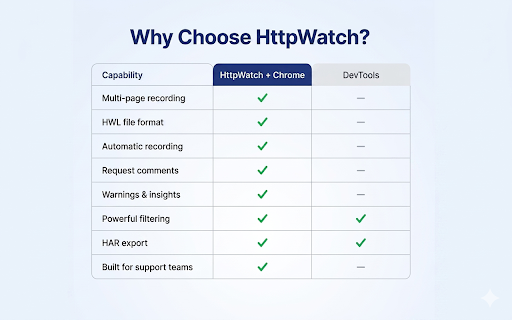
HttpWatch: HTTP Debugger screenshot

Links

Recommended Chrome extensions

Related listings from the same category, trending peers, and the same publisher portfolio.

Browse developer