ScreenVexa – Screen Recorder & Screenshot icon

ScreenVexa Chrome Extension Analysis

Video & Image Downloaders

Store listing title: ScreenVexa – Screen Recorder & Screenshot

Chrome extension ID: dakcmhojlnkbmfkjollnkjnpneipcdmi

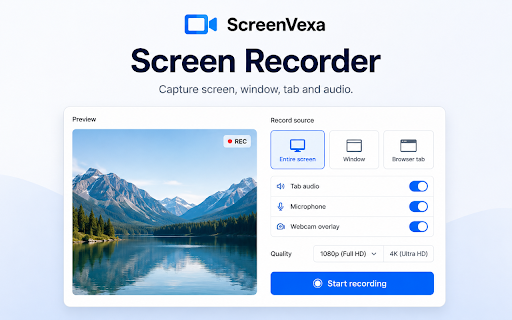
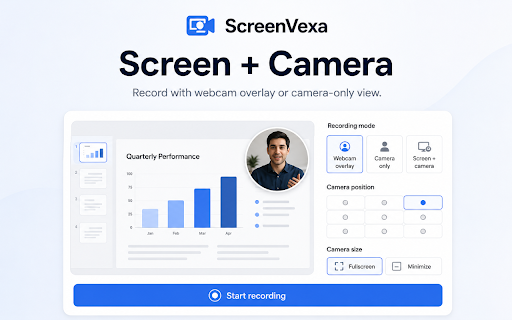
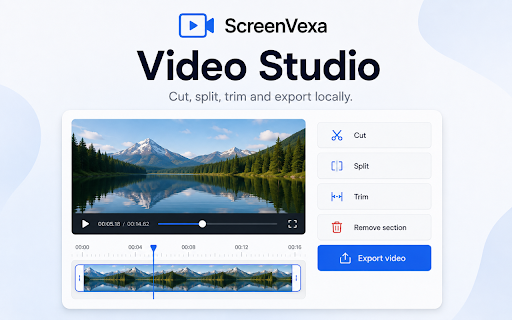
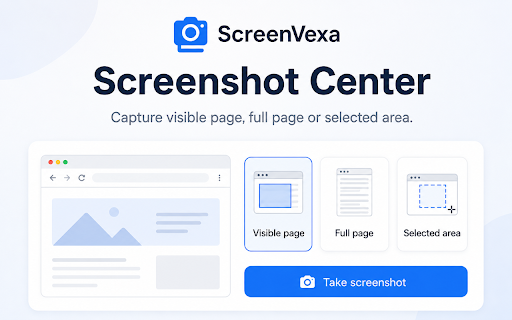
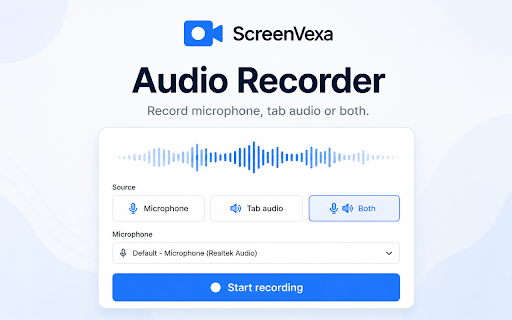
ScreenVexa is a Chrome extension for recording screen areas, windows, or tabs, and capturing annotated screenshots. It provides tools for video compression, GIF creation, and local media editing, ensuring all data remains on the user's device.

Developer:SemiOffice
Version:1.6.15
Size:170KiB
Last updated:

Overview

Installs

5

Rating

★ —

0 reviews

Languages

1 locales

Includes English

Market analysis

Review-backed positioning, friction, and market signals for this Chrome extension.

No review samples found

Macro category

Video & Image Downloaders

Pricing friction

Low review signal

Complaint intensity

Low review signal

Listing & review signals
Observed signals from store listing text and review samples.

Listing positioning

ScreenVexa positions itself as a private, local-first screen recorder and screenshot tool for Chrome. It emphasizes privacy-by-design by offering 4K recording and local file management without requiring accounts or cloud uploads.

Inferred product pattern

A privacy-centric, local-first media capture and editing utility for Chrome.

Review-backed pain points

review-backed data is not available

Observed feature gaps

No feature gaps observed from listing.

Tags
Screen RecorderScreenshot ToolVideo CapturePrivacy FocusedLocal Storage
Target users

- Content creators

- Privacy-conscious users

- Remote workers

- Educators

Primary use cases

- Screen recording for tutorials

- Taking annotated screenshots

- Creating GIFs from video

- Local media management

Positive themes

- review-backed data is not available

Negative themes

- review-backed data is not available

Observed friction

- No pricing information provided in the listing.

Evidence boundary: Information extracted from the official Chrome Web Store product description and feature list. No user reviews were available to validate claims or identify user sentiment.
Complaint summaries
Review-backed complaint signals grouped by operational area.

Support

No support or account complaints observed in reviews.

Reliability

No reliability or performance complaints observed in reviews.

Privacy

No privacy or security complaints observed in reviews.

Access & pricing

- No clear monetization signal

- No account requirement observed

- No clear pricing signal

Store listing facts

Listing assets

- Screenshots: 5

- Videos: 0

- Languages: 1

Trust signals

- Privacy policy

- Developer contact

- Support link

Store metadata

- Version: 1.6.15

- Size: 170KiB

- Last updated:

Listing SEO keywords

Search intent keywords
Keyword signals for evaluating how users may discover, compare, or search for this extension category.

Core discovery

screen recorderscreenshot tool4k screen capturechrome extension recorderprivate screen recording

Comparison

Loom alternativeScreencastify alternative

Problem

private screen recordingno watermark screen recorderlocal video capture

Alternative

screen capture toolvideo editor extensionannotated screenshot tool

Similar extensions

Jump to related discovery paths:

Screenshots

ScreenVexa – Screen Recorder & Screenshot screenshot

Links

Recommended Chrome extensions

Related listings from the same category, trending peers, and the same publisher portfolio.

Browse tools
Free Typing Tutor for Beginners icon

Free Typing Tutor for Beginners

SemiOffice

Free typing tutor for beginners with guided touch-typing lessons, smart practice, tests, games, numpad training, and progress.

Installs

1K+

Rating

★ 2.0

SemiOffice Tasks icon

SemiOffice Tasks

SemiOffice

Manage daily tasks, reminders, notes and productivity reports in a full-size Chrome side panel.

Installs

385

Rating

★ 4.3

WPS浏览器助手:文档在线阅读编辑 icon

WPS浏览器助手:文档在线阅读编辑

金山PDF

PDF、Excel、Word、PPT等文档无需下载即可在线预览,还能对文档进行编辑、打印、转换等处理。

Installs

2.0M+

Rating

★ 3.0

ЮБуст - VPN для YouTube. Обход блокировки Ютуб без ВПН. VPN для браузера icon

ЮБуст - VPN для YouTube. Обход блокировки Ютуб без ВПН. VPN для браузера

Uboost

Ускоритель Ютуб без ВПН, VPN для браузера Яндекс, Chrome, Opera, Edge. Обход замедления Ютуба.

Installs

2.0M+

Rating

★ 4.2

Dark Mode icon

Dark Mode

Grephy

A global dark theme for the web.

Installs

2.0M+

Rating

★ 3.6

Pie Adblock - A Powerful Free Ad Blocker icon

Pie Adblock - A Powerful Free Ad Blocker

Pie Extensions

Pie Adblock blocks ads & pop-ups, plus YouTube & Twitch video ads. You can customize your ad experience with Pie!

Installs

2.0M+

Rating

★ 4.9

HID Credential Management Extension icon

HID Credential Management Extension

hid-global-chrome-web-store

Browser extension for HID credential management solution.

Installs

2.0M+

Rating

★ 1.3

The QR Code Generator icon

The QR Code Generator

Uniqode

Create, scan, and edit QR codes instantly with one click.

Installs

2.0M+

Rating

★ 4.5

AI Chat for Search icon

AI Chat for Search

AI Chat for Search Team

Display AI Chat response alongside search engine results

Installs

2.0M+

Rating

★ 4.6

Planet Search icon

Planet Search

Free VPN Planet

Enchanced default search engine.

Installs

2.0M+

Rating

★ 3.1