Backdrop Chrome Browser MV3 icon

Backdrop Chrome Browser MV3 Chrome Extension Analysis

Automation & Workflow Efficiency

Chrome extension ID: dbdfkhaojnhgfcbpkhfgpfaoincihmcm

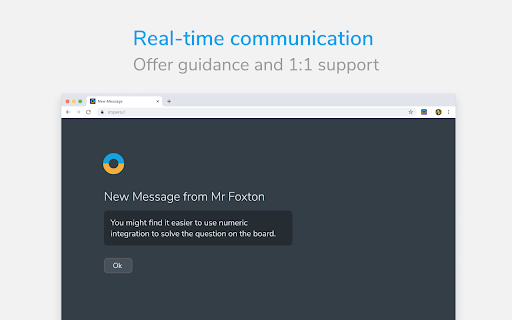
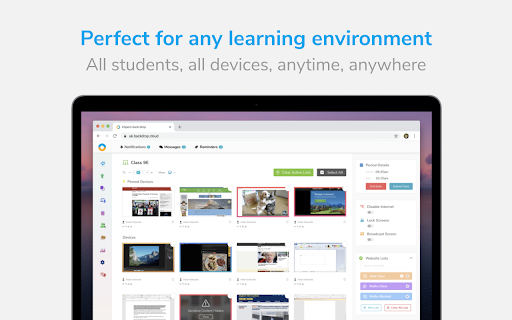
Impero Backdrop is a Chrome browser extension designed to integrate with Impero's classroom management software. It allows educators to manage student devices by controlling internet access, website access, and browser tabs. The extension supports digital learning initiatives by enabling teachers to oversee and guide student online activities.

Developer:Ativion
Version:3.0.8
Size:98.43KiB
Last updated:

Overview

Installs

0

Rating

1.1

24 reviews

Languages

4 locales

Includes Deutsch, English, Nederlands, 日本語

Market analysis

Review-backed positioning, friction, and market signals for this Chrome extension.

Backed by review samples

Macro category

Automation & Workflow Efficiency

Pricing friction

Low review signal

Complaint intensity

High review signal

Listing & review signals
Observed signals from store listing text and review samples.

Listing positioning

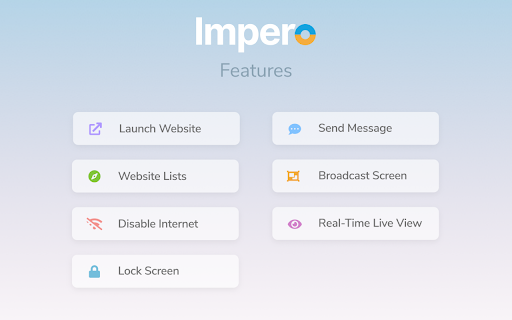
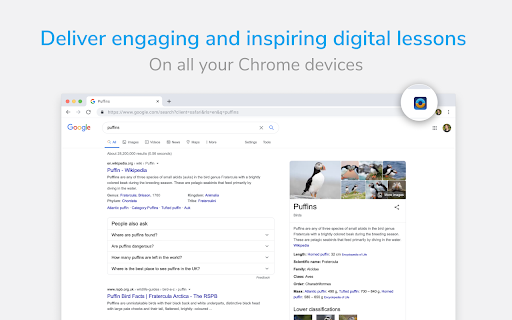
This Chrome extension is positioned as a tool for Impero's cloud-based classroom management solution, enabling teachers to deliver digital learning across Windows and Mac devices. It highlights features like launching websites, disabling internet, restricting browsing, and tab management to support remote and in-person educational environments.

Inferred product pattern

Student monitoring/control software for educational institutions.

Review-backed pain points

Users report significant frustration with perceived privacy invasion, stating that everything they do is recorded and watched. Some users find the extension highly annoying and irritating, impacting their ability to concentrate or listen to music while working. A notable pain point is the inability to uninstall the extension, leading to a feeling of being trapped with the software.

Observed feature gaps

The listing focuses on control features but does not mention any features that would address user concerns about privacy or the ability to uninstall. Reviews indicate a lack of user control or transparency regarding data monitoring and removal processes.

Tags
Classroom ManagementBrowser ControlStudent MonitoringEducational Technology
Target users

- K-12 Teachers

- School IT Administrators

- Educational Institutions

Primary use cases

- Classroom internet and website monitoring

- Managing student browser tabs

- Enforcing educational web policies

- Remote student device supervision

Positive themes

- The provided reviews do not contain positive themes.

Negative themes

- Invasion of privacy and constant surveillance

- Annoyance and disruption to student work and concentration

- Difficulty in uninstalling or removing the extension

- General dissatisfaction and recommendation for removal

Observed friction

- Privacy complaints detected

- The extension is presented as part of a larger classroom management solution, and pricing details are not available on the store listing.

Evidence boundary: Store listing data and user reviews were analyzed. All available reviews are negative and provide a limited perspective on the product's overall functionality. No positive user feedback or details on the product's intended use cases were found.
Complaint summaries
Review-backed complaint signals grouped by operational area.

Support

Reviews indicate users are unable to uninstall the extension, suggesting a potential issue with support or self-service removal. There are no direct complaints about customer support responsiveness, but the uninstallation issue points to a significant user friction.

Reliability

No direct complaints about reliability or performance issues were observed. The primary complaints revolve around the extension's functionality and its impact on user experience and privacy.

Privacy

Multiple reviews explicitly state that the extension is an invasion of privacy, with users feeling that their online activity is constantly monitored. This is a central theme of negative feedback.

Access & pricing

- No clear monetization signal

- No clear access signal

- No clear pricing signal

Store listing facts

Listing assets

- Screenshots: 4

- Videos: 0

- Languages: 4

Trust signals

- Privacy policy

- Developer contact

Store metadata

- Version: 3.0.8

- Size: 98.43KiB

- Last updated:

Listing SEO keywords

Search intent keywords
Keyword signals for evaluating how users may discover, compare, or search for this extension category.

Core discovery

Impero Backdrop ChromeClassroom Management ExtensionStudent Web FilterBrowser Control for SchoolsEducational Monitoring Tool

Comparison

Classroom management software alternativesStudent monitoring tools

Problem

Student distraction onlineManaging classroom internetMonitoring student browsing

Alternative

Alternative classroom managementPrivacy-focused student tools

Similar extensions

Jump to related discovery paths:

Screenshots

Backdrop Chrome Browser MV3 screenshot

Links

Recommended Chrome extensions

Related listings from the same category, trending peers, and the same publisher portfolio.

Browse education
Education Pro Chromebook Extension MV3 icon

Education Pro Chromebook Extension MV3

Ativion

The Impero Education Pro Chromebook Extension enables you to manage and monitor Google ChromeOS devices on your network helping to…

Installs

20K+

Rating

1.0

Education Pro Browser Extension MV3 icon

Education Pro Browser Extension MV3

Ativion

Education Pro Browser Extension MV3 for use on Windows and Mac with EdPro client installed

Installs

0

Rating

1.0

BetterCampus (prev. BetterCanvas) icon

BetterCampus (prev. BetterCanvas)

BetterCampus

Feature packed extension for Canvas.

Installs

1.0M+

Rating

4.7

LibKey Nomad icon

LibKey Nomad

Third Iron LLC

One-click access to millions of scholarly articles.

Installs

1.0M+

Rating

4.5

MyBib: Free Citation Generator icon

MyBib: Free Citation Generator

MyBib

Automatically create APA style, MLA format, and Harvard referencing style citations with our citation generator add-on for Chrome.

Installs

1.0M+

Rating

4.8

Scribbr Citation Generator icon

Scribbr Citation Generator

Scribbr

Instantly get accurate citations for any webpage in APA, MLA, Chicago, Harvard and any other style with our Citation Generator.

Installs

1.0M+

Rating

3.9

Speechify — Text to Speech icon

Speechify — Text to Speech

Speechify

Read aloud any Google Doc, PDF, webpage, or book with text to speech (TTS). Natural sounding voices in 60+ languages & 1,000 voices.

Installs

900K+

Rating

4.6

Tasks for Canvas – now supporting Blackboard, D2L Brightspace icon

Tasks for Canvas – now supporting Blackboard, D2L Brightspace

BetterCampus

A better to-do list sidebar for Canvas, Blackboard, and D2L Brightspace.

Installs

800K+

Rating

4.7

ImTranslator: Translator, Dictionary, TTS icon

ImTranslator: Translator, Dictionary, TTS

smartlink

Translator, Dictionary, Voice

Installs

800K+

Rating

4.4

Mote for Google Chrome™ icon

Mote for Google Chrome™

Mote Technologies, Inc.

The literacy platform for Chrome: Mote’s Sidebar and integrations address barriers in learning to read, write, speak and listen.

Installs

700K+

Rating

4.6