fonts infos icon

fonts infos Chrome Extension Analysis

Developer & Designer Tools

Chrome extension ID: dcmemojljgjdnjfckdmffgkcnooejahg

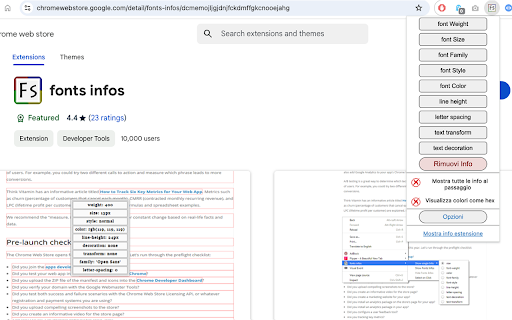
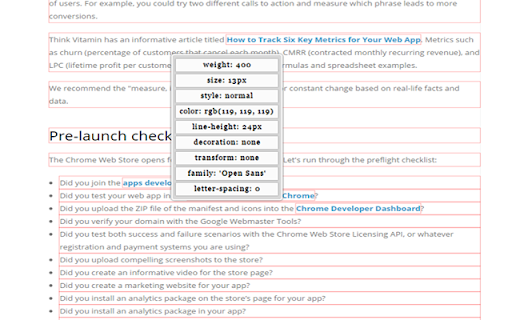
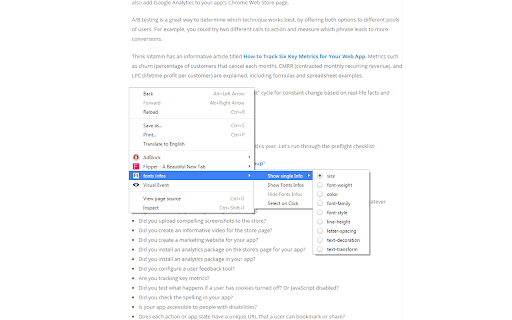
An extension that allows users to inspect and analyze font properties on any webpage. It provides detailed CSS information including font family, size, weight, color, and more via mouse-over or context menus.

Developer:p.
Version:5.0.1
Size:103KiB
Last updated:

Overview

Installs

10K+

Rating

4.5

26 reviews

Languages

2 locales

Includes English, italiano

Market analysis

Review-backed positioning, friction, and market signals for this Chrome extension.

Backed by review samples

Macro category

Developer & Designer Tools

Pricing friction

Low review signal

Complaint intensity

Low review signal

Listing & review signals
Observed signals from store listing text and review samples.

Listing positioning

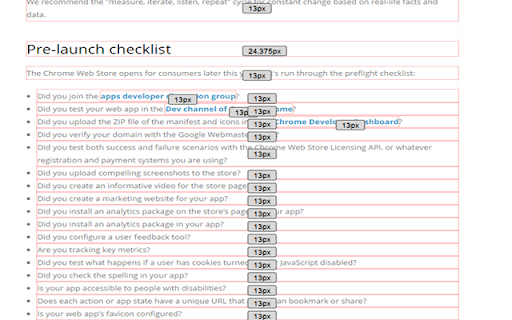
The product is positioned as a comprehensive inspection tool for web typography. It emphasizes the ability to analyze both individual elements and entire documents, providing deep technical details like line height and letter spacing.

Inferred product pattern

A specialized developer utility focused on deep typography inspection, offering more granular data than standard font finders.

Review-backed pain points

Users report confusion when the extension does not work immediately after installation (requiring a tab reload) and frustration regarding font units being converted to pixels.

Observed feature gaps

Users have expressed interest in viewing font sizes as they would appear in a mobile view.

Tags
Font InspectorWeb DevelopmentTypography ToolCSS Inspector
Target users

- Web Developers

- UI/UX Designers

- Graphic Designers

Primary use cases

- Identifying web fonts

- Inspecting CSS typography properties

- Analyzing layout spacing and font styles

Positive themes

- Perceived as superior to competitors like WhatFont and Fonts Ninja

- Ability to view font information for an entire page at once

- Highly useful for site tracing and development

Negative themes

- Requirement to reload tabs after installation for the tool to function

- Inaccurate display of relative units (rem/em) as absolute pixels

Observed friction

- No pricing information or friction observed in the provided data.

Evidence boundary: Analysis based on the Chrome Web Store listing and user reviews covering feature sets, competitor comparisons, and specific technical feedback. The sample size of reviews is relatively small (26 reviews).
Complaint summaries
Review-backed complaint signals grouped by operational area.

Support

No support complaints observed; the developer provides a support tab for tickets.

Reliability

Some reports of the extension 'not working,' though reviews suggest this is typically resolved by reloading active tabs after installation.

Privacy

No privacy or security complaints observed.

Access & pricing

- No clear monetization signal

- No account requirement observed

- No clear pricing signal

Store listing facts

Listing assets

- Screenshots: 4

- Videos: 0

- Languages: 2

Trust signals

- Developer contact

Store metadata

- Version: 5.0.1

- Size: 103KiB

- Last updated:

Listing SEO keywords

Search intent keywords
Keyword signals for evaluating how users may discover, compare, or search for this extension category.

Core discovery

font inspectorweb font analyzerinspect css fontsidentify web typography

Comparison

WhatFontFonts Ninja

Problem

find font on websitecheck font sizeweb typography inspector

Alternative

font findertypography tool

Similar extensions

Jump to related discovery paths:

Screenshots

fonts infos screenshot

Recommended Chrome extensions

Related listings from the same category, trending peers, and the same publisher portfolio.

Browse developer