Div Capture: Screenshot Chrome Extension icon

Div Capture Chrome Extension Analysis

Developer & Designer Tools

Store listing title: Div Capture: Screenshot Chrome Extension

Chrome extension ID: dedaccjfjdboopgpoafnimpppmbhplof

A Chrome extension designed to snap and copy specific HTML 'div' elements from websites. It provides tools for precision selection and high-quality image output for use in presentations, tutorials, and development workflows.

Developer:Flonnect
Version:1.5
Size:243KiB
Last updated:

Overview

Installs

2K+

Rating

4.5

21 reviews

Languages

1 locales

Includes English

Market analysis

Review-backed positioning, friction, and market signals for this Chrome extension.

Backed by review samples

Macro category

Developer & Designer Tools

Pricing friction

Low review signal

Complaint intensity

Moderate review signal

Listing & review signals
Observed signals from store listing text and review samples.

Listing positioning

Div Capture positions itself as the ultimate precision screenshot tool for Chrome, allowing users to seamlessly capture specific webpage elements or entire pages. It emphasizes a user-friendly interface and one-click efficiency to boost productivity for professionals and students.

Inferred product pattern

Developer utility for targeted DOM element image extraction.

Review-backed pain points

Users are primarily frustrated that the extension only captures the visible area of a div, resulting in black sections or missing data for content that requires scrolling.

Observed feature gaps

Lack of automatic download options, absence of an 'Inspect Element' selection mode, no custom file naming, and inability to capture full-length scrolling divs.

Tags
Screenshot ToolWeb DevelopmentUI CaptureProductivityWeb Element Capture
Target users

- Web Developers

- UI/UX Designers

- Students

- Content Creators

Primary use cases

- Capturing specific UI elements for design reference

- Creating technical tutorials using precise webpage snippets

- Saving digital content containers for organization

Positive themes

- Significant time-saver for web development workflows

- Intuitive and easy-to-use interface

- High precision for element-specific captures

Negative themes

- Inability to capture content extending beyond the visible viewport

- Failures when attempting to capture zoomable images

- Inefficient multi-click interaction flow

Observed friction

- Performance complaints detected

- No pricing friction observed as no payment requirements are mentioned in the listing or reviews.

Evidence boundary: Analysis based on store listing claims and a sample of 10 user reviews. Limited review sample size and lack of explicit pricing details in the store listing.
Complaint summaries
Review-backed complaint signals grouped by operational area.

Support

No support or account-related complaints observed.

Reliability

Reliability issues reported specifically regarding the capture of off-screen content and zoomable images on platforms like Amazon.

Privacy

No privacy or security complaints observed.

Access & pricing

- Free usage observed

- No account requirement observed

- Free plan or free usage claimed

Store listing facts

Listing assets

- Screenshots: 1

- Videos: 0

- Languages: 1

Trust signals

- Privacy policy

- Developer contact

- Official website

Store metadata

- Version: 1.5

- Size: 243KiB

- Last updated:

Listing SEO keywords

Search intent keywords
Keyword signals for evaluating how users may discover, compare, or search for this extension category.

Core discovery

capture div chrome extensionscreenshot html elementweb element capture tool

Comparison

Div Capture vs full page screenshotbest div screenshot extension

Problem

how to screenshot specific divcapture only one part of webpagescreenshot html container

Alternative

Div Capture alternativeselement screenshot tool

Similar extensions

Jump to related discovery paths:

Screenshots

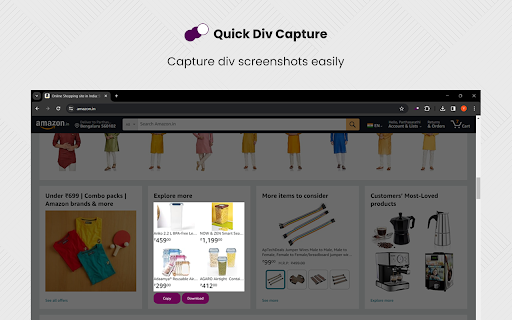
Div Capture: Screenshot Chrome Extension screenshot

Links

Recommended Chrome extensions

Related listings from the same category, trending peers, and the same publisher portfolio.

Browse workflow