Text Editor icon

Text Editor Chrome Extension Analysis

Developer & Designer Tools

Chrome extension ID: demheclfdlemkkpadenmajhjbdhbjjml

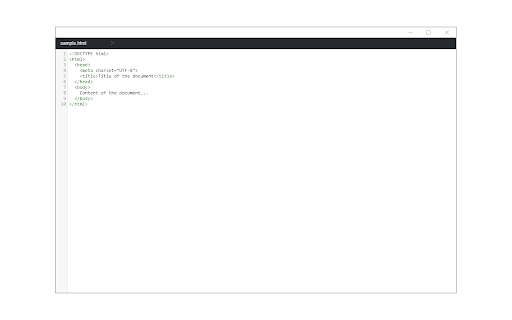
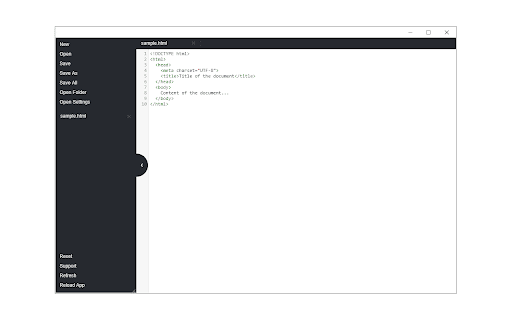
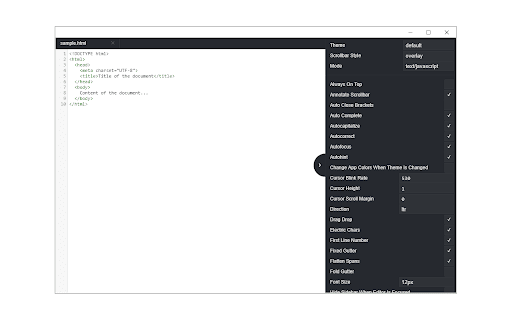
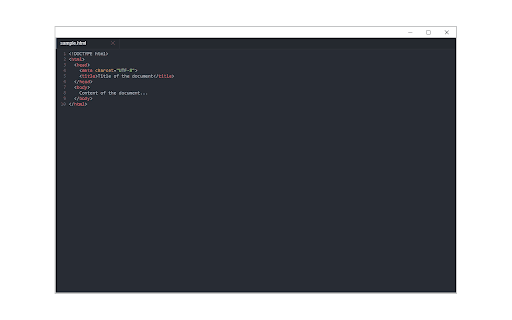
This extension provides a pop-up window interface for editing text and code directly within the browser. It features file I/O management and customizable key-maps to support development workflows.

Developer:Sevina
Version:0.2.4.1
Size:1.55MiB
Last updated:

Overview

Installs

20K+

Rating

4.1

29 reviews

Languages

1 locales

Includes English

Market analysis

Review-backed positioning, friction, and market signals for this Chrome extension.

Backed by review samples

Macro category

Developer & Designer Tools

Pricing friction

Low review signal

Complaint intensity

Moderate review signal

Listing & review signals
Observed signals from store listing text and review samples.

Listing positioning

Text Editor is positioned as a lightweight, browser-based code and text editing utility built on the CodeMirror engine. It emphasizes cross-platform accessibility, support for over 100 coding languages, and integration with the File System Access API for local file handling.

Inferred product pattern

Wrapper for the CodeMirror open-source library focused on browser-integrated local file editing.

Review-backed pain points

Users expressed frustration over the inability to open the editor in a full browser tab, lack of reliable auto-save mechanisms leading to data loss, and UI rigidity (non-resizable windows).

Observed feature gaps

Missing features include code folding, 'Format Document' or beautifying, advanced search/replace, and a native tab-based interface rather than a pop-up.

Tags
Code EditorText EditorIDEBrowser ToolFile Management
Target users

- Web Developers

- ChromeOS Users

- Casual Coders

Primary use cases

- Editing code files

- Quick text scratchpad

- File management within Chrome

Positive themes

- Effective replacement for legacy ChromeOS editors

- Functional syntax highlighting

- Useful alternative for lightweight Chromebook coding

Negative themes

- Forced pop-up window design

- Lack of 'open in new tab' functionality

- Inconsistent save/autosave behavior

- Loss of work due to saving issues

Observed friction

- Performance complaints detected

- None; the extension is marketed as free.

Evidence boundary: Analysis based on 10 user reviews and the official store listing description. Evidence covers functional performance, UI preferences, and reported file-handling bugs. Review sample is small and older in parts, potentially not reflecting the most recent build updates.
Complaint summaries
Review-backed complaint signals grouped by operational area.

Support

No specific complaints regarding support staff; primary complaints focus on product design and data reliability.

Reliability

Users reported significant issues with file saving functionality, including lost notes and failure to prompt for unsaved changes.

Privacy

No privacy or security complaints identified.

Access & pricing

- Free usage observed

- No account requirement observed

- Free plan or free usage claimed

Store listing facts

Listing assets

- Screenshots: 4

- Videos: 1

- Languages: 1

Trust signals

- Privacy policy

- Developer contact

- Official website

Store metadata

- Version: 0.2.4.1

- Size: 1.55MiB

- Last updated:

Listing SEO keywords

Search intent keywords
Keyword signals for evaluating how users may discover, compare, or search for this extension category.

Core discovery

Chrome code editorbrowser text editor extensionCodeMirror extensionChromeOS text editor

Comparison

Caret alternativeVSCode web alternativeChrome scratchpad

Problem

lost data editorcannot save file chrome extensionopen editor in new tab

Alternative

best code editor for Chromebookbrowser-based IDE

Similar extensions

Jump to related discovery paths:

Screenshots

Text Editor screenshot

Links

Recommended Chrome extensions

Related listings from the same category, trending peers, and the same publisher portfolio.

Browse tools