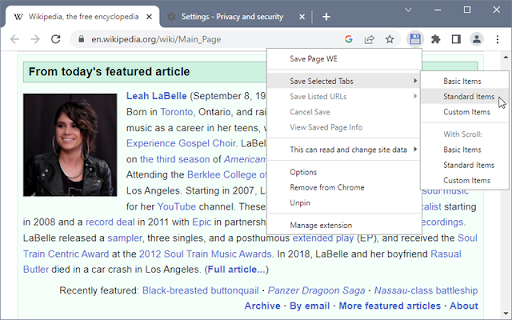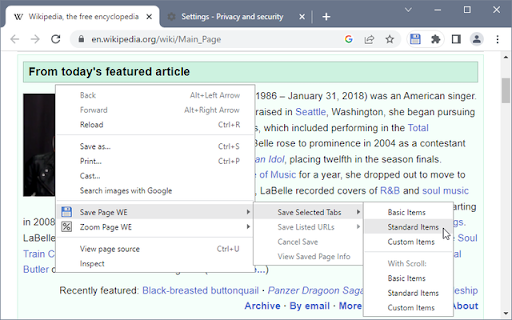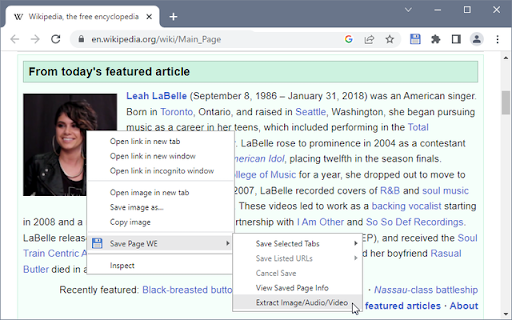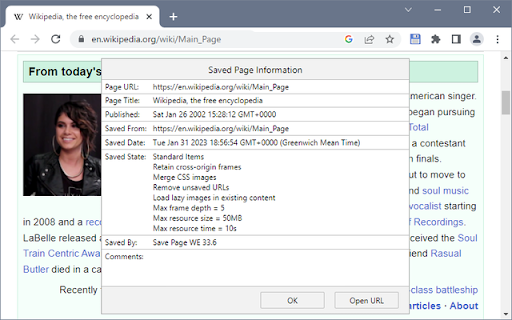
Save Page WE icon

Save Page WE Chrome Extension Analysis

Web Scraping & Data Extraction

Chrome extension ID: dhhpefjklgkmgeafimnjhojgjamoafof

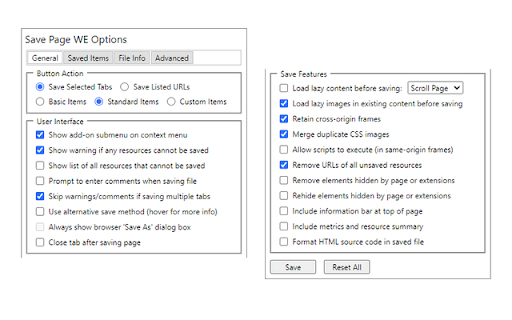
This extension allows users to capture web pages as single HTML files for offline access. It includes features like customizable file naming, automation support, and specific saving modes (Basic, Standard, Custom) to handle complex page elements.

Developer:DW-dev
Version:33.9
Size:96.34KiB
Last updated:

Overview

Installs

200K+

Rating

★ 4.5

450 reviews

Languages

1 locales

Includes English (United States)

Market analysis

Review-backed positioning, friction, and market signals for this Chrome extension.

Backed by review samples

Macro category

Web Scraping & Data Extraction

Pricing friction

Low review signal

Complaint intensity

Moderate review signal

Listing & review signals
Observed signals from store listing text and review samples.

Listing positioning

Save Page WE is positioned as a utility to save a complete, accurate representation of a webpage as a single HTML file. It offers advanced customization options for saving specific items, multiple tabs, or URL lists, aiming to provide more control than default browser save functions.

Inferred product pattern

Utility-focused open-source tool for file-based web archiving.

Review-backed pain points

Users frequently report that images or external resources fail to load in saved files, rendering them incomplete, and that batch processing workflows are counter-intuitive or prone to breakage.

Observed feature gaps

Lack of reliable resource embedding for dynamic sites, limited feedback on why specific saves fail, and difficulty in re-linking to original URLs from saved local files.

Tags
Web ArchivingOffline BrowsingHTML SavePage Saver
Target users

- Researchers

- Archivists

- Users needing offline content access

Primary use cases

- Saving webpages for offline reading

- Archiving content to local project folders

- Batch saving multiple tabs or URLs

Positive themes

- Utility for offline reading

- Cleaner output than default 'Print to PDF' options

- Useful automation features for power users

Negative themes

- Incomplete saving of page resources (missing images/scripts)

- Failure to function on certain modern websites

- Poor UI/UX for batch processing

- Confusion regarding differences from browser native 'Save As'

Observed friction

- Performance complaints detected

- None; the extension is free.

Evidence boundary: Analysis based on 442 reviews and standard listing data, focusing on functionality reliability and user workflow complaints. Reviews represent a mix of long-term users and those experiencing recent technical regressions; specific site-loading failures are difficult to verify independently.
Complaint summaries
Review-backed complaint signals grouped by operational area.

Support

Users report frustration with documentation and unclear configuration instructions when automated saving fails.

Reliability

Significant complaints regarding failed resource downloads, missing images, and unexpected behavior during batch processing tasks.

Privacy

No privacy-specific complaints found.

Access & pricing

- Free usage observed

- No account requirement observed

- Free plan or free usage claimed

Store listing facts

Listing assets

- Screenshots: 5

- Videos: 0

- Languages: 1

Trust signals

- Developer contact

Store metadata

- Version: 33.9

- Size: 96.34KiB

- Last updated:

Listing SEO keywords

Search intent keywords
Keyword signals for evaluating how users may discover, compare, or search for this extension category.

Core discovery

save webpage as htmloffline webpage viewerchrome extension save pageweb archive tool

Comparison

Save Page WE vs Print to PDFbrowser native save as vs extension

Problem

webpage images not savingextension not working on some sites

Alternative

SingleFile extensionwebpage archiver

Similar extensions

Jump to related discovery paths:

Screenshots

Save Page WE screenshot

Recommended Chrome extensions

Related listings from the same category, trending peers, and the same publisher portfolio.

Browse tools