Passbolt - Open source password manager icon

Passbolt Chrome Extension Analysis

Privacy, Security & Ad Blockers

Store listing title: Passbolt - Open source password manager

Chrome extension ID: didegimhafipceonhjepacocaffmoppf

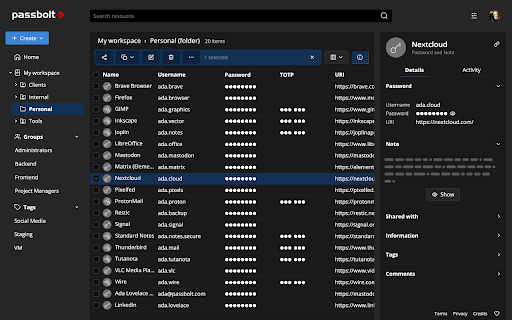
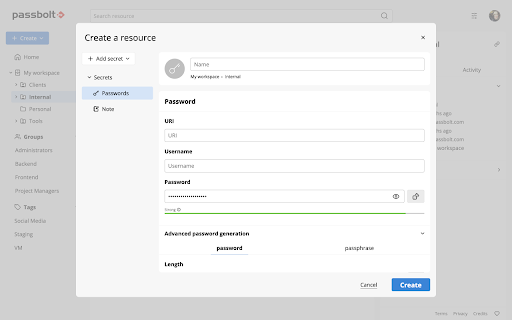
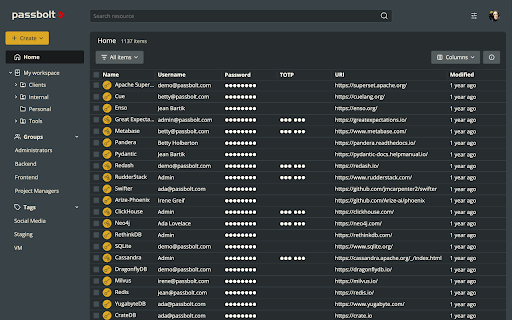
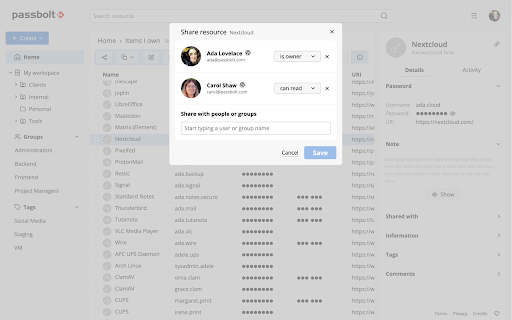
This Chrome extension is the client-side companion for Passbolt, enabling users to generate, autofill, and securely share credentials directly within their browser. It operates as a vital interface to perform client-side cryptographic functions and manage shared passwords. It helps teams organize credentials through tags and customize access rights seamlessly.

Developer:Passbolt
Version:5.14.3
Size:5.62MiB
Last updated:

Overview

Installs

400K+

Rating

4.0

103 reviews

Languages

16 locales

Includes Deutsch, English, Nederlands, español...

Market analysis

Review-backed positioning, friction, and market signals for this Chrome extension.

Backed by review samples

Macro category

Privacy, Security & Ad Blockers

Pricing friction

Moderate review signal

Complaint intensity

High review signal

Listing & review signals
Observed signals from store listing text and review samples.

Listing positioning

Passbolt is positioned as an open-source, collaborative password manager designed specifically for agile teams, developers, and privacy-conscious organizations. It emphasizes a secure-by-design architecture built on end-to-end OpenPGP encryption with an open API. The listing highlights the choice between European cloud hosting and full data ownership via self-hosting.

Inferred product pattern

An open-source, OpenPGP-encrypted password manager extension optimized for collaborative team use with self-hosted and cloud options.

Review-backed pain points

Users experience critical workflow bottlenecks due to the extension frequently disconnecting on browser restarts, coupled with authentication loops that prevent logging in. Recent updates (specifically version 4.5) broke the auto-fill capability for many, forcing users to manually copy and paste credentials. Additionally, the account recovery process is described as tedious and prone to failing, as the recovery site often fails to recognize the active extension.

Observed feature gaps

Reviews indicate a lack of smart domain-specific user suggestions, forcing users managing multiple accounts on the same domain to scroll through long lists. There is also a distinct lack of seamless TOTP integration, requiring manual copying of verification codes. Some users also report z-index rendering issues that conflict with web page layouts.

Tags
Password ManagerOpen SourceTeam CollaborationOpenPGP EncryptionCredentials Security
Target users

- Agile development teams

- Privacy-conscious enterprises

- Government offices

- Self-hosting system administrators

Primary use cases

- Securely sharing passwords and folders among team members

- Autofilling login credentials on web pages

- Generating strong, random cryptographic passwords

Positive themes

- Appreciation for robust on-premise self-hosting capabilities

- Value placed on a fully auditable and open-source local database setup

Negative themes

- Extension authentication loops and disconnects upon restarting the browser

- Inefficient domain credential selection when managing multiple users

- Autofill breakage and UI issues introduced in recent version updates

- Complex recovery process and failure to detect the extension during account recovery

Observed friction

- Free-tier complaints detected

- Performance complaints detected

- Some users report unexpected paywalls, pointing out that cloud signup is limited to a seven-day free trial, leading to frustration over the lack of clear advertising regarding paid tiers in the store listing.

Evidence boundary: Analyzed the Passbolt Chrome Web Store listing, featuring 400,000+ users and a 4.11 rating, alongside 10 recent low-rating and helpful review samples detailing technical bugs. The review analysis is primarily based on low-rating feedback, as the provided sample set lacked high-rating written reviews, which may overrepresent performance issues.
Complaint summaries
Review-backed complaint signals grouped by operational area.

Support

The automated account recovery page frequently fails to detect the installed extension, leaving users locked out of their accounts with limited recourse or immediate assistance.

Reliability

Frequent extension disconnects on browser restart, update 4.5 breaking the core auto-fill functionality, and login screens looping indefinitely present major reliability issues for users.

Privacy

No direct security breaches were reported, though some users expressed concerns about architectural shifts moving web files directly into the compiled extension, making updates entirely dependent on the Chrome Web Store.

Access & pricing

- Free entry with paid features

- Account required for core usage

- Limited free usage observed

Store listing facts

Listing assets

- Screenshots: 6

- Videos: 0

- Languages: 16

Trust signals

- Privacy policy

- Developer contact

- Support link

Store metadata

- Version: 5.14.3

- Size: 5.62MiB

- Last updated:

Listing SEO keywords

Search intent keywords
Keyword signals for evaluating how users may discover, compare, or search for this extension category.

Core discovery

open source password managerteam password managerself hosted password manageropenpgp password manageragile team credential manager

Comparison

passbolt vs bitwardenpassbolt vs 1passwordpassbolt vs keeper

Problem

how to self host password managersecurely share passwords with teamopen source credentials sharing

Alternative

bitwardenkeepassvaultwarden

Similar extensions

Jump to related discovery paths:

Screenshots

Passbolt - Open source password manager screenshot

Links

Recommended Chrome extensions

Related listings from the same category, trending peers, and the same publisher portfolio.

Browse workflow