JSON Formatter: Paste & Validate icon

JSON Formatter Chrome Extension Analysis

Developer & Designer Tools

Store listing title: JSON Formatter: Paste & Validate

Chrome extension ID: dklemcahpokmfieeclilibplcgklchbk

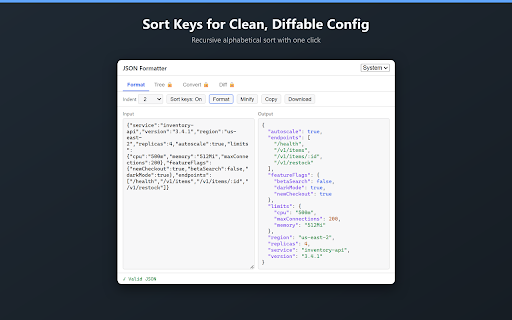
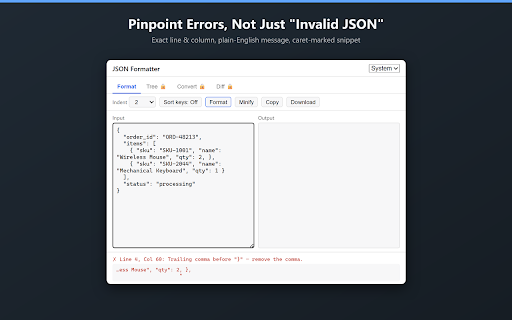
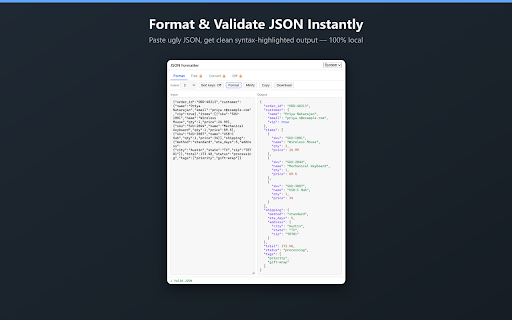
This Chrome extension serves as a paste-in, paste-out utility for JSON data. Users can format, validate, minify, and convert JSON, with all processing occurring locally in the browser. It offers a free tier with core features and a one-time payment for advanced capabilities.

Developer:sourwoodlabsllc
Version:0.1.2
Size:76.62KiB
Last updated:

Overview

Installs

5

Rating

0 reviews

Languages

1 locales

Includes English

Market analysis

Review-backed positioning, friction, and market signals for this Chrome extension.

No review samples found

Macro category

Developer & Designer Tools

Pricing friction

Low review signal

Complaint intensity

Low review signal

Listing & review signals
Observed signals from store listing text and review samples.

Listing positioning

The store listing positions this product as a private, local-processing JSON tool for formatting, validating, and converting data. It emphasizes that it never accesses browsing data and performs all operations on the user's device, highlighting its commitment to user privacy.

Inferred product pattern

A privacy-first, locally processed JSON utility for developers, offering essential formatting and validation functions for free and advanced features like data conversion and diffing through a single, one-time payment.

Review-backed pain points

Review-backed data is not available.

Observed feature gaps

The core feature set is robust for a free tool. Premium features like tree view, JSON to CSV/YAML conversion, and structural diff are clearly presented as paid upgrades, so they are not truly 'gaps' but rather advanced capabilities locked behind a one-time purchase.

Tags
JSON FormatterJSON ValidatorData ToolDeveloper UtilityPrivacy-Focused
Target users

- Developers

- QA Engineers

- Data Analysts

- API Testers

- Anyone frequently working with JSON data

Primary use cases

- Inspecting and debugging API responses

- Cleaning and standardizing JSON configuration files

- Validating webhook payloads for errors

- Converting JSON to CSV or YAML formats

- Comparing structural differences between two JSON documents

Positive themes

- Review-backed data is not available.

Negative themes

- Review-backed data is not available.

Observed friction

- No review-backed pricing friction observed. The listing clearly communicates a free tier with genuinely useful features and a one-time $5 payment for premium features, with no subscriptions or accounts required.

Evidence boundary: Store listing's title, short and long descriptions, and pricing information were used to extract data. No user reviews were available to provide sentiment, common usage patterns, or reported issues.
Complaint summaries
Review-backed complaint signals grouped by operational area.

Support

No review-backed support, account, or refund complaints observed.

Reliability

No review-backed reliability or performance complaints observed.

Privacy

No review-backed privacy or security complaints observed. The listing strongly emphasizes privacy by design, stating zero access to browsing, no content scripts, local processing, and no data collection.

Access & pricing

- Free entry with paid features

- No account requirement observed

- Limited free usage observed

Store listing facts

Listing assets

- Screenshots: 3

- Videos: 0

- Languages: 1

Trust signals

- Privacy policy

- Developer contact

- Official website

Store metadata

- Version: 0.1.2

- Size: 76.62KiB

- Last updated:

Listing SEO keywords

Search intent keywords
Keyword signals for evaluating how users may discover, compare, or search for this extension category.

Core discovery

JSON formatterJSON validatorJSON to CSV converterJSON to YAML converterJSON diff toolpretty print JSONminify JSON

Comparison

JSON formatter vsJSON validator vsJSON online tool vs

Problem

format JSON stringvalidate JSON syntaxconvert JSON datadebug JSON payloadcompare JSON files

Alternative

JSON formatter alternativeJSON validator alternativeJSON tool alternative

Similar extensions

Jump to related discovery paths:

Screenshots

JSON Formatter: Paste & Validate screenshot

Links

Recommended Chrome extensions

Related listings from the same category, trending peers, and the same publisher portfolio.

Browse developer