Flame Browser Bridge icon

Flame Browser Bridge Chrome Extension Analysis

Developer & Designer Tools

Chrome extension ID: dmnbljileblmcbhegfkjoefmdokegndg

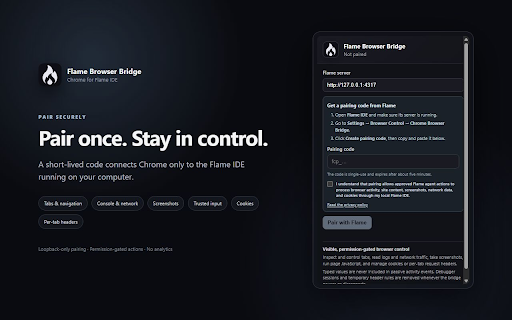
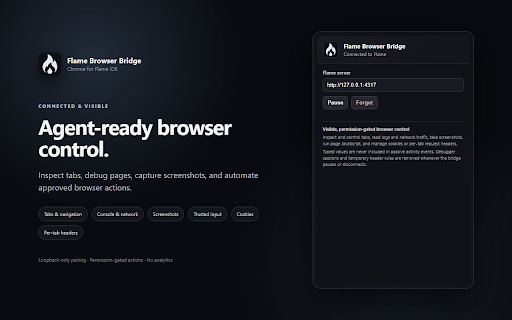
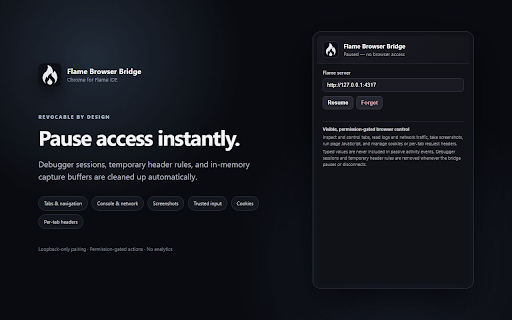
Flame Browser Bridge is a Chrome extension designed to create an observable and permission-gated connection between Chrome and Flame IDE. It allows AI agents running in Flame to interact with browser tabs by inspecting content, debugging, navigating, capturing data, and sending input, all under explicit user approval.

Developer:Daniel Amenou
Version:0.1.3
Size:48.72KiB
Last updated:

Overview

Installs

4

Rating

0 reviews

Languages

1 locales

Includes English

Market analysis

Review-backed positioning, friction, and market signals for this Chrome extension.

No review samples found

Macro category

Developer & Designer Tools

Pricing friction

Low review signal

Complaint intensity

Low review signal

Listing & review signals
Observed signals from store listing text and review samples.

Listing positioning

The store listing positions Flame Browser Bridge as an essential tool to connect Chrome directly with Flame IDE. It enables approved AI agents within Flame to inspect, debug, and control browser tabs, emphasizing permission-gated access and secure operations.

Inferred product pattern

A dedicated integration bridge that connects a web browser to a developer IDE, specifically enabling AI agents to interact with and control browser functions securely.

Review-backed pain points

Review-backed pain points are not available.

Observed feature gaps

No specific feature gaps are observed from the listing; review-backed data is not available.

Tags
Developer ToolsIDE IntegrationAI Agent ControlBrowser DebuggingWorkflow Automation
Target users

- Developers using Flame IDE

- AI developers building browser automation

- QA engineers for browser testing and automation

Primary use cases

- Connecting Chrome browser with Flame IDE

- Enabling AI agents to inspect and debug browser tabs

- Automating browser actions via AI agent control

- Capturing browser viewport, full-page, or element screenshots

- Applying per-tab request and response header overrides

Positive themes

- Review-backed data is not available.

Negative themes

- Review-backed data is not available.

Observed friction

- Pricing information for the extension is not available in the store listing; review-backed data is not available.

Evidence boundary: The analysis is based on the Chrome Web Store listing's title, short description, long description, and category. The primary limitation is the complete absence of user reviews, which prevents any review-backed insights into user sentiment, pain points, or feature gaps.
Complaint summaries
Review-backed complaint signals grouped by operational area.

Support

Support, account, or refund complaints are not available as there are no reviews.

Reliability

Reliability or performance complaints are not available as there are no reviews.

Privacy

Privacy or security complaints are not available as there are no reviews. The listing itself highlights privacy features like permission-gated connections and redacted activity trails.

Access & pricing

- No clear monetization signal

- Login needed for core features

- No clear pricing signal

Store listing facts

Listing assets

- Screenshots: 3

- Videos: 0

- Languages: 1

Trust signals

- Privacy policy

- Developer contact

- Official website

Store metadata

- Version: 0.1.3

- Size: 48.72KiB

- Last updated:

Listing SEO keywords

Search intent keywords
Keyword signals for evaluating how users may discover, compare, or search for this extension category.

Core discovery

Chrome IDE integrationAI agent browser controlFlame IDE bridgeBrowser debugging extensionWeb automation for developers

Problem

connect IDE to browserAI agent browser automationdebug Chrome with AIcontrol browser with codeinspect web pages programmatically

Similar extensions

Jump to related discovery paths:

Screenshots

Flame Browser Bridge screenshot

Links

Recommended Chrome extensions

Related listings from the same category, trending peers, and the same publisher portfolio.

Browse developer