Enter key preference for Google Chat icon

Enter key preference for Google Chat Chrome Extension Analysis

Automation & Workflow Efficiency

Chrome extension ID: eblhkbddhjaaonkbanlnlghcegcmojkh

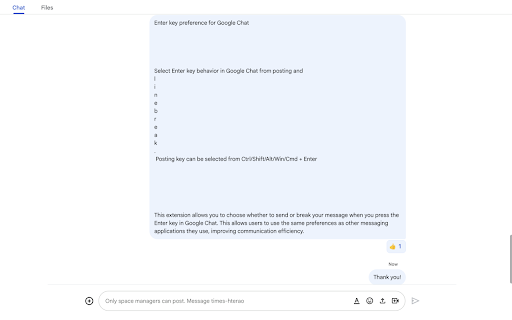
This extension modifies the input behavior in Google Chat to prevent accidental message transmission. Users can configure the Enter key to create line breaks while using combinations like Ctrl+Enter to send the message, similar to other professional messaging platforms.

Version:1.1.0
Size:141KiB
Last updated:

Overview

Installs

1K+

Rating

4.9

8 reviews

Languages

1 locales

Includes English

Market analysis

Review-backed positioning, friction, and market signals for this Chrome extension.

Backed by review samples

Macro category

Automation & Workflow Efficiency

Pricing friction

Low review signal

Complaint intensity

Low review signal

Listing & review signals
Observed signals from store listing text and review samples.

Listing positioning

The extension positions itself as a tool to customize Enter key behavior within Google Chat. It allows users to choose between sending messages or adding line breaks using specific key combinations to improve communication efficiency.

Inferred product pattern

Single-purpose utility extension for input behavior modification in a specific web application.

Review-backed pain points

Users report that Chrome updates can cause the extension to forget settings, requiring a manual disable/enable cycle. There is also some reported confusion regarding the precise recognition of all selected key combinations.

Observed feature gaps

Users noted inconsistencies in how specific complex key combinations are recognized, though the core functionality of blocking auto-send works.

Tags
Google Chat UtilityMessaging ProductivityKeyboard Customization
Target users

- Google Chat users

- Communication professionals

- Remote workers

Primary use cases

- Preventing accidental message sends in Google Chat

- Simulating Slack-style messaging behavior

- Using Enter for line breaks and key combos for sending

Positive themes

- Prevents accidental message sends

- Improves workflow efficiency

- Matches Slack messaging behavior

Negative themes

- Settings lost after Chrome updates

- Inconsistent recognition of specific key combinations

Observed friction

- No pricing friction observed; no payment mentions in the listing or reviews.

Evidence boundary: Evidence derived from the product description and 6 user reviews. Small sample size of reviews provided.
Complaint summaries
Review-backed complaint signals grouped by operational area.

Support

No support complaints observed.

Reliability

Reliability issues reported regarding settings persistence following browser updates.

Privacy

No privacy complaints observed.

Access & pricing

- Free usage observed

- No account requirement observed

- Free plan or free usage claimed

Store listing facts

Listing assets

- Screenshots: 1

- Videos: 0

- Languages: 1

Trust signals

- Developer contact

Store metadata

- Version: 1.1.0

- Size: 141KiB

- Last updated:

Listing SEO keywords

Search intent keywords
Keyword signals for evaluating how users may discover, compare, or search for this extension category.

Core discovery

Google Chat enter keyGoogle Chat line breakGoogle Chat messaging settingsGoogle Chat productivity

Comparison

SlackChatGPTClaude

Problem

accidental message sendGoogle Chat auto-sendGoogle Chat enter key issues

Alternative

Slack messaging behaviorGoogle Chat keyboard shortcuts

Similar extensions

Jump to related discovery paths:

Screenshots

Enter key preference for Google Chat screenshot

Recommended Chrome extensions

Related listings from the same category, trending peers, and the same publisher portfolio.

Browse communication
Superhuman Mail icon

Superhuman Mail

Superhuman

The most productive email app ever made.

Installs

100K+

Rating

4.2

Google Vids Screen Recorder icon

Google Vids Screen Recorder

Google

A simple way to capture your screen and share your ideas using Google Vids.

Installs

100K+

Rating

4.5

MailTracker: Email tracker for Gmail icon

MailTracker: Email tracker for Gmail

MailTracker

Track if your emails are opened & how many times. Be notified when your emails are read with our advanced Email Tracking extension.

Installs

100K+

Rating

4.7

WA-Sender icon

WA-Sender

what-sender.com

Optimize customer loyalty and capture new audience by sending personalized messages through WhatsApp.

Installs

100K+

Rating

4.0

Gmail App - Mail Application for Gmail™ icon

Gmail App - Mail Application for Gmail™

andre_amper220

Use Gmail app for Windows and Mac to boost productivity. Get notifications and read emails in Gmail desktop app for macOS and PC.

Installs

100K+

Rating

4.4

Gmail™ Email Templates by cloudHQ icon

Gmail™ Email Templates by cloudHQ

cloudHQ

Beautiful email templates for Gmail. Design your templates or import templates from Mailchimp. With team sharing!

Installs

100K+

Rating

4.2

InstaText icon

InstaText

InstaText

Write like a native speaker.

Installs

100K+

Rating

4.5

Mailvelope - Secure your email with PGP icon

Mailvelope - Secure your email with PGP

Mailvelope GmbH

Protect your email conversations and attachments on Gmail, Nextcloud, Outlook & more with PGP and end-to-end encryption.

Installs

100K+

Rating

4.4

Ddict: AI Translation & Writing Assistant icon

Ddict: AI Translation & Writing Assistant

Ddo

Translate text and enhance writing with AI for seamless language learning and communication in your browser.

Installs

100K+

Rating

4.2

ScreenPal - Screen Recorder & Video Editor icon

ScreenPal - Screen Recorder & Video Editor

ScreenPal (formerly Screencast-O-Matic)

Record your screen & webcam, take screenshots, edit videos & images - easy & free!

Installs

100K+

Rating

4.3