Pixel Auditor: Tag, PII & Consent Mode Inspector icon

Pixel Auditor Chrome Extension Analysis

Developer & Designer Tools

Store listing title: Pixel Auditor: Tag, PII & Consent Mode Inspector

Chrome extension ID: eclgcapbbmjdgialkpcikjficpahmidd

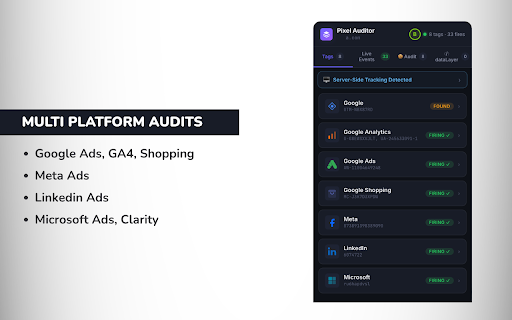
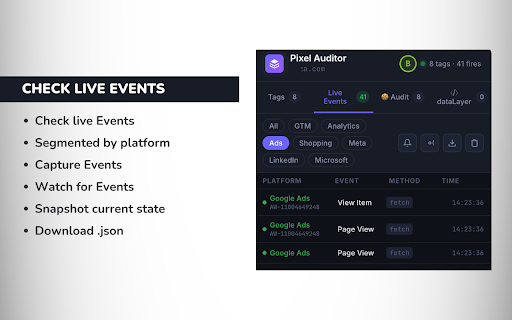
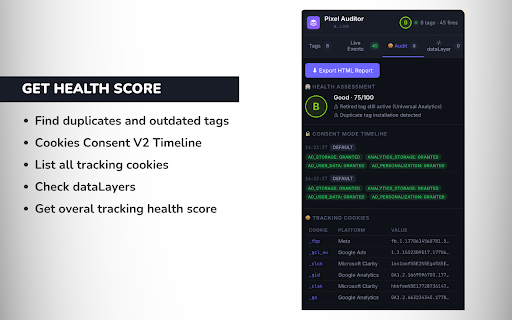
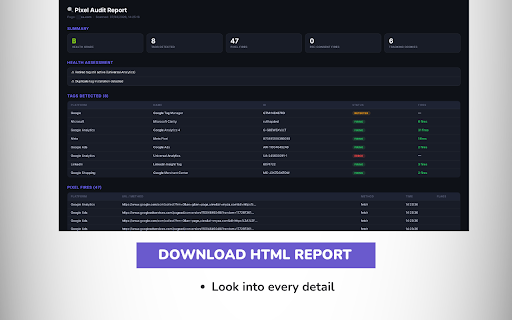
This extension functions as an in-browser inspector for tracking pixels, event payloads, and Consent Mode v2 compliance. It allows users to monitor live network traffic, simulate consent states, detect PII data leaks, and generate audit health reports directly within a side panel.

Developer:Ratan Jha
Version:2.5.4
Size:252KiB
Last updated:

Overview

Installs

10K+

Rating

5.0

3 reviews

Languages

1 locales

Includes English

Market analysis

Review-backed positioning, friction, and market signals for this Chrome extension.

Backed by review samples

Macro category

Developer & Designer Tools

Pricing friction

Low review signal

Complaint intensity

Low review signal

Listing & review signals
Observed signals from store listing text and review samples.

Listing positioning

Pixel Auditor is positioned as a comprehensive, real-time auditing tool for marketing tags, consent mode signals, and PII leaks. It targets professional teams by offering direct, non-technical insights into tracking implementations without requiring external DevTools or server-side setups.

Inferred product pattern

Professional-grade browser-based diagnostic utility for tracking compliance.

Review-backed pain points

No review-backed pain points are available as current feedback is exclusively positive.

Observed feature gaps

No major feature gaps are apparent; the tool appears to provide a broad range of diagnostic features for tracking analysis.

Tags
Tracking AuditorConsent ModePII DetectorMarketing AnalyticsTag Management
Target users

- Digital Marketers

- Data Analysts

- Web Developers

- Conversion Rate Optimization Specialists

- Agencies

Primary use cases

- Auditing tracking pixel firing and event payloads

- Validating Consent Mode v2 compliance

- Detecting PII data leaks

- Comparing tracking states before and after deployments

Positive themes

- Comprehensive feature set for ad tracking auditing

Negative themes

- No negative themes identified in available data

Observed friction

- None identified; product does not explicitly state a paid tier in the provided listing.

Evidence boundary: Evidence is derived from the Chrome Web Store listing and limited user feedback confirming the tool's effectiveness. Review volume is low, providing a limited basis for assessing long-term reliability or common user frustrations.
Complaint summaries
Review-backed complaint signals grouped by operational area.

Support

No support-related complaints available.

Reliability

No reliability-related complaints available.

Privacy

No privacy-related complaints available; the listing explicitly mentions local-only processing.

Access & pricing

- No clear monetization signal

- No account requirement observed

- Free plan or free usage claimed

Store listing facts

Listing assets

- Screenshots: 4

- Videos: 0

- Languages: 1

Trust signals

- Privacy policy

- Developer contact

- Official website

Store metadata

- Version: 2.5.4

- Size: 252KiB

- Last updated:

Listing SEO keywords

Search intent keywords
Keyword signals for evaluating how users may discover, compare, or search for this extension category.

Core discovery

tracking pixel auditorConsent Mode v2 inspectorPII leak detectorGTM debuggermarketing tag audit

Comparison

Pixel Auditor alternativetracking inspector extension

Problem

find PII leaksaudit tracking tagsConsent Mode failure

Alternative

Tag AssistantGoogle Tag Assistant alternatives

Similar extensions

Jump to related discovery paths:

Screenshots

Pixel Auditor: Tag, PII & Consent Mode Inspector screenshot

Links

Recommended Chrome extensions

Related listings from the same category, trending peers, and the same publisher portfolio.

Browse developer