SSH Agent for Google Chrome™ icon

SSH Agent for Google Chrome™ Chrome Extension Analysis

Developer & Designer Tools

Chrome extension ID: eechpbnaifiimgajnomdipfaamobdfha

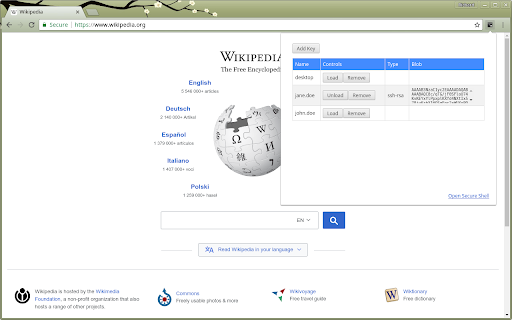
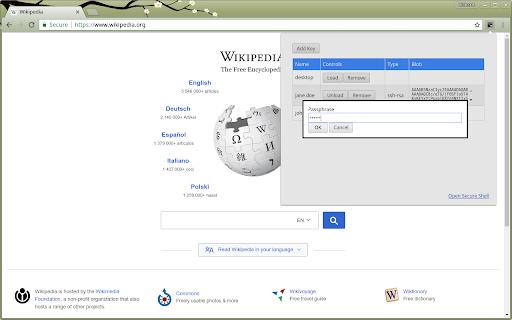
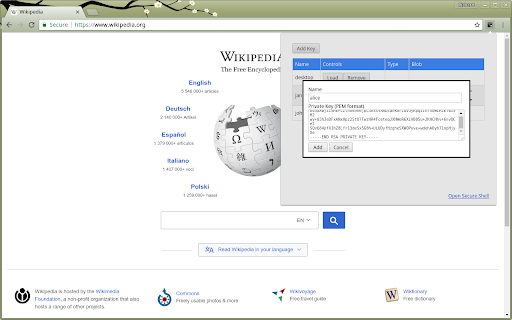
This tool acts as an SSH agent for Chrome, allowing users to manage and use SSH keys for secure remote connections. It is primarily used by developers and power users on Chromebooks to facilitate authentication when utilizing the Secure Shell app.

Version:0.0.29
Size:3.79MiB
Last updated:

Overview

Installs

10K+

Rating

4.6

12 reviews

Languages

1 locales

Includes English

Market analysis

Review-backed positioning, friction, and market signals for this Chrome extension.

Backed by review samples

Macro category

Developer & Designer Tools

Pricing friction

Low review signal

Complaint intensity

Low review signal

Listing & review signals
Observed signals from store listing text and review samples.

Listing positioning

The extension is positioned as a lightweight, bare-bones SSH agent implementation specifically designed to integrate with the Google Secure Shell Chrome extension. It targets users requiring SSH key management capabilities within the Chrome browser environment.

Inferred product pattern

Open-source utility extension acting as a bridge for browser-based terminal applications.

Review-backed pain points

Users have reported frustration regarding the lack of modern key algorithm support (specifically ed25519) and occasional confusion regarding compatibility between different Secure Shell browser components.

Observed feature gaps

Absence of ed25519 key support and lack of native configuration options to automate agent activation upon browser startup or session initiation.

Tags
SSH AgentSecure ShellChromebookDeveloper ToolsNetwork Security
Target users

- Software Developers

- System Administrators

- Chromebook Power Users

Primary use cases

- Managing SSH keys for remote server authentication

- Enabling SSH agent functionality within the Secure Shell Chrome environment

Positive themes

- Works as advertised

- Essential utility for Chromebook SSH workflows

- Reliable performance for RSA-based authentication

Negative themes

- Lack of support for ed25519 keys

- Integration difficulties with specific iterations of the Secure Shell environment

- Limited automation for key loading

Observed friction

- No pricing friction observed as the tool appears to be free.

Evidence boundary: Data derived from public user reviews and store description, reflecting a generally positive sentiment from a niche developer-focused audience. The sample size of reviews is small, which may not capture the breadth of edge cases or recent compatibility updates with updated Chrome versions.
Complaint summaries
Review-backed complaint signals grouped by operational area.

Support

No specific support or refund complaints identified in public reviews.

Reliability

Minor reliability concerns regarding compatibility with specific Secure Shell extensions.

Privacy

No privacy or security concerns identified in reviews.

Access & pricing

- Free usage observed

- No account requirement observed

- Free plan or free usage claimed

Store listing facts

Listing assets

- Screenshots: 3

- Videos: 0

- Languages: 1

Trust signals

- Developer contact

Store metadata

- Version: 0.0.29

- Size: 3.79MiB

- Last updated:

Listing SEO keywords

Search intent keywords
Keyword signals for evaluating how users may discover, compare, or search for this extension category.

Core discovery

SSH agent for ChromeChrome secure shell ssh agentChromebook SSH key managementbrowser SSH authentication

Comparison

Secure Shell extension alternativesSSH agent Chrome vs Linux

Problem

ed25519 support chrome sshssh agent not working secure shell

Alternative

PuTTY for ChromeSSH client for Chromebook

Similar extensions

Jump to related discovery paths:

Screenshots

SSH Agent for Google Chrome™ screenshot

Recommended Chrome extensions

Related listings from the same category, trending peers, and the same publisher portfolio.

Browse developer