
WProofreader Chrome Extension Analysis
AI & Writing AssistantsStore listing title: WProofreader: AI grammar check & rewrite tool
Chrome extension ID: ehlmgkidbfjedfdanfechlikaolobpgh
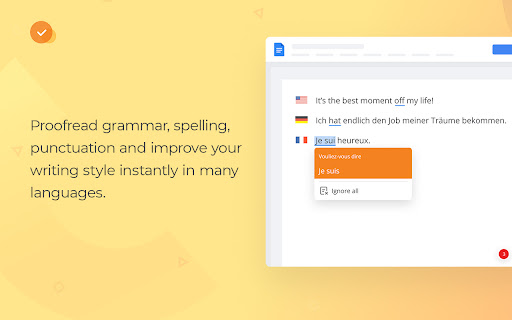
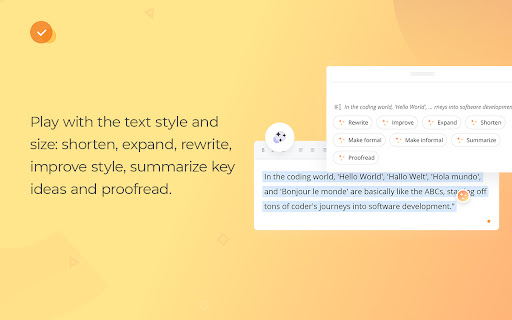
An AI-powered writing companion that automatically highlights and corrects grammar, spelling, and style issues across websites, Google Workspace, and various CMS platforms. It offers text rephrasing, shortening, and expansion tools in multiple languages to help users refine their written content.
Overview
Installs
4K+
Rating
★ 3.9
24 reviews
Languages
1 locales
Includes English
Market analysis
Review-backed positioning, friction, and market signals for this Chrome extension.
Macro category
AI & Writing Assistants
Pricing friction
Low review signal
Complaint intensity
Moderate review signal
Listing positioning
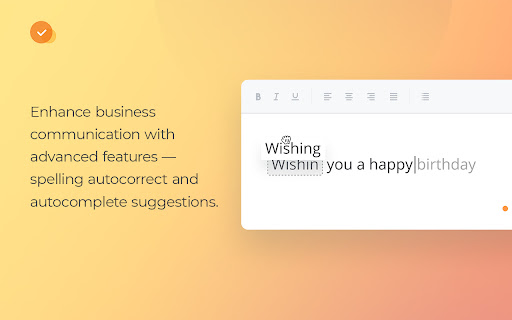
WProofreader positions itself as a secure, multilingual grammar, spelling, and style correction tool designed for both individuals and privacy-conscious enterprises. It emphasizes its deployment flexibility, offering shared cloud, private cloud, and self-hosted on-site installations. The extension markets a suite of advanced writing aids including AI-powered rephrasing, auto-complete, and customizable team style guides.
Inferred product pattern
A secure, enterprise-grade writing engine distributed as a browser plugin to upsell private-cloud and on-premise business deployments.
Review-backed pain points
The most notable user pain point is an account management loop where users who register using Google OAuth cannot delete their accounts because the system demands a non-existent password. Additionally, users face formatting bugs in Google Docs where text at line boundaries is mistakenly flagged as incorrect.
Observed feature gaps
Based on user feedback, there is an unresolved formatting conflict with Google Docs' layout rendering (specifically reported in Ukrainian). Furthermore, the AI rephrasing assistant lacks tone flexibility, with users noting that suggestions can frequently skew too formal for casual use cases like social media.
- Copywriters and marketers
- Dyslexic individuals and writers with spelling difficulties
- Privacy-focused enterprise teams
- Multilingual professionals
- Real-time multilingual spelling and grammar correction in browsers
- Rephrasing, expanding, or shortening marketing copy to adjust tone
- Standardizing team communication using organizational style guides
- Proofreading sensitive documents securely via self-hosted configurations
- Viable alternative to other premium tools like LanguageTool
- Highly valuable style guide functionality for brand consistency
- Responsive support team willing to work through update issues
- Transformational writing aid for users with dyslexia
- Account deletion obstacles when registered via Google OAuth
- Persistent text underlining bugs in Google Docs for specific languages
- Inconsistent automatic language detection
- Occasional slow loading and performance lag
- Performance complaints detected
- While one user critiqued the tool for being proprietary and paid, other users express satisfaction with the features provided under the free cloud tier, comparing it favorably to competitor alternatives.
Support
A user expressed frustration that a rendering bug in Google Docs was reported to the developers but remained unfixed after two months, though another user highly praised the support team for diagnosing a broken AI feature.
Reliability
Users reported performance lag, failure of the automatic language detection feature (requiring manual correction for languages like Russian), and a specific rendering bug that incorrectly flags line-ending words in Google Docs.
Privacy
No direct security leaks are reported, and the product's self-hosting options are marketed for security. However, there is a privacy-adjacent complaint regarding the inability to completely delete an account and associated data when using Google sign-in.
- Free entry with paid features
- Login needed for core features
- Limited free usage observed
Store listing facts
- Screenshots: 5
- Videos: 0
- Languages: 1
- Privacy policy
- Developer contact
- Official website
- Support link
- Version: 2.5.17
- Size: 4.45MiB
- Last updated:
Listing SEO keywords
Core discovery
Comparison
Problem
Alternative
Similar extensions
Jump to related discovery paths:
Screenshots

Links
Website: wproofreader.com
Privacy policy: https://webspellchecker.com/legal/privacy-policy/
Support links: https://wproofreader.com/contact-us.html