Copytables icon

Copytables Chrome Extension Analysis

Web Scraping & Data Extraction

Chrome extension ID: ekdpkppgmlalfkphpibadldikjimijon

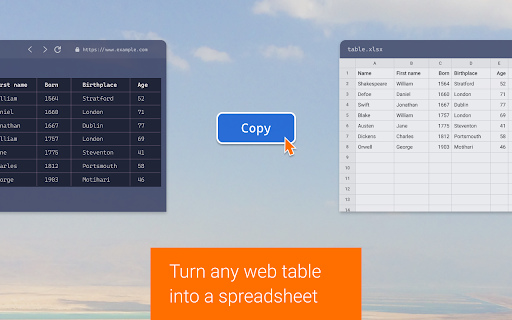
A browser extension designed to facilitate the extraction of structured data from web tables. It allows users to convert HTML tables into various formats for use in spreadsheet or document applications.

Version:0.6.5
Size:43.26KiB
Last updated:

Overview

Installs

100K+

Rating

4.3

228 reviews

Languages

1 locales

Includes English

Market analysis

Review-backed positioning, friction, and market signals for this Chrome extension.

Backed by review samples

Macro category

Web Scraping & Data Extraction

Pricing friction

Low review signal

Complaint intensity

High review signal

Listing & review signals
Observed signals from store listing text and review samples.

Listing positioning

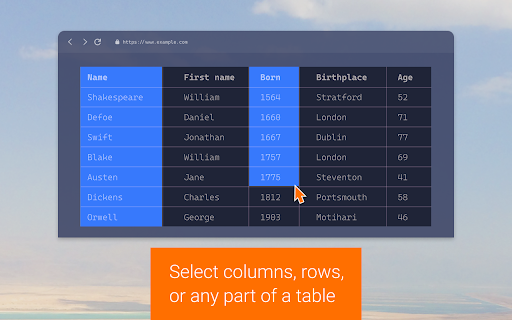
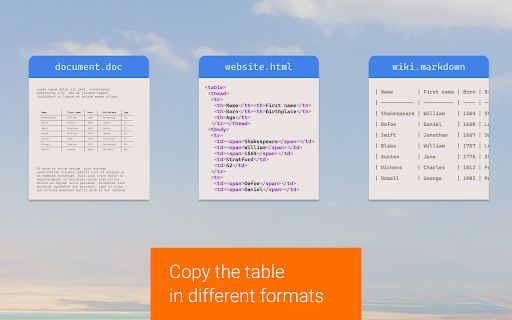
Copytables positions itself as a utility for selecting and copying table cells, rows, and columns via mouse, hotkeys, or context menus. It highlights support for multiple export formats including rich text, HTML, tab-delimited, and CSV.

Inferred product pattern

A specialized productivity utility for structured data extraction that is currently experiencing significant stability and compatibility regressions.

Review-backed pain points

Users report the extension frequently fails to function on modern web pages, causes browser crashes (specifically in Brave), freezes pages containing large tables, and interferes with other web applications like Google Sheets and YouTube.

Observed feature gaps

Lack of customizable modifier keys for different operating systems; lack of instructional documentation for advanced usage.

Tags
Table ExtractionData CopyingProductivity ToolData Scraper
Target users

- Data Analysts

- Researchers

- Administrative Professionals

- Web Scrapers

Primary use cases

- Copying web tables to Excel or Word

- Extracting data from HTML tables to CSV

- Selecting specific table columns or rows for data migration

Positive themes

- High historical utility

- Versatile export formats

Negative themes

- Frequent functional failure

- Browser instability and crashes

- Incompatibility with modern web structures (Divs)

- OS-specific keyboard shortcut conflicts

Observed friction

- Performance complaints detected

- No pricing friction observed in reviews.

Evidence boundary: Analysis based on the product listing features and a significant volume of user reviews highlighting functional failures and stability issues. The review data shows a high density of recent negative feedback, which may indicate a specific regression in recent versions.
Complaint summaries
Review-backed complaint signals grouped by operational area.

Support

Users reported a lack of responsiveness from the developer regarding issues.

Reliability

Significant reliability issues including browser-level crashes, page freezing during large data operations, and general failure to recognize non-standard table structures.

Privacy

One user reported the extension injecting code into WordPress editors.

Access & pricing

- No clear monetization signal

- No account requirement observed

- No clear pricing signal

Store listing facts

Listing assets

- Screenshots: 4

- Videos: 0

- Languages: 1

Trust signals

- Privacy policy

- Developer contact

- Official website

Store metadata

- Version: 0.6.5

- Size: 43.26KiB

- Last updated:

Listing SEO keywords

Search intent keywords
Keyword signals for evaluating how users may discover, compare, or search for this extension category.

Core discovery

copy web tablesextract table to csvcopy html table to exceltable cell selectorweb data scraper

Comparison

Table CaptureData Miner

Problem

copy table not workingweb table extraction failurebrowser crash extension

Alternative

table scrapercsv table exporter

Similar extensions

Jump to related discovery paths:

Screenshots

Copytables screenshot

Links

Recommended Chrome extensions

Related listings from the same category, trending peers, and the same publisher portfolio.

Browse workflow