

ProKeys Chrome Extension Analysis
Automation & Workflow EfficiencyChrome extension ID: ekfnbpgmmeahnnlpjibofkobpdkifapn
ProKeys is a Chrome extension that allows users to define and expand short abbreviations into longer text snippets, including styled text and dynamic fields. It also offers in-browser math computations, clipboard data integration, date and time macros, and auto-completion for quotes and braces, aiming to streamline typing workflows.
Overview
Installs
70K+
Rating
★ 4.4
222 reviews
Languages
1 locales
Includes English
Market analysis
Review-backed positioning, friction, and market signals for this Chrome extension.
Macro category
Automation & Workflow Efficiency
Pricing friction
Low review signal
Complaint intensity
High review signal
Listing positioning
ProKeys positions itself as a time-saving Chrome extension designed to eliminate repetitive typing and copy-paste tedium. It highlights features like custom text snippets, dynamic placeholders, in-browser math calculations, clipboard access, date/time macros, and auto-completion to significantly boost user productivity in various online tasks.
Inferred product pattern
A free, locally-stored or Chrome-synced text expander and productivity tool offering a rich set of dynamic features, but suffering from severe reliability issues, data loss, and a lack of active developer support based on public reviews.
Review-backed pain points
Review-backed pain points primarily revolve around the severe unreliability of the extension, including data loss (snippets disappearing), frequent instances of the extension ceasing to function, and persistent bugs. Users also report issues with cross-device syncing and a lack of support from the developer, leading to significant frustration.
Observed feature gaps
The store listing itself notes incompatibilities with major platforms like Facebook (comments/profile posts) and Google Docs. From reviews, observed feature gaps include unreliable syncing capabilities, difficulties with folder organization, limited keystroke customization (e.g., Control+Option+space), and the inability to remove auto-insert character pairs.
- Professionals with repetitive typing tasks (e.g., emails, customer support)
- Individuals seeking to boost their digital productivity
- Users who frequently use canned responses or template texts
- Expanding common phrases or full emails with short abbreviations
- Quickly inserting dynamic values like names or dates into text
- Performing on-the-fly math calculations within text editors
- Automating the insertion of code snippets or standard replies
- Enhancing typing speed and reducing manual input for common characters
No positive theme data.
- Extension stopping working unexpectedly
- Loss of saved snippets and data
- Difficulty with synchronization across devices
- Bugginess and unreliability of core features like text expansion
- Lack of developer response to support inquiries
- Incompatibility with certain popular web applications like Google Docs and Facebook
- Performance complaints detected
- Pricing details are not provided in the listing or reviews, indicating the product is offered for free. No pricing friction or complaints about costs were observed.
Support
Reviews indicate significant support issues, with users reporting that the developer does not respond to email inquiries and provides no explanation or assistance for critical problems like data loss. This leads to strong user frustration over perceived abandonment.
Reliability
The most prominent complaint theme is the unreliability of the extension. Users frequently report that ProKeys 'stops working,' 'doesn't work,' or 'keeps stop working everytime,' often requiring reinstallation which can lead to data loss. There are explicit mentions of 'buggy' behavior, failure to save snippets, and complete loss of user-created data, sometimes after months of effort.
Privacy
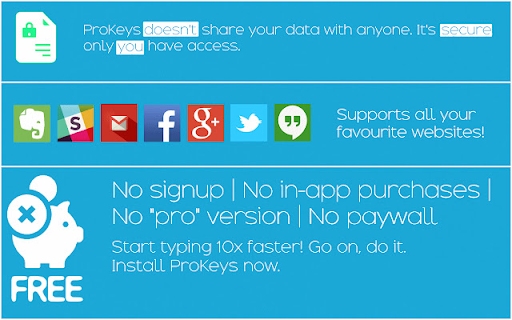
The listing explicitly states that user data is stored on the PC or synced across Chrome sign-ins, and 'nothing is sent to any external servers.' The source code is publicly available. No privacy complaints were observed in the provided reviews.
- Free usage observed
- No account requirement observed
- Free plan or free usage claimed
Store listing facts
- Screenshots: 3
- Videos: 1
- Languages: 1
- Privacy policy
- Developer contact
- Support link
- Version: 4.0.2
- Size: 417KiB
- Last updated:
Listing SEO keywords
Core discovery
Comparison
Problem
Alternative
Similar extensions
Jump to related discovery paths:
Screenshots
Links
Privacy policy: https://github.com/GaurangTandon/ProKeys/blob/master/PRIVACY_POLICY.md
Support links: https://github.com/GaurangTandon/ProKeys/issues/new
Videos: Watch








