SparkVault Memory Usage Inspector icon

SparkVault Memory Usage Inspector Chrome Extension Analysis

Developer & Designer Tools

Chrome extension ID: epdgbmjfcbjlmmmhnfbejhgfohnocbmf

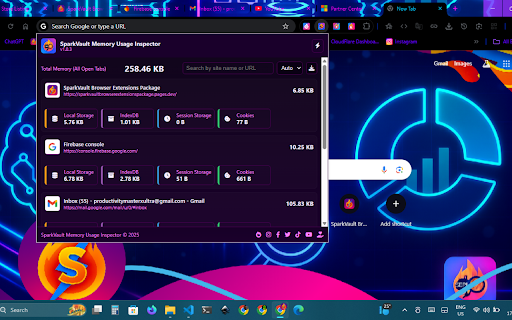
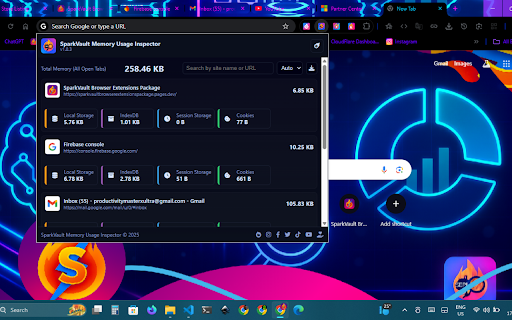
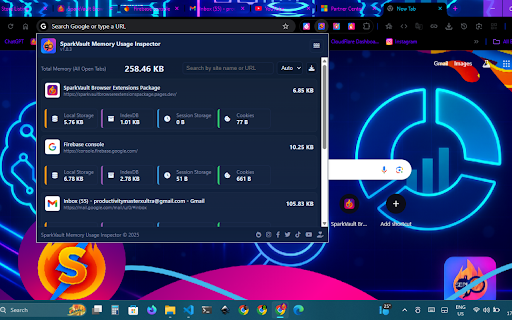
SparkVault Memory Usage Inspector is a Chrome extension that provides a detailed breakdown of memory and storage consumption for every open tab. It features an interactive dashboard with multiple themes and the ability to export data as JSON reports for auditing and troubleshooting.

Version:1.0.3
Size:4.46MiB
Last updated:

Overview

Installs

15

Rating

5.0

4 reviews

Languages

1 locales

Includes English

Market analysis

Review-backed positioning, friction, and market signals for this Chrome extension.

Backed by review samples

Macro category

Developer & Designer Tools

Pricing friction

Low review signal

Complaint intensity

Low review signal

Listing & review signals
Observed signals from store listing text and review samples.

Listing positioning

The product is positioned as a powerful utility for developers and power users to monitor, analyze, and manage browser memory and storage usage on a per-site basis. It emphasizes real-time tracking, detailed storage breakdowns (Local Storage, IndexedDB, Cookies), and customizable visual dashboards.

Inferred product pattern

Developer utility for browser resource auditing and performance monitoring.

Review-backed pain points

No negative pain points reported in the available reviews.

Observed feature gaps

No feature gaps identified in reviews, though the small user base suggests limited edge-case testing.

Tags
Memory MonitorWeb DevelopmentBrowser StoragePerformance AuditResource Tracking
Target users

- Front-end developers

- Web developers

- Browser power users

- Privacy enthusiasts

Primary use cases

- Auditing per-site storage and cookie footprints

- Debugging browser performance and memory bottlenecks

- Monitoring real-time RAM usage across tabs

- Generating JSON reports for development logs

Positive themes

- Accuracy of memory reporting

- High performance with no browser lag

- Useful JSON export functionality

- Aesthetic UI and theme options

Negative themes

No negative theme data.

Observed friction

- No pricing friction observed; no payment requirements mentioned in listing or reviews.

Evidence boundary: Analysis based on the official store listing and four 5-star user reviews. The data is based on a very small user sample (17 users), which may not reflect a broad user experience.
Complaint summaries
Review-backed complaint signals grouped by operational area.

Support

No support or account-related complaints observed.

Reliability

No reliability complaints; users specifically noted the lack of glitches and lag.

Privacy

No privacy or security complaints observed.

Access & pricing

- Free usage observed

- No account requirement observed

- Free plan or free usage claimed

Store listing facts

Listing assets

- Screenshots: 5

- Videos: 0

- Languages: 1

Trust signals

- Privacy policy

- Developer contact

- Official website

Store metadata

- Version: 1.0.3

- Size: 4.46MiB

- Last updated:

Listing SEO keywords

Search intent keywords
Keyword signals for evaluating how users may discover, compare, or search for this extension category.

Core discovery

chrome memory inspectorbrowser storage monitorindexeddb usage trackerchrome tab memory usage

Comparison

best chrome memory monitorSparkVault vs Chrome Task Manager

Problem

chrome using too much ramhow to check site local storage sizebrowser memory leak detector

Alternative

chrome memory usage alternativebrowser resource monitor extension

Similar extensions

Jump to related discovery paths:

Screenshots

SparkVault Memory Usage Inspector screenshot

Links

Recommended Chrome extensions

Related listings from the same category, trending peers, and the same publisher portfolio.

Browse developer